
AI design has introduced a new tension for brand and creative teams. Used without the right guardrails, AI-powered presentations can produce generic visuals, drift off brand, or create inconsistencies at scale.
AI decks promise speed. They help teams generate automated presentations, move past blank slides, and turn rough ideas into structured decks faster than traditional slide software. That pressure to move faster is already showing up at work: Beautiful.ai’s 3rd annual AI in the Workplace Survey found that managers are adopting AI primarily to streamline work and improve productivity.
But brand integrity is still hard-won. It takes time to define a visual identity, build design systems, and teach teams how to use them well. So it’s understandable that many brand leaders and designers hesitate when they hear the phrase “AI-generated design.” Automated output sounds useful, but not if it comes at the expense of consistency, polish, or control.
That concern is valid. Poorly implemented AI can produce designs that feel disconnected from the brand they’re meant to represent.
But that isn’t the only way AI design works.
With the right systems in place, AI doesn’t replace design. It helps enforce the design decisions your team has already made. When AI-powered presentations are built around brand controls and design guardrails, teams can scale professional, on-brand work without handing over creative direction.
Why teams fear AI-driven design
Most skepticism around AI design comes from a practical place. Brand identity is easy to dilute when more people are creating more assets, faster. Giving up control, even a little, creates worries about drifting from brand identity and magnifying mistakes.
Designers and brand teams have seen what happens when presentation creation scales without structure. A sales rep edits a pitch deck and swaps in the wrong font. A regional team updates a slide with off-brand colors. A manager copies old slides into a new deck and accidentally creates a “Frankendeck” of mismatched layouts, logos, and messaging. Then the design team is expected to catch and clean up the mistakes, usually on top of everything else they already own.
None of this usually happens because someone is being careless. Typically, it happens because presentations are created by people across the organization, many of whom are not designers. They may not know the brand system deeply, and even if they do, they may not have the time or tools to apply it perfectly.
For designers, the concern can cut even deeper. AI-powered presentations may raise questions about creative control and whether design expertise is being respected. Meanwhile, teams that already struggle to keep decks consistent may worry that design-from-scratch AI tools will only make the problem harder to contain.
That is where the fear around AI-powered presentations starts. If teams already struggle to keep decks consistent manually, what happens when AI speeds up creation even more?
The answer depends on the tool. AI without guardrails can amplify inconsistency. AI with the right brand control can help prevent it before it starts. Beautiful.ai empowers teams to create clean decks that align with brand standards. Brand Kits can be applied across decks to keep branding consistent, so designers can define the creative system once and trust it to carry across presentations. Instead of chasing mistakes slide by slide, they can spend more time shaping the work that actually needs their expertise.
The difference between automation and creativity
Treating automation and creativity as opposites only adds to the apprehension around AI. The worry is that if a tool automates design decisions, it must be taking creative control away from the people who know the brand best.
But automation does not have to mean creative surrender. In the right environment, it becomes a way to scale creative decisions into places where design expertise is not always present.
In presentation design, many of the most time-consuming tasks are not the most creative ones. Aligning elements. Fixing spacing. Resizing text. Reapplying brand colors. Rebuilding layouts after someone adds a bullet point. Policing whether every slide follows the right visual rules. These tasks matter, but they are not where designers create the most value.
Designers add value when they define the system, shape the story, clarify the message, and make intentional decisions about how a brand should show up. AI should not override that work. It should help more people work within it.
That is the difference between automation as a shortcut and automation as a safeguard. The goal is not to remove human judgment. The goal is to prevent preventable mistakes, especially when non-designers need to create professional presentations quickly.
How AI works within brand systems
AI-powered presentation tools can strengthen brand consistency and design quality when paired with proper controls. The strongest AI-assisted decks don’t pull creative decisions out of thin air. They work inside a system that has already been defined.
That means the brand does not have to be reinterpreted every time someone opens a new presentation. Approved themes, colors, fonts, logos, layouts, image styles, and presentation structures are already part of the workflow.
This is where AI design becomes valuable for brand teams. Instead of relying on every individual employee to interpret brand guidelines correctly, the tool applies those standards automatically.
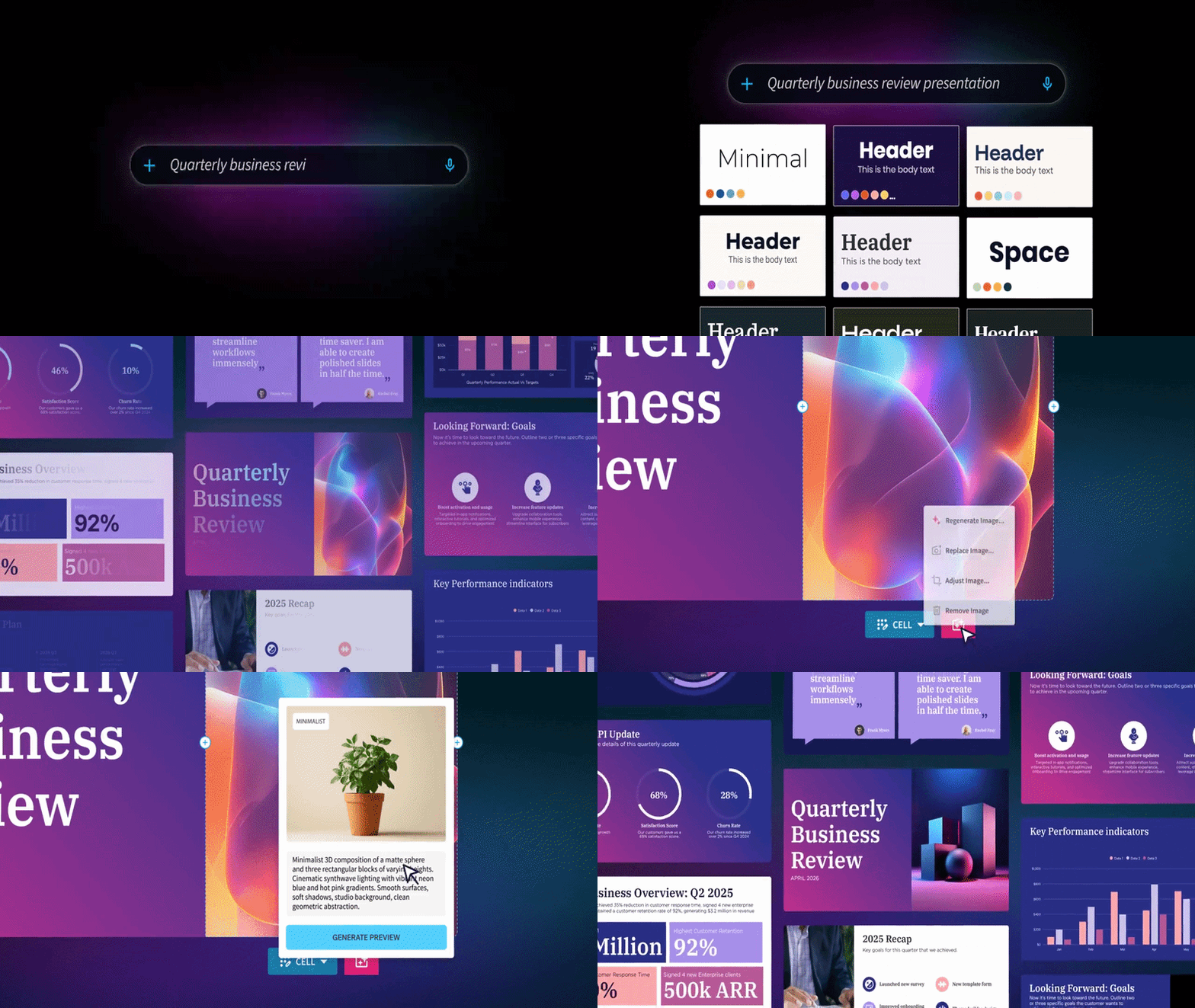
In Beautiful.ai, Smart Slides help maintain visual structure as content changes. Add more copy, swap in an image, or adjust a chart, and the layout responds without breaking the design. Brand controls and Brand Kits help teams define the visual system once, then apply it across presentations. Locked team slides and shared templates can keep core brand elements intact, even when multiple people are contributing to the same deck.
Design discipline is not removed from the workflow. It is built in. Designers maintain control over the system, while teams get easier access to branded, presentation-ready materials.
Best practices for maintaining brand control with AI
Start by defining the visual foundation. Your presentation themes should reflect approved brand colors, typography, logo usage, and layout preferences. In Beautiful.ai, designers have granular control over team Brand Kits. Once those elements are built into the tool, teams do not have to recreate them slide by slide.
From there, use templates and slide structures that match the kinds of presentations your organization creates most often. A sales deck, quarterly business review, executive update, and marketing plan all require different storytelling patterns. Giving teams approved starting points helps them move faster without improvising from a blank slide.
If your team hasn’t developed a template for a particular use case, users can access Beautiful.ai’s library of 100+ presentation templates for inspiration. Templates can be copied directly into workspaces, then customized with a Brand Kit in just a few clicks.
It also helps to decide where flexibility should exist. Some parts of a presentation may need to stay consistent, like legal language, brand slides, and key company messaging. Team slides can be locked so approved content and layouts stay intact when they are reused in new presentations. Other areas should remain editable so teams can tailor the deck to their audience. Good brand control is not about freezing every slide. It is about protecting what matters while allowing smart customization.
Visuals deserve the same level of guidance. One common fear around AI-generated visuals is that they will look generic or inconsistent. The solution is to define visual direction early. In Beautiful.ai, teams can customize AI image styles and use generated graphics in a way that better matches the tone and standards of the presentation. That makes AI imagery feel less like a random add-on and more like part of the overall brand system.
How designers and AI collaborate effectively
Designers define the system. AI helps enforce it. Non-designers create within it. The organization benefits from faster output without sacrificing consistency.
That model respects design expertise instead of bypassing it. Designers are still responsible for the standards, the creative direction, and the quality bar. AI simply helps those standards scale beyond the design team.
This is especially important as more teams create presentations as part of their everyday work. Not every employee has the time, training, or confidence to design a polished deck from scratch. But with built-in guardrails, they can still produce something professional, clear, and on-brand.
That is the practical value of AI design when it is built for brand control. It gives designers a stronger system for scaling their decisions, and it gives the rest of the organization a safer way to create.
The future of AI design is not about removing designers from the process. It is about removing unnecessary friction from the process.
Designers already grapple with manually policing every presentation to protect brand identity. They should not have to choose between speed and control. And teams should not have to accept generic AI output just to save time.
With the right platform, AI-powered presentations can work inside your design system from the start. Beautiful.ai offers automation with control, helping teams scale design safely and consistently. Smart Slides adapt as content changes. Brand controls keep decks consistent. Locked team slides protect key content and design choices. AI workflows help teams move from idea to polished presentation faster, without starting from scratch or losing the brand along the way.
AI does not replace the judgment, taste, or strategy behind great design. It helps enforce those decisions at scale.
If you’re looking for a presentation tool that protects brand identity, supports scalable design, and gives designers more control (not less), try Beautiful.ai free for 14 days.

.avif)


.gif)