


Beautiful.ai vs. Google Slides: which is better? [Updated 2026]


Beautiful.ai vs. Google Slides: which is better? [Updated 2026]
Choosing between Beautiful.ai and Google Slides comes down to understanding how your team creates, collaborates on, and delivers professional presentations. Both platforms function as modern presentation software designed to streamline presentation creation, but they approach slide creation, formatting, and workflow very differently.
Beautiful.ai focuses on helping teams create high-quality slide decks quickly through AI-powered design automation. Its smart slide system handles layout, spacing, fonts, and slide formatting in real time, reducing the need for manual formatting and repetitive design decisions. Google Slides, on the other hand, is a cloud-based presentation tool built around real-time collaboration, accessibility, and seamless integration with the broader Google Workspace ecosystem, including Docs, Excel-style Sheets, and Google Drive.
In this guide, we’ll compare Beautiful.ai and Google Slides across usability, templates, AI features, collaboration features, animations, exports, pricing, compatibility with PowerPoint and PPTX files, and ideal use cases to help you decide which presentation software best fits your workflow in 2025.
Tool overviews
What is Beautiful.ai?
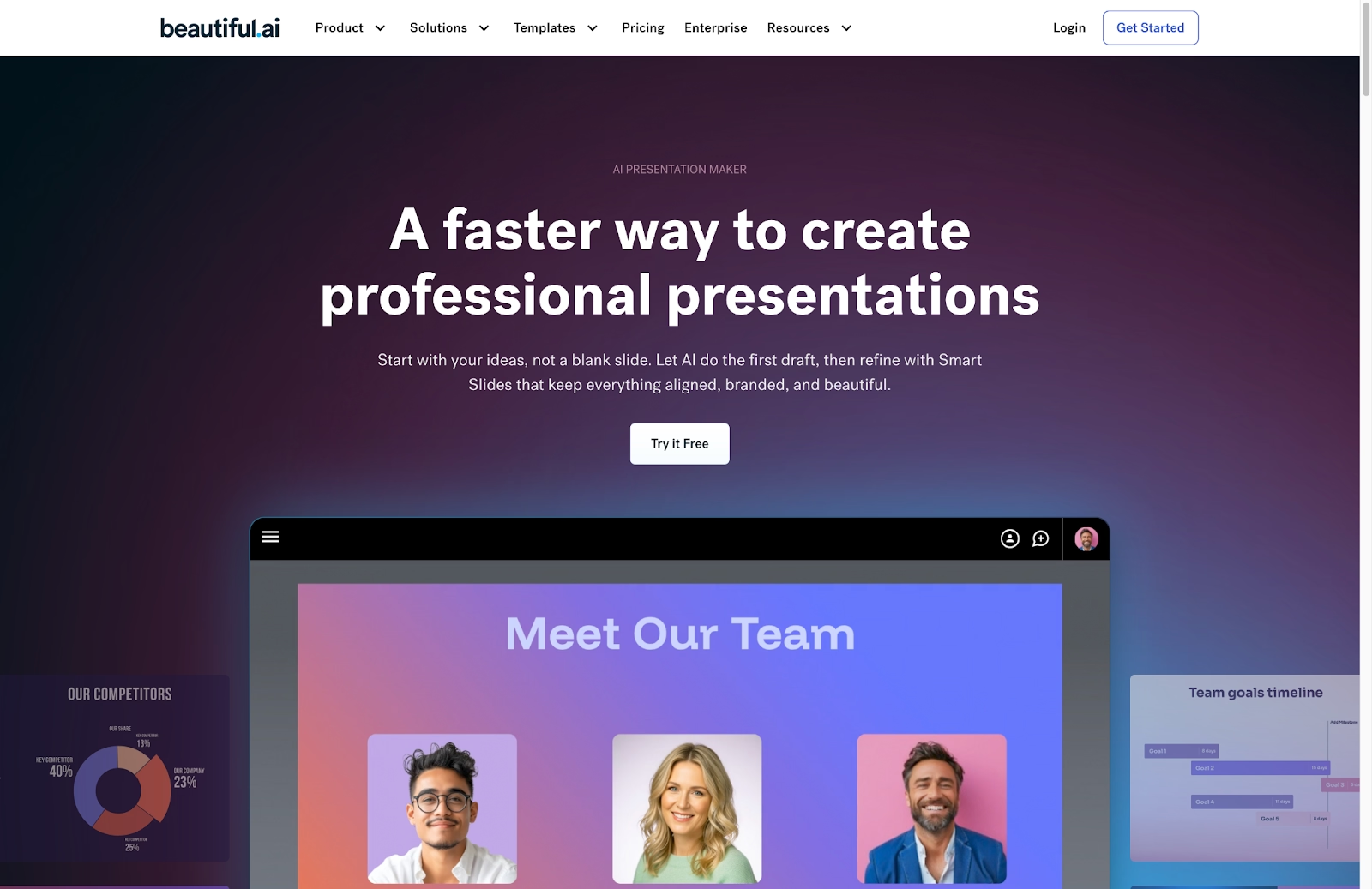
Beautiful.ai is an AI-powered presentation tool designed to automate presentation design for business teams. Instead of starting with a blank canvas like PowerPoint or Canva, users build presentations using smart slides and smart templates that automatically manage layout, spacing, alignment, and visual hierarchy as content is added or changed. This approach significantly reduces manual formatting during slide creation.
The platform is built for speed, consistency, and brand control. Teams can apply shared themes, fonts, charts, and brand guidelines across decks, ensuring professional presentations stay consistent regardless of who creates them. With built-in AI content generation and design automation, Beautiful.ai is commonly used by sales, marketing, leadership, and startup teams that need polished pitch decks without relying on design expertise.
What is Google Slides?
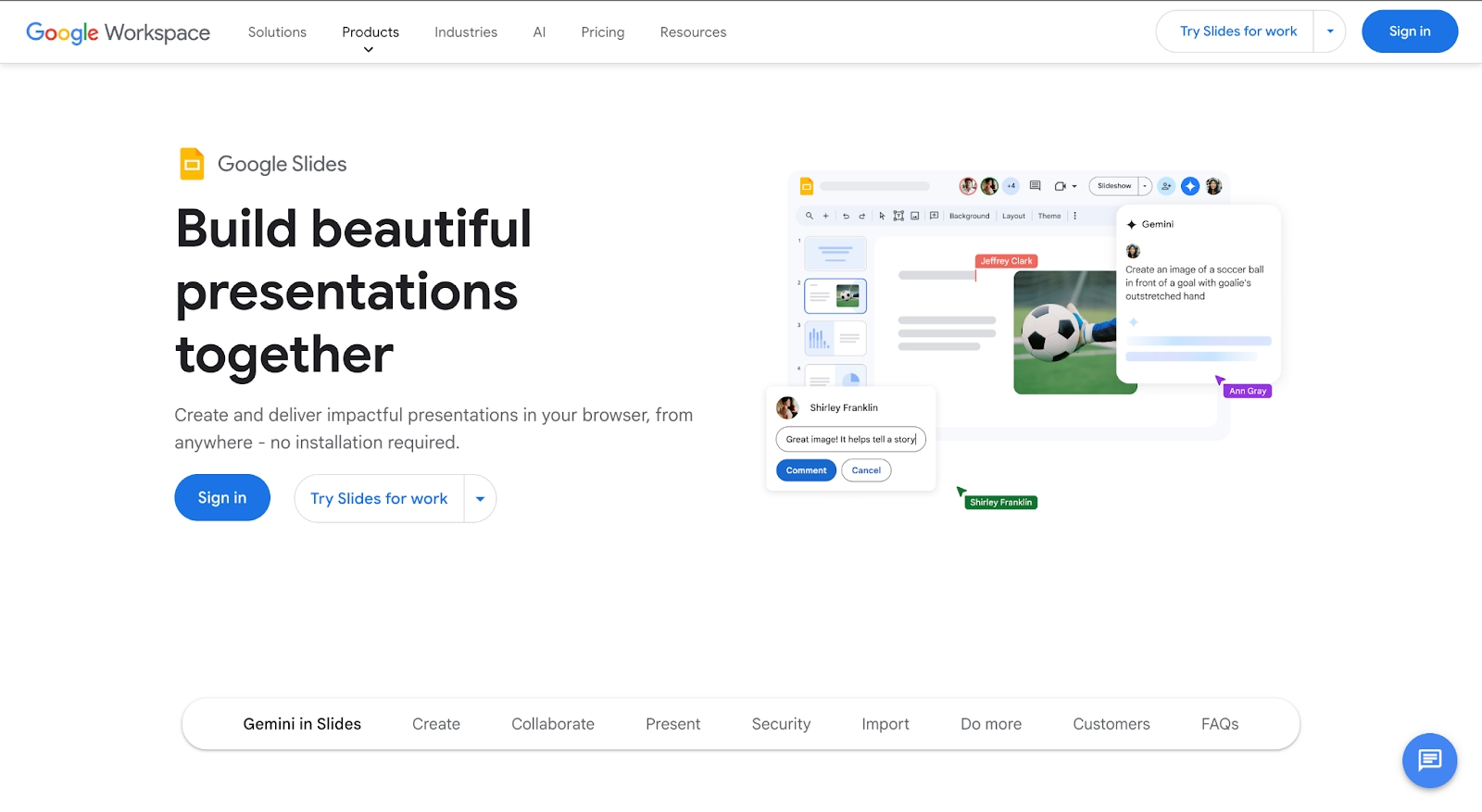
Google Slides is a cloud-based presentation tool that’s part of Google Workspace, alongside Docs, Sheets, Excel-compatible spreadsheets, Gmail, and Meet. It’s designed around real-time editing and team collaboration, allowing multiple users to work on the same slide deck simultaneously. Slides are saved automatically to Google Drive, eliminating version conflicts and improving workflow efficiency.
Google Slides prioritizes accessibility and seamless integration over advanced design automation. With Gemini AI, Slides now supports AI content generation, summarization, and slides generator workflows that turn Docs into new slides. These AI presentation tools reinforce Google Slides’ role as a collaboration-first platform rather than a standalone design system.
Usability & learning curve
Beautiful.ai
Beautiful.ai is designed for strong ease of use while producing high-quality results. Users choose from slide templates and focus on content, while smart slides automatically handle spacing, alignment, typography, and data visualization. As content updates, layouts adapt instantly, improving usability and reducing rework.
This structured approach makes Beautiful.ai extremely user-friendly, even for non-designers. The interface guides users toward best-practice layouts instead of freeform placement, making it easier to create professional presentations faster than traditional tools like Microsoft PowerPoint, Prezi, or Canva.
Google Slides
Google Slides offers a familiar editing experience similar to PowerPoint and other presentation software. Basic functions like adding text, charts, images, animations, and speaker notes are intuitive, especially for users already in Google Workspace.
However, slide formatting is manual. Users must manage alignment, spacing, and layout consistency themselves. While effective for simple Google Slides presentations, larger decks often require stricter templates to maintain quality, especially during team collaboration.
Template & asset library
Beautiful.ai
Beautiful.ai’s template library is built around adaptive smart templates rather than static layouts. Each slide template follows intelligent rules for spacing, typography, and hierarchy, preventing broken designs during presentation creation.
The library supports business-focused use cases like reports, dashboards, timelines, and pitch deck creation. It also includes curated icons, stock images, and charts optimized for clarity. This makes Beautiful.ai stand out among AI presentation makers focused on speed and consistency.
Google Slides
Google Slides offers a more limited native template library, with designs that tend to be clean and utilitarian rather than visually rich. These templates provide a basic structure but do not adapt dynamically when content changes, requiring users to manually adjust layouts as slides evolve.
To compensate, Google Slides relies heavily on a large third-party template ecosystem. Users often import templates from external providers or create custom themes using the Theme Builder to enforce branding. While this approach offers flexibility, it adds setup time and places more responsibility on users to maintain design consistency, especially in collaborative environments.
AI & automation features
Beautiful.ai
Automation is at the core of Beautiful.ai’s product experience. The platform’s smart design engine continuously manages layout, spacing, alignment, and visual hierarchy as users add or edit content. This means slides stay clean and balanced automatically, without requiring manual adjustments or design intervention.
It also includes built-in AI features for content generation, rewriting text, and turning outlines into new slides. Because AI content is tightly integrated with layout rules, presentations remain polished throughout the slide creation process.
Google Slides
Google Slides has significantly expanded its AI capabilities with the introduction of Gemini. Through the Gemini side panel, users can generate slide outlines, draft content, summarize documents, and create presentations from prompts or source materials such as Google Docs. The Canvas workflow further allows users to distill long documents into slide decks, helping teams move faster from raw information to shareable presentations.
However, while AI speeds up drafting, it does not automate layout or presentation design. Users still manage spacing, fonts, and structure manually, making Google Slides more of a content accelerator than a full AI presentation tool.
Customization & design control
Beautiful.ai
Beautiful.ai takes a structured approach to customization, prioritizing consistency and clarity over complete creative freedom. Users can customize themes, colors, fonts, charts, and visual elements, but all changes are governed by the platform’s smart layout rules. This ensures that slides remain visually balanced and on brand, even as content is added or modified.
Because elements cannot be freely placed anywhere on the canvas, Beautiful.ai prevents common design issues such as misalignment, overcrowding, or inconsistent spacing. This makes it especially effective for teams that want reliable, repeatable presentation quality. The trade-off is reduced flexibility for highly bespoke designs or experimental layouts that fall outside standard presentation structures.
Google Slides
Google Slides offers more manual control over slide elements. Users can freely move, resize, and layer text boxes, images, charts, and shapes across the slide canvas. This flexibility allows for a wider range of layouts and makes it easier to fine-tune slide composition when needed.
However, this freedom comes with greater responsibility. Maintaining consistent spacing, alignment, and hierarchy depends entirely on user discipline or the quality of the underlying theme. In collaborative environments, this often leads to visual inconsistency unless teams rely heavily on master slides or enforce strict design guidelines.
Collaboration, integrations & team workflows
Beautiful.ai
Beautiful.ai supports real-time collaboration with features designed specifically for presentation workflows. Multiple users can work on the same deck simultaneously, leave comments, and manage access through role-based permissions. Because smart slides automatically enforce layout rules, collaboration does not introduce formatting issues—slides stay aligned and visually consistent regardless of how many contributors are involved.
The platform also enables teams to share approved slides, templates, and visual assets through centralized libraries. This is especially valuable for sales and marketing teams that need to reuse messaging while keeping decks on brand. Integrations with tools like Slack, Salesforce, and common cloud storage services help connect presentation creation to broader business processes.
Google Slides
Collaboration is one of Google Slides’ strongest capabilities. It allows many users to edit the same presentation at the same time, with changes appearing instantly for all collaborators. Comments, suggestions, and assigned action items are deeply integrated into the workflow, making Slides effective for cross-functional teamwork and fast iteration.
Because Google Slides is part of Google Workspace, it integrates seamlessly with Google Docs, Sheets, Drive, Meet, and Gmail. This tight ecosystem enables teams to move fluidly between documents, data, and presentations. However, while collaboration is frictionless, maintaining visual consistency still depends on user discipline, as Google Slides does not automatically manage layout or formatting during collaborative edits.
Export, formats & platform support
Beautiful.ai
Beautiful.ai supports export options designed for sharing and presenting finished decks. Users can export presentations as PPTX, PDF, or PNG files, or share live presentation links that always reflect the latest version. Exports preserve slide structure and visual consistency, making it easy to deliver polished decks to stakeholders.
As a fully web-based platform, Beautiful.ai runs in the browser with no local installation required. Presentations are accessible from any device with an internet connection. While PowerPoint exports are supported, the smart slide logic does not transfer after export, meaning slides behave like standard static layouts once opened in another tool.
Google Slides
Google Slides supports a wide range of import and export formats, reflecting its role as a collaboration-first platform. Users can export presentations as PPTX, PDF, ODP, or image files, and can also download individual slides. Because Slides is widely used for cross-team collaboration, exported files are often shared as links rather than downloaded assets.
Google Slides runs entirely in the browser and is available across operating systems without installation. Offline editing is supported through browser caching, though functionality is more limited compared to desktop software. While Google Slides handles basic animations and layouts well during export, complex formatting or animations from other platforms may degrade during conversion.
Pricing & value for money
Beautiful.ai
Beautiful.ai uses a standalone subscription model focused specifically on presentation creation. As of 2025, the Pro plan for individuals is priced at $12 per month when billed annually (around $144 per year) and includes unlimited slides, smart templates, AI-assisted content creation, version history, and PowerPoint export. For teams, the Team plan costs $40 per user per month when billed annually, adding shared workspaces, centralized slide libraries, brand controls, and real-time collaboration. Larger organizations can opt for Enterprise pricing, which is custom and includes advanced security features such as SSO and dedicated support. Beautiful.ai typically offers a 14-day free trial, allowing users to evaluate the platform before committing.
Google Slides
Google Slides is not sold as a standalone product and is included as part of Google Workspace subscriptions. In 2025, Business Starter plans begin at approximately $7.20 per user per month, Business Standard at around $14.40 per user per month, and Business Plus at about $21.60 per user per month, with each tier increasing storage, security, and admin capabilities. Google Slides is also available for free to individual users with a personal Google account, though advanced admin controls and enterprise features are limited. Access to Gemini AI features for presentation generation and summarization may require an additional paid add-on, increasing the total cost for power users.
Ideal use cases for best-fit scenarios
When Beautiful.ai is the best fit
Beautiful.ai is best suited for teams and professionals who create presentations frequently and need consistent, high-quality output without spending time on manual formatting. Its automated layouts and smart templates make it especially effective for business environments where speed, clarity, and brand alignment matter.
Choose Beautiful.ai if you:
- Regularly build pitch decks, sales presentations, reports, or executive updates
- Want presentations to look polished without relying on design expertise
- Need brand consistency across teams and departments
- Prefer AI that manages layout and structure automatically
- Value faster turnaround times with fewer revision cycles
Beautiful.ai works particularly well for sales, marketing, leadership, and strategy teams where presentations are a core communication tool.
When Google Slides is the best fit
Google Slides is ideal for teams that prioritize collaboration, accessibility, and integration with cloud-based workflows. Its real-time editing, commenting, and version history make it a strong choice for distributed teams and fast-moving projects.
Choose Google Slides if you:
- Work with multiple collaborators editing the same deck simultaneously
- Rely heavily on Google Workspace tools like Docs, Sheets, Drive, and Meet
- Need easy sharing through links rather than file-based workflows
- Create internal updates, planning decks, or data-driven presentations
- Prefer a low barrier to entry with minimal setup
Google Slides excels in environments where speed of collaboration and shared ownership matter more than automated design.
Limitations & trade-offs
Beautiful.ai
Beautiful.ai’s strength in automation also defines its limitations. Because layouts are governed by smart slide rules, users cannot freely place elements or fine-tune designs at a pixel level. This can feel restrictive for users who want highly customized layouts, experimental visuals, or unconventional slide structures.
The platform is also purpose-built for presentations, which means it offers fewer advanced image-editing and data-visualization tools than broader design platforms. While this focus improves speed and consistency, teams with very specific design or data needs may occasionally need to supplement Beautiful.ai with other tools.
Google Slides
Google Slides’ primary limitation is its reliance on manual design control. While collaboration is seamless, maintaining clean layouts and consistent visual hierarchy depends entirely on user discipline or strong master slide setup. In large teams, this can result in inconsistent presentation quality without dedicated review or design oversight.
As a browser-based tool, Google Slides also has performance constraints. Very large decks, complex visuals, or heavy animations can feel less responsive, and offline editing is more limited compared to desktop software. Design capabilities are intentionally lightweight, which can be a drawback for teams seeking more polished or visually distinctive presentations.
Future roadmap & evolving features
Beautiful.ai
Beautiful.ai’s product direction continues to center on deeper automation and smarter design intelligence. Future updates are expected to expand the capabilities of smart slides, improve AI-assisted content generation, and give teams more flexibility within structured layouts without sacrificing consistency. The platform is also investing in stronger brand governance and collaboration features, signaling a continued focus on business and enterprise presentation workflows. As AI matures, Beautiful.ai is positioning itself as a system that not only generates content, but actively enforces design best practices at scale.
Google Slides
Google Slides’ roadmap is closely tied to the evolution of Google Workspace and Gemini AI. Ongoing development emphasizes faster content generation, document-to-deck workflows, and tighter integration with Docs, Sheets, and Meet. Rather than competing on advanced design or animation, Google Slides is focused on improving productivity, collaboration, and automation across shared workflows. Future enhancements are expected to further reduce manual work by summarizing, restructuring, and updating presentations based on connected documents and data sources.
Summary & recommendation
Beautiful.ai and Google Slides both support modern presentation creation, but they are optimized for very different priorities.
Beautiful.ai is designed for teams that want professional, consistent presentations without spending time on manual formatting. Its AI-driven layouts, smart templates, and design automation make it a strong choice for presentation-heavy roles where speed and polish matter. If presentation quality and brand consistency are recurring challenges, Beautiful.ai offers a clear efficiency advantage.
Google Slides excels in collaborative environments where multiple contributors need to work together in real time. Its seamless sharing, version control, and deep Google Workspace integration make it ideal for internal updates, planning decks, and data-driven presentations. While it requires more manual design effort, it shines when accessibility and teamwork are the top priorities.

Choose Beautiful.ai if you want:
- AI-powered design automation that handles layout, spacing, and formatting in real time
- Consistent, polished slide decks without relying on manual alignment or design cleanup
- Business-ready smart templates for pitch decks, reports, dashboards, and exec updates
- Brand control (themes, fonts, colors) that stays consistent across teams
- Faster turnaround on professional presentations with fewer revision cycles

Choose Google Slides if you want:
- Best-in-class real-time collaboration with effortless link sharing and versioning
- Seamless integration with Google Workspace (Docs, Sheets, Drive, Meet, Gmail)
- A familiar, flexible slide editor with manual control over placement and formatting
- Easy PPTX import/export for cross-team sharing and stakeholder compatibility
- A low-friction tool for team-driven decks where accessibility matters most
Final recommendation:
Choose Beautiful.ai if your team produces presentations frequently and wants consistent, presentation-ready results with minimal design effort. Choose Google Slides if real-time collaboration, shared ownership, and tight integration with cloud-based workflows are more important than automated design.
Why customers are switching to Beautiful.ai
Beautiful.ai is an AI-powered presentation platform that helps teams create polished, on-brand slides in a fraction of the time, without design skills or manual formatting.
- Design automation built in. Whether you're building pitch decks, reports, or internal presentations, Beautiful.ai’s Smart Slides automatically format content so you never worry about spacing, alignment, or layout again. Add your content, and the design adjusts instantly.
- ️No design experience required. Create professional decks without touching text boxes or manually arranging elements. Choose from Smart Templates and let the AI handle layout decisions, visual hierarchy, and consistency across the entire deck.
- Branding? Already handled. Keep every slide on-brand with your fonts, colors, and logos applied automatically. Beautiful.ai ensures every team member creates presentations that look like they came from a dedicated design team—without extra work.
- Real-time collaboration & team controls. Collaborate directly on the same deck, leave comments, manage permissions, and maintain consistency across team presentations. Perfect for growing teams and cross-functional workflows.
- Faster workflows, fewer revisions. Jump from rough outline to polished presentation in minutes, not hours. Beautiful.ai reduces back-and-forth edits by enforcing on-brand design rules and helping you iterate faster with AI-assisted slide creation.
