


Beautiful.ai vs. Monsha: which is better? [Updated 2026]


Beautiful.ai vs. Monsha: which is better? [Updated 2026]
Choosing between Beautiful.ai and monsha.ai depends largely on what kind of presentations you are creating and the workflow behind them. While both fall under the umbrella of AI presentation tools, they are built for fundamentally different audiences and objectives.
Beautiful.ai is an AI-powered presentation software designed to automate slide creation for business, startup, and professional use cases. It focuses on layouts, formatting, and visual consistency to help teams produce high-quality slide decks quickly. Monsha, by contrast, is an AI-driven education platform built specifically for teachers, combining lesson planning, worksheets, quizzes, and slide creation into a single instructional ecosystem.
Tool overviews
What is Beautiful.ai?

Beautiful.ai is a presentation-first platform that uses automation to eliminate manual formatting. Instead of working slide by slide like in Microsoft PowerPoint, Canva, or Google Slides, users build content inside smart templates that automatically manage layouts, spacing, alignment, and fonts in real time.
This approach streamlines the presentation workflow, especially for teams creating recurring slide decks, investor updates, and pitch decks. By enforcing consistent formatting through AI, Beautiful.ai reduces design overhead and helps non-designers produce professional, client-ready presentations without relying on drag-and-drop editing.
What is Monsha?
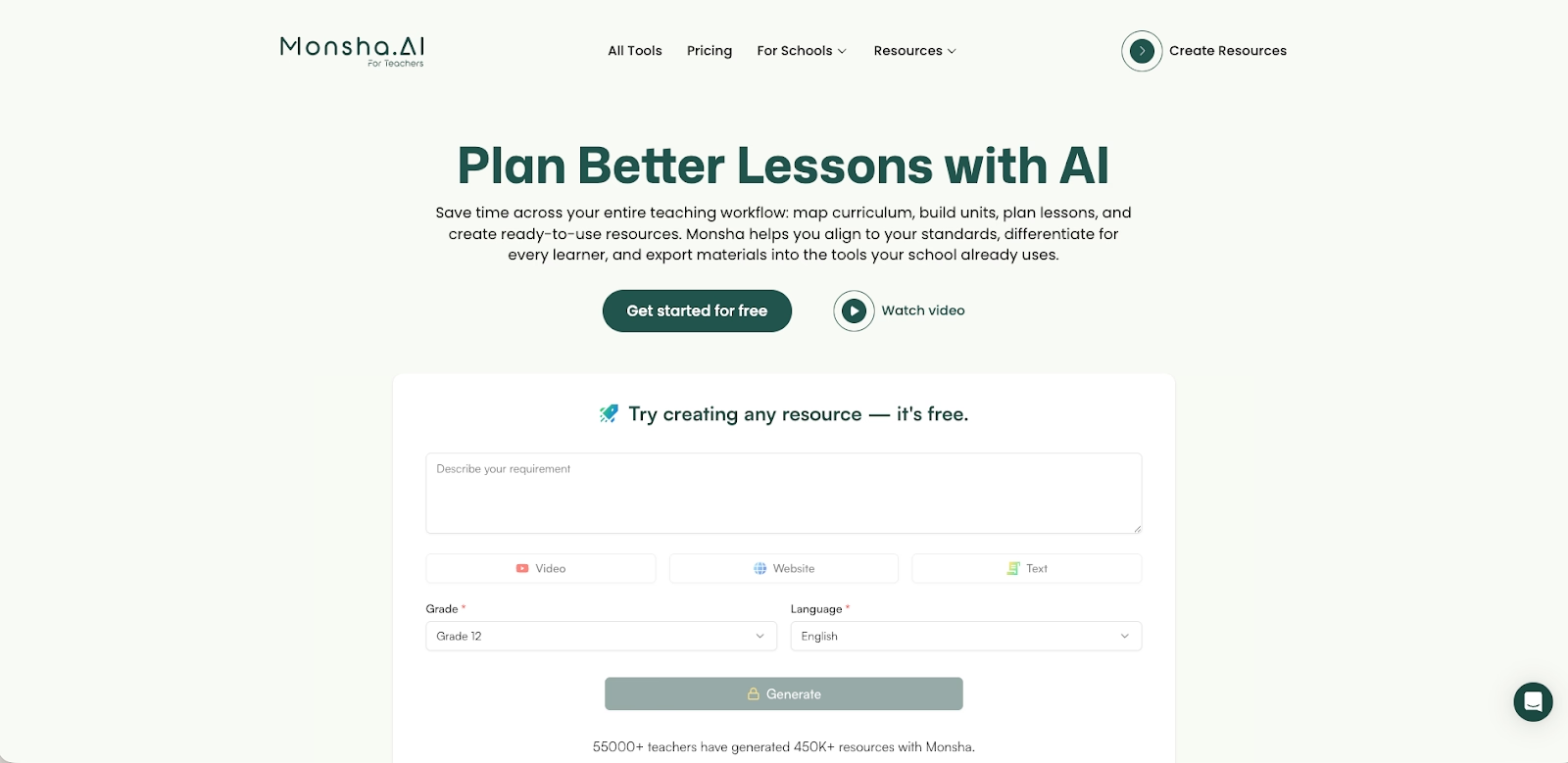
Monsha (commonly referred to as monsha.ai) is an end-to-end AI-powered platform for educators. Rather than focusing solely on slide design, Monsha automates the full instructional lifecycle—from course and lesson planning to resource creation and assessment delivery
Teachers use Monsha to generate lesson plans, slide decks, worksheets, quizzes, rubrics, and summaries aligned to a specific grade level and curriculum standards. The platform supports inputs from docs, PDFs, URLs, and YouTube videos, transforming them into classroom-ready materials. Slide creation is one component of a broader system designed to reduce administrative workload and support differentiated instruction.
Key comparison criteria
At a strategic level, Beautiful.ai is presentation-first and design-driven, while Monsha is education-first and curriculum-driven. Beautiful.ai optimizes for polished storytelling and visual consistency, whereas Monsha optimizes for instructional structure, compliance, and classroom efficiency.
These differences become more apparent when comparing ease of use and how each platform approaches templates and formatting.
Ease of use & learning curve
Beautiful.ai is designed to be highly user-friendly, even for beginners. Its step-by-step slide creation experience removes most formatting decisions from the user, allowing them to focus on content while AI handles layout and structure. This results in a short learning curve and predictable outputs, especially for business users.
Monsha is also easy to adopt for its intended audience—teachers. However, its workflow prioritizes lesson setup over visual design. Users are guided through selecting objectives, standards, grade level, and resource types before generating slides. This structure is powerful for lesson planning but can feel restrictive for users seeking fast, flexible presentation creation outside education.
Summary: Beautiful.ai minimizes friction for general presentation creation, while Monsha minimizes friction for lesson planning and classroom content.
Templates & format control
Beautiful.ai offers a curated template library built around smart slide logic. These smart templates automatically adjust layouts as content changes, ensuring consistent formatting across entire slide decks without manual tweaks. This is particularly valuable for long PowerPoint presentations where visual consistency matters.
Monsha provides instructional slide templates aligned to teaching needs, such as lesson introductions, guided practice, and assessment review. While these templates support clarity and structure, they offer limited customization. Formatting flexibility and visual polish are secondary to instructional accuracy and alignment with learning objectives
Summary: Beautiful.ai excels at automated formatting and visual consistency, while Monsha prioritizes instructional templates over design flexibility.
AI features & automation
While both platforms are categorized as AI-powered presentation software, they apply AI to very different parts of the creation process.
Beautiful.ai uses AI primarily for automation and formatting. Its core AI features manage layouts, spacing, visual hierarchy, and alignment in real time, ensuring slides remain clean and consistent as content changes. This makes it one of the more mature AI presentation makers focused on visual execution rather than content generation.
Monsha, on the other hand, applies AI across the entire instructional workflow. Its AI is not limited to slide creation—it drives lesson planning, differentiation, assessments, and content generation. Slide creation is one output within a much larger AI-driven ecosystem designed specifically for educators.
Summary: Beautiful.ai uses AI to control how slides look; Monsha uses AI to control what is taught and how it is delivered.
Content generation & instructional intelligence
Beautiful.ai offers limited AI-generated content support. While it assists with structuring slides and maintaining formatting, users are responsible for writing most of the content themselves or importing it from docs, Excel, or other sources.
Monsha excels at content generation. It can generate complete lesson plans, slide decks, worksheets, quizzes, rubrics, and summaries from a wide range of inputs, including YouTube videos, PDFs, web URLs, and uploaded documents. Teachers can also specify grade level, learning standards, and instructional frameworks to ensure outputs are classroom-ready.
This makes Monsha particularly effective for educators who want to use AI to reduce prep time while maintaining pedagogical accuracy.
Summary: Beautiful.ai assumes content already exists; Monsha generates content as part of the workflow.
Slide creation, layouts & visuals
Beautiful.ai’s slide creation experience is built around smart slide behavior. Slides automatically adapt as text, charts, or images are added, ensuring layouts remain balanced. The platform focuses on clean, business-ready visuals rather than decorative design, making it ideal for professional presentations and investor-facing decks.
Monsha’s AI Presentation Maker converts lesson content into slide decks by chunking information into slide-appropriate sections. It also integrates AI image generation, producing copyright-safe visuals aligned with lesson topics. These slides export as editable PPT or Google Slides, allowing teachers to tweak layouts, fonts, or visuals afterward.
Summary: Beautiful.ai emphasizes layout intelligence; Monsha emphasizes instructional completeness with editable outputs.
Workflow & ecosystem integration
Beautiful.ai functions as an all-in-one presentation software workspace. Drafting, editing, collaboration, and exporting happen inside a single environment, reducing tool switching and keeping workflows focused on slide delivery.
Monsha is built as a connected ecosystem for educators. It links course planning, lesson planning, slide creation, worksheets, quizzes, and assessments into a continuous workflow. Resources generated in one step are context-aware and reusable across others, preventing content silos.
Monsha integrates deeply with Google Workspace, including Google Slides, Google Classroom, Google Forms, and LMS platforms like Canvas and Schoology. This makes it particularly valuable in school environments where distribution and compliance matter.
Summary: Beautiful.ai streamlines presentation workflows; Monsha streamlines instructional workflows.
Collaboration features & real-time editing
Beautiful.ai includes built-in real-time collaboration, allowing multiple team members to edit slide decks simultaneously. Smart layouts ensure formatting remains consistent regardless of who makes changes, making it well-suited for team-based presentation work.
Monsha’s collaboration model is different. While it supports shared access and institutional deployment, real-time co-editing of slides is typically handled after export in Google Slides or Microsoft PowerPoint. Collaboration focuses more on curriculum alignment and administrative consistency than on simultaneous slide editing.
Summary: Beautiful.ai offers native real-time collaboration; Monsha relies on downstream tools for collaborative editing.
Pricing & free plan
Beautiful.ai is positioned as a premium product and does not offer a permanent free plan. Its pricing reflects its focus on automation, visual polish, and business presentation workflows.
Monsha follows a freemium model designed for educators. Its free plan includes a limited monthly credit allowance, enabling teachers to test lesson planning, slide creation, and basic AI tools. Paid plans unlock unlimited content generation, advanced differentiation features, AI image generation, LMS exports, and institutional controls.
Ideal use cases
Although both platforms use AI-powered technology, they serve very different use cases. The right choice depends on whether your primary goal is creating polished slide decks or managing a broader instructional and content-generation workflow.
When Beautiful.ai is the better fit
- Business teams, consultants, and startups producing recurring professional presentations, sales decks, and investor-facing pitch decks.
- Users who want presentation-first AI tools that automate layouts, formatting, and visual hierarchy without manual design work.
- Teams that value real-time editing, built-in collaboration features, and predictable slide formatting across large slide decks.
- Organizations working primarily in PowerPoint presentations that need clean exports with minimal post-editing.
- Users who prioritize visual consistency, high-quality layouts, and streamlined slide creation over content generation.
When Monsha is the better fit
- Educators and instructional teams focused on lesson planning, curriculum alignment, and classroom-ready materials.
- Teachers who need to generate slides, worksheets, quizzes, rubrics, and summaries from docs, PDFs, URLs, or YouTube videos.
- Schools using Google Workspace, Google Slides, Google Classroom, and LMS platforms as part of daily instruction.
- Users who want to use AI to reduce prep time across multiple instructional tasks, not just slide creation.
- Individuals or institutions looking for a capable free AI tool with a practical free plan for testing and pilot use.
Limitations and trade-offs
Both platforms make deliberate design trade-offs. Understanding these helps avoid choosing the wrong tool for the wrong workflow.
Beautiful.ai trade-offs
- Limited drag-and-drop freedom compared to traditional editors like PowerPoint or Canva.
- Not designed for curriculum planning, assessments, or instructional differentiation.
- No permanent free plan, which limits casual experimentation.
- Focused on presentation delivery rather than content generation from raw materials.
Monsha trade-offs
- Slide design flexibility is limited compared to presentation-first tools.
- Visual polish and advanced animations are secondary to instructional structure.
- Real-time slide collaboration typically happens after export, not natively.
- Less suitable for business storytelling or investor-facing presentations.

Choose Beautiful.ai if you want:
- Presentation-first AI that automates layout, spacing, and formatting
- Polished, business-ready slide decks with consistent visual hierarchy
- Smart templates optimized for pitch decks, sales decks, and reports
- Real-time collaboration with brand consistency built in
- Clean PowerPoint exports with minimal post-editing
Choose Monsha if you want:
- AI tools built specifically for educators
- Lesson planning and slide creation combined
- Instructional content aligned to curriculum standards
- Slides generated from documents or videos
- Integration with Google Classroom and LMS platforms
Final recommendation
If your goal is to produce visually consistent, polished, and professional presentations with minimal effort, Beautiful.ai is the stronger choice. Its AI-powered automation, smart templates, and real-time collaboration features make it ideal for teams that rely on slide decks for communication, sales, and executive reporting.
If your priority is reducing instructional workload through AI-driven lesson planning, content generation, and classroom resource creation, Monsha is the better fit. It excels as an all-in-one educational ecosystem, turning raw content into slides, worksheets, quizzes, and assessments that align with curriculum standards—especially within Google Workspace–based environments.
Why customers are switching to Beautiful.ai
Beautiful.ai is an AI-powered presentation platform that helps teams create polished, on-brand slides in a fraction of the time, without design skills or manual formatting.
- Design automation built in. Whether you're building pitch decks, reports, or internal presentations, Beautiful.ai’s Smart Slides automatically format content so you never worry about spacing, alignment, or layout again. Add your content, and the design adjusts instantly.
- ️No design experience required. Create professional decks without touching text boxes or manually arranging elements. Choose from Smart Templates and let the AI handle layout decisions, visual hierarchy, and consistency across the entire deck.
- Branding? Already handled. Keep every slide on-brand with your fonts, colors, and logos applied automatically. Beautiful.ai ensures every team member creates presentations that look like they came from a dedicated design team—without extra work.
- Real-time collaboration & team controls. Collaborate directly on the same deck, leave comments, manage permissions, and maintain consistency across team presentations. Perfect for growing teams and cross-functional workflows.
- Faster workflows, fewer revisions. Jump from rough outline to polished presentation in minutes, not hours. Beautiful.ai reduces back-and-forth edits by enforcing on-brand design rules and helping you iterate faster with AI-assisted slide creation.
