

Beautiful.ai vs. Keynote: which is better? [Updated 2026]

Beautiful.ai vs. Keynote: which is better? [Updated 2026]
Choosing the right presentation software often comes down to how much design control you want versus how much time you’re willing to invest in slide creation. Some teams prioritize speed and ease of use, while others value hands-on creativity and visual polish.
Beautiful.ai and Apple Keynote are both powerful presentation tools capable of producing professional presentations, but they approach presentation design from very different angles. Beautiful.ai is an AI-powered presentation software focused on automation, smart templates, and repeatable workflows. Keynote, developed by Apple, is a design-first tool built for macOS users who want cinematic visuals, refined fonts, and advanced animations.
In this guide, we compare Beautiful.ai and Keynote across functionality, templates, automation, real-time collaboration, pricing, compatibility, and use cases to help startups, teams, and individual creators choose the best tool for their specific needs in 2025.
Tool overviews
What is Beautiful.ai?
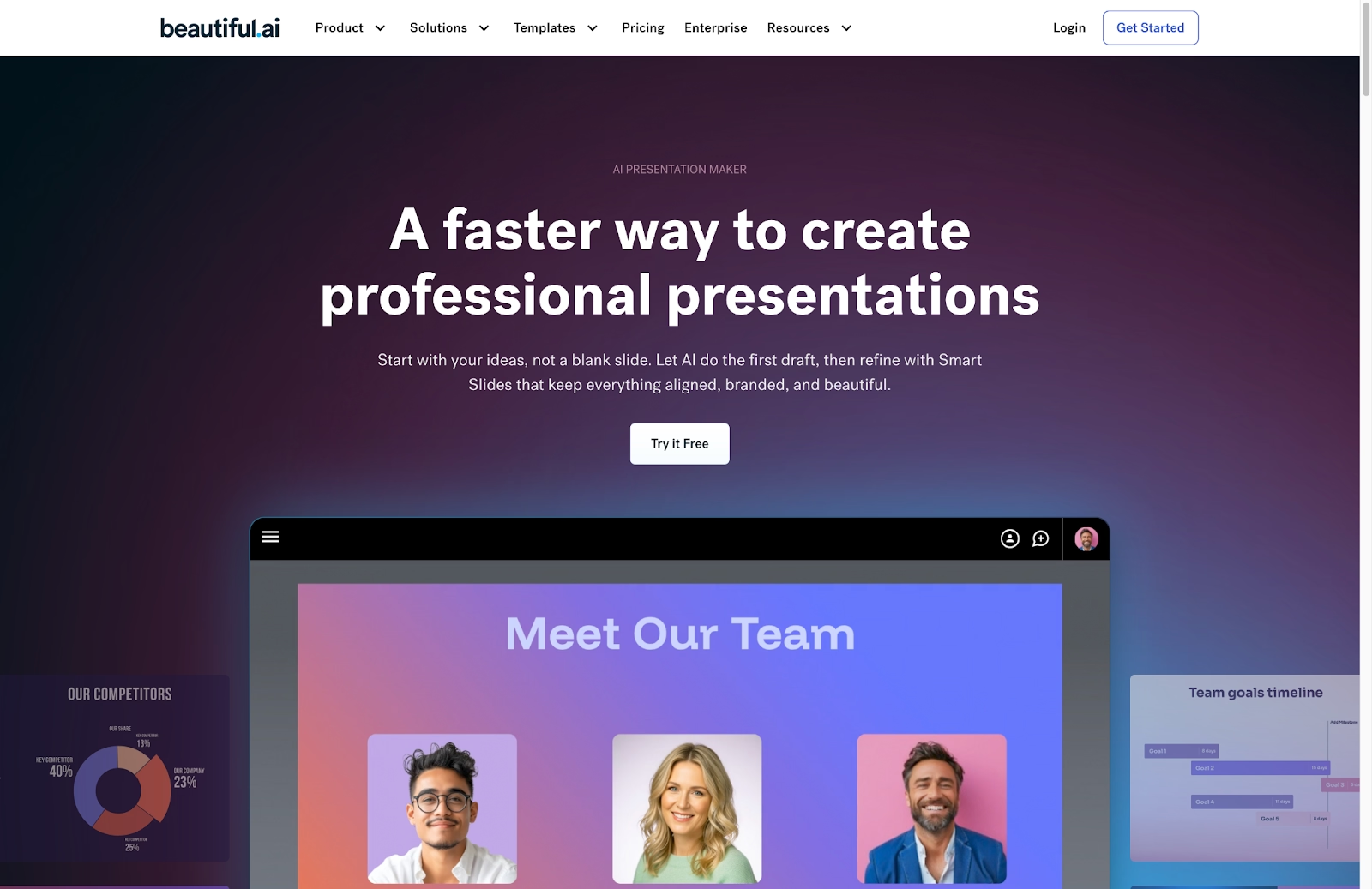
Beautiful.ai is an AI-powered presentation tool designed to help teams create polished slide decks quickly using smart slides and smart templates. Instead of manually formatting each slide, users rely on design automation that manages layout, spacing, fonts, and data visualization in real time. This approach reduces errors and ensures brand consistency across every presentation.
It is commonly used for pitch decks, reports, internal updates, and professional presentations that need to scale across teams. Its AI features include content generation, AI image generation, slide creation from prompts, and text refinement—all embedded directly into the workflow. With built-in collaboration tools and brand guidelines applied at the workspace level, Beautiful.ai is especially effective for startups and growing teams producing presentations frequently.
What is Keynote?
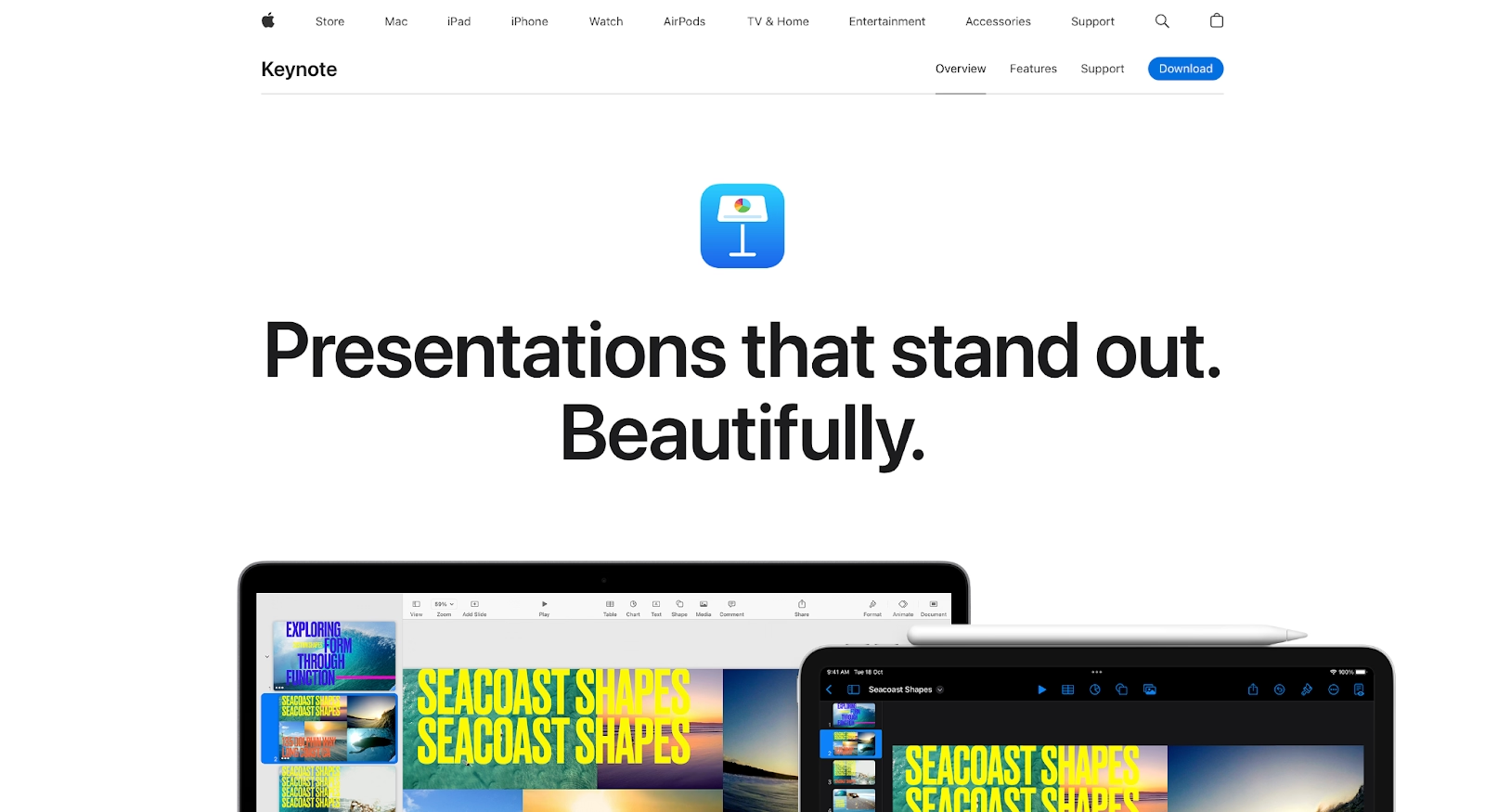
Keynote is Apple’s native presentation software, built specifically for the macOS and iOS ecosystem. Unlike automation-first tools, Keynote treats each slide as a flexible canvas, giving users full control over layout, multimedia, transitions, and animations. Its rendering engine is optimized for Apple hardware, delivering smooth real-time effects even on lightweight Mac devices.
It is known for features such as Magic Move transitions, advanced typography controls, and support for rich multimedia. While it lacks native AI presentation or content generation tools, recent updates through Apple Intelligence introduce AI-powered text refinement and image assistance. Keynote works best for users deeply embedded in the Apple ecosystem who want hands-on presentation design rather than automated structure.
Key comparison criteria
To evaluate Beautiful.ai and Keynote fairly, it’s important to look beyond surface-level design and examine how each tool supports real-world presentation workflows. The following criteria focus on usability, design flexibility, automation, collaboration, and output—areas that directly affect how quickly teams can create, update, and deliver professional presentations.
Usability & learning curve
Beautiful.ai
Beautiful.ai is intentionally user-friendly, especially for beginners or non-designers. Users select from design templates and smart slides, then focus on content while automation handles formatting in real time. Layouts adapt dynamically as slides change, reducing the need for manual tweaks.
This guided workflow makes Beautiful.ai easy to learn, even for users without design experience. The interface encourages structured thinking and reduces decision fatigue, allowing teams to produce consistent, professional decks quickly. For most users, the learning curve is short, and productivity gains are immediate.
Keynote
Keynote offers a more open-ended, canvas-based editing experience. Slide elements are treated as independent objects that can be freely positioned, layered, and animated, giving users full creative control. This flexibility enables sophisticated visual storytelling but requires users to make more design decisions manually.
While Keynote’s interface is relatively clean compared to feature-dense office tools, it still assumes a basic understanding of layout, typography, and animation principles. New users may need more time to become comfortable creating structured, balanced slides, especially for business-oriented presentations. The learning curve is moderate, with greater rewards for users who invest time mastering the tool’s design capabilities.
Summary
- Beautiful.ai prioritizes ease of use through automation, enabling fast, consistent slide creation with minimal learning time.
- Keynote provides greater creative freedom but requires more hands-on effort and design awareness to achieve polished results.
Templates & asset library
Beautiful.ai
Beautiful.ai’s smart templates are rule-based rather than static. As content is added, layouts automatically rebalance to maintain visual hierarchy and readability. These customizable templates are optimized for business use cases such as slide decks, pitch decks, and reports.
The platform also includes built-in design tools, icons, charts, and data visualization components that integrate seamlessly with smart slides. Because templates adapt automatically, teams can reuse them across projects without breaking formatting.
Keynote
Keynote includes a smaller set of visually refined design templates, with a strong focus on typography, white space, and storytelling. For greater variety, users often rely on third-party marketplaces for additional templates.
Unlike Beautiful.ai, Keynote templates are static. Content-heavy slides often require manual resizing and repositioning, especially when adapting decks for different formats or audiences.
AI & automation features
Beautiful.ai
Automation is foundational to how Beautiful.ai works. The platform uses AI-driven smart slides to automatically manage layout, spacing, alignment, and visual hierarchy as users add or edit content. This happens continuously, meaning slides stay polished without requiring manual design adjustments.
Beyond layout automation, Beautiful.ai includes AI tools for generating presentations from prompts, rewriting text for clarity or tone, and creating slide-ready content directly inside the editor. Because these capabilities are tightly integrated with smart templates, generated content fits naturally into structured layouts rather than disrupting the design. For teams producing presentations frequently, this level of automation significantly reduces creation time and revision cycles.
Keynote
Keynote’s approach to AI is more assistive than generative. With the introduction of Apple Intelligence, AI features in Keynote focus on refining existing content rather than creating entire presentations from prompts. Users can rewrite text, adjust tone, proofread copy, and clean up visuals directly within slides, often using on-device processing to preserve privacy
Unlike AI-first platforms, Keynote does not offer a native text-to-deck or automated layout system. Slide structure, layout decisions, and visual composition remain manual, with AI acting as a supporting layer rather than a design engine. This approach aligns with Keynote’s philosophy of keeping the user in creative control, but it also means less automation for users who prioritize speed and repeatability.
Customization & design control
Beautiful.ai
Beautiful.ai offers guided customization designed to balance flexibility with consistency. Users can adjust colors, fonts, charts, and visual emphasis while the platform enforces layout rules that maintain spacing, alignment, and hierarchy. Brand kits allow teams to apply approved colors, typography, and logos across all presentations, ensuring compliance without manual policing.
Because layouts are rule-based, users cannot freely place elements anywhere on the slide. This constraint is intentional—it prevents visual clutter and broken designs, especially in collaborative environments. While this limits highly bespoke or experimental layouts, it ensures that every slide remains clear, readable, and presentation-ready with minimal effort.
Keynote
Keynote provides full creative control over slide design. Every element, text, images, shapes, video, and charts, can be freely positioned, layered, resized, and animated on the canvas. This makes Keynote especially powerful for users who want to craft visually rich, cinematic presentations or treat slides as design artboards rather than structured documents
Advanced typography, object masking, gradient fills, and sophisticated animation tools such as Magic Move allow for highly customized visual storytelling. However, this level of freedom also places responsibility on the user to manage consistency, spacing, and hierarchy manually. For teams, maintaining uniform design standards often requires templates, design guidelines, or experienced designers.
Collaboration & team workflows
Beautiful.ai
Beautiful.ai supports real-time collaboration, allowing multiple team members to edit slides simultaneously without disrupting layout. Role-based permissions, shared workspaces, and centralized brand assets streamline collaboration at scale.
Teams can also create shared slide libraries and brand-controlled assets, making it easy to reuse approved content across presentations. This structure reduces review cycles and ensures that updates, such as refreshed messaging or visuals, can be rolled out consistently. Beautiful.ai integrates with common business tools like Slack and Salesforce, helping teams connect presentation creation with broader workflows.
Keynote
Keynote supports real-time collaboration through iCloud, allowing multiple users to edit and comment on presentations simultaneously. Collaborators appear as colored cursors, and changes sync across devices, including Macs, iPads, and iPhones. Non-Apple users can participate through a browser-based version, although editing capabilities are more limited outside the Apple ecosystem
While collaboration is smooth for small teams, Keynote retains a more file-based workflow than cloud-native tools. Conflicts can occur if users edit offline and reconnect later, requiring manual resolution. For larger or cross-platform teams, collaboration is effective but less structured than platforms built specifically for shared, repeatable business workflows.
Export, formats & platform support
Beautiful.ai
Beautiful.ai is a fully web-based platform, which makes presentations accessible from any modern browser without software installation. Users can share live presentation links that always reflect the latest version of a deck, reducing the need to resend files as updates are made. For offline use or external sharing, presentations can be exported as PPTX, PDF, or individual slide images.
When exporting to PowerPoint, slides retain their visual structure, but the smart layout logic does not carry over. Once exported, the deck behaves like a standard PowerPoint file, meaning future edits require manual formatting. Even so, Beautiful.ai’s export options are designed to prioritize visual fidelity and ease of sharing across teams and stakeholders on different platforms.
Keynote
Keynote uses its own native .key file format, which is optimized for performance and media-rich presentations but is not natively supported on Windows. To share files outside the Apple ecosystem, users must export presentations to PowerPoint (.pptx), PDF, or video formats. While PowerPoint export is supported, complex animations, advanced typography, and Magic Move transitions may be simplified or rasterized during conversion to preserve appearance
Keynote also stands out for its advanced video export capabilities. Users can export presentations as high-quality video files, including Apple ProRes formats with alpha channel support, making Keynote useful for motion graphics and recorded presentations. However, cross-platform editing remains a limitation, and many teams treat Keynote as a one-way delivery tool rather than a collaborative, editable format across operating systems.
Summary
- Beautiful.ai offers flexible, browser-based access with exports optimized for sharing and cross-platform collaboration.
- Keynote delivers high-fidelity exports and advanced video output, but editable sharing outside the Apple ecosystem can introduce compatibility challenges.
Pricing & value for money
Beautiful.ai
Beautiful.ai uses a subscription-based pricing model that reflects its focus on AI-driven automation and team consistency. As of 2025, the Pro plan for individuals is priced at $12 per month when billed annually, which includes unlimited slides, smart templates, AI-assisted content creation, version history, and PowerPoint export.
For teams, the Team plan costs $40 per user per month when billed annually, adding shared workspaces, brand controls, collaborative editing, and centralized slide libraries. Larger organizations can opt for an Enterprise plan with custom pricing, which includes advanced security features such as SSO and dedicated support. Beautiful.ai also offers a free trial, allowing users to evaluate the platform before committing.
Keynote
Keynote follows a fundamentally different pricing model. The software is free and included with every Mac, iPad, and iPhone, making it immediately accessible to users within the Apple ecosystem. There are no paid tiers or feature-gated upgrades, and collaboration through iCloud is also included at no additional cost.
However, the total cost of ownership is tied to Apple hardware, which represents a higher upfront investment compared to web-based or cross-platform tools. While Keynote delivers exceptional value for individual users and Apple-centric teams, it does not offer enterprise-style pricing, licensing flexibility, or standalone access outside Apple’s ecosystem.
Ideal use cases for best-fit scenarios
When Beautiful.ai is the best fit
Beautiful.ai is a strong choice for teams that need to produce presentations quickly, consistently, and at scale. Its AI-driven layouts and brand controls make it especially effective in environments where multiple contributors are involved and visual consistency is non-negotiable. Sales, marketing, leadership, and operations teams benefit from being able to create polished decks without relying on design expertise or manual formatting.
Beautiful.ai is best suited for organizations that treat presentations as a repeatable business output rather than a one-off creative project. If speed, clarity, and standardization matter more than cinematic effects or bespoke layouts, Beautiful.ai aligns well with those priorities.
When Keynote is the best fit
Keynote is ideal for users who value visual storytelling and hands-on creative control. Designers, founders, and presenters creating keynote-style talks, product launches, or visually rich narratives often prefer Keynote for its smooth animations, advanced typography, and media handling. Its Magic Move transitions and canvas-based editing make it especially powerful for presentations that need to feel dynamic and expressive.
Keynote works best in Apple-centric environments where all contributors use macOS or iOS devices. For individual creators or small teams focused on presentation quality and delivery rather than speed or scalability, Keynote offers exceptional creative freedom and polish.
Limitations & trade-offs
Beautiful.ai
Beautiful.ai’s strength in automation also introduces clear constraints. Because layouts are governed by design rules, users cannot freely place or layer elements anywhere on a slide. This limits highly custom or unconventional designs and may feel restrictive for users who want complete creative control.
The platform is also presentation-specific, meaning it offers fewer advanced media-editing, animation, or motion-graphics features compared to design-first tools. For teams that require highly expressive visuals or complex animations, Beautiful.ai may prioritize efficiency over creative flexibility.
Keynote
Keynote’s primary trade-off is its reliance on manual design work and the Apple ecosystem. While the canvas-based approach enables rich, cinematic presentations, it requires more time and design awareness to maintain consistency, especially for business decks that change frequently. Without strict templates or experienced designers, presentations can become visually inconsistent.
Cross-platform collaboration is another limitation. Although Keynote supports browser-based access, editable sharing outside macOS and iOS is limited, and exporting to PowerPoint can result in degraded animations or formatting. For mixed-device or enterprise teams, this friction can slow collaboration and revision cycles.
Summary
- Beautiful.ai trades full creative freedom for speed, consistency, and automated design reliability.
- Keynote offers superior visual flexibility and presentation polish but introduces ecosystem lock-in and higher manual effort.
Future roadmap & final recommendation
Future roadmap
Beautiful.ai’s product direction continues to center on deeper automation and team-scale presentation workflows. Ongoing development is focused on improving AI-assisted content generation, expanding smart slide intelligence, and strengthening brand governance and collaboration features. The long-term goal is to further reduce manual design work while giving teams predictable, repeatable presentation output that integrates cleanly with business systems.
Keynote’s roadmap is closely tied to Apple’s broader platform strategy. Future updates are expected to deepen Apple Intelligence integration, expand real-time rendering and animation capabilities, and support emerging use cases tied to spatial computing and immersive presentation formats. Rather than moving toward full automation, Keynote is evolving as a high-fidelity storytelling tool that benefits from tighter hardware–software integration across Apple devices.

Choose Beautiful.ai if you want:
- AI-powered automation that handles layout, spacing, and formatting for you
- Consistent, professional slide decks created quickly and at scale
- Smart templates designed for business use cases like pitch decks, reports, and updates
- Built-in brand controls that keep presentations on-brand across teams
- A repeatable, collaborative workflow that minimizes manual design work
Choose Keynote if you want:
- Full creative control over slide design, layout, and animations
- Cinematic transitions, refined typography, and visually expressive storytelling
- A design-first tool optimized for macOS and iOS performance
- Advanced animation and video export capabilities for polished delivery
- A free presentation tool tightly integrated into the Apple ecosystem
Final recommendation
Beautiful.ai and Keynote both produce visually strong presentations, but they serve very different needs.
Beautiful.ai is the better choice for teams that prioritize speed, consistency, and scalability. Its AI-driven layouts, brand controls, and collaborative workflows make it well suited for business environments where presentations are created frequently and by multiple contributors. If your goal is to reduce design effort while maintaining professional standards across every deck, Beautiful.ai offers a more efficient and predictable workflow.
Keynote is best suited for individuals or small teams who value creative control and presentation polish above automation. Its cinematic animations, advanced typography, and media handling make it ideal for keynote talks, product launches, and storytelling-driven presentations—particularly within Apple-centric environments. If presentation delivery and visual impact are your top priorities, and manual design is not a barrier, Keynote remains a compelling option.
Why customers are switching to Beautiful.ai
Beautiful.ai is an AI-powered presentation platform that helps teams create polished, on-brand slides in a fraction of the time, without design skills or manual formatting.
- Design automation built in. Whether you're building pitch decks, reports, or internal presentations, Beautiful.ai’s Smart Slides automatically format content so you never worry about spacing, alignment, or layout again. Add your content, and the design adjusts instantly.
- ️No design experience required. Create professional decks without touching text boxes or manually arranging elements. Choose from Smart Templates and let the AI handle layout decisions, visual hierarchy, and consistency across the entire deck.
- Branding? Already handled. Keep every slide on-brand with your fonts, colors, and logos applied automatically. Beautiful.ai ensures every team member creates presentations that look like they came from a dedicated design team—without extra work.
- Real-time collaboration & team controls. Collaborate directly on the same deck, leave comments, manage permissions, and maintain consistency across team presentations. Perfect for growing teams and cross-functional workflows.
- Faster workflows, fewer revisions. Jump from rough outline to polished presentation in minutes, not hours. Beautiful.ai reduces back-and-forth edits by enforcing on-brand design rules and helping you iterate faster with AI-assisted slide creation.
