


Beautiful.ai vs. NoteGPT: which is better? [Updated 2026]


Beautiful.ai vs. NoteGPT: which is better? [Updated 2026]
Choosing between Beautiful.ai and NoteGPT depends on how deeply you want AI embedded into your presentation workflow. Both sit within the fast-growing ecosystem of AI presentation tools, but they solve very different problems and serve different user expectations.
Beautiful.ai is built as an AI-powered presentation platform focused on automation, structure, and visual consistency. It’s designed for teams producing professional presentations, pitch decks, and repeatable slide decks where speed and polish matter. NoteGPT, by contrast, positions itself as an all-in-one AI assistant for learning and knowledge work, combining summaries, transcripts, document analysis, and an AI presentation generator inside a single workspace.
This comparison breaks down Beautiful.ai vs NoteGPT from a presentation-first perspective, starting with usability, format control, and templates, before moving into AI features, workflow, pricing, and real-world use cases.
Tool overviews
What is Beautiful.ai?
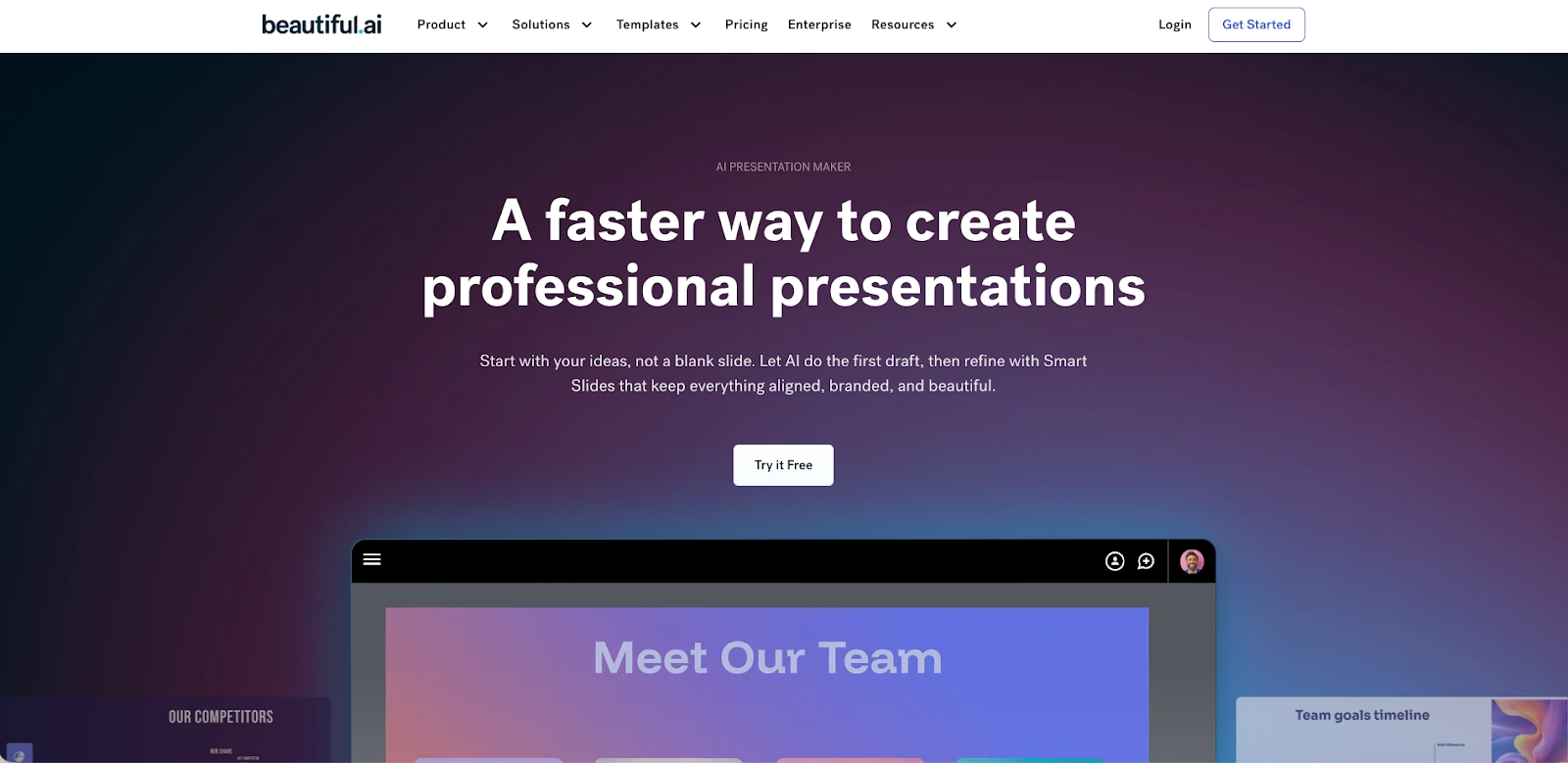
Beautiful.ai is an AI-powered presentation platform built specifically to automate slide design. Instead of relying on manual drag-and-drop editing like Microsoft PowerPoint or Canva, it uses smart templates and rules-based automation to manage layout, spacing, hierarchy, and fonts in real time.
The platform is designed for business workflows. Users add content, text, charts, graphs, or images, and the system automatically adjusts the format to maintain visual balance. This approach reduces the learning curve for beginners while still supporting teams that need fast, repeatable slide decks. As a result, Beautiful.ai is often grouped with leading AI presentation makers focused on delivery rather than experimentation.
What is NoteGPT?
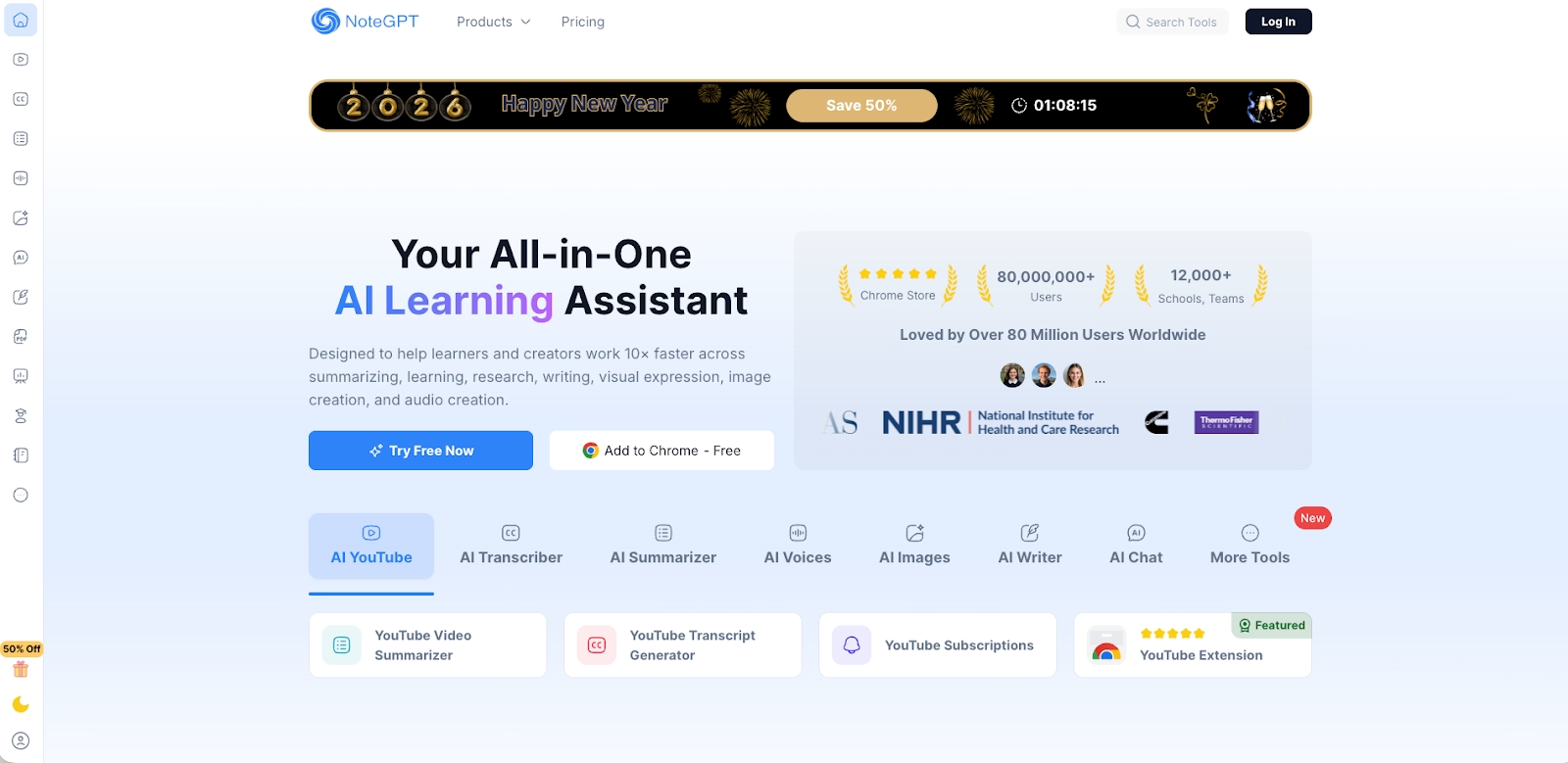
NoteGPT is an all-in-one AI tool built around content ingestion and synthesis. Its core strength is the ability to summarize and analyze information from docs, PDFs, videos, web articles, and podcasts, generating structured summaries, transcripts, and study materials inside a unified workspace.
Its AI presentation generator extends this capability by converting summarized content into slide decks. Users can generate presentations from topics, uploaded documents, URLs, or YouTube transcripts, then export those decks as editable PPT or Google Slides files. Unlike design-first tools, NoteGPT treats presentations as one output among many functions in a broader AI-assisted workflow.
Key comparison criteria
At a high level, the difference is structural. Beautiful.ai is a presentation-first platform optimized for automation and visual consistency. NoteGPT is a content-first AI workspace designed to reduce context switching between learning, summarizing, and creating outputs.
This distinction becomes clearer when comparing how each tool handles ease of use, templates, and slide format control.
Usability & ease of use
Beautiful.ai is optimized for ease of use in presentation creation. Its interface minimizes decisions by applying layout rules automatically, allowing users to focus on content rather than design. For teams producing frequent slide decks, this reduces friction and shortens the learning curve, especially for non-designers and new team members.
NoteGPT is easy to use for summarization and content extraction, even for beginners. However, turning summaries into polished presentations involves more steps. Users typically review AI-generated outlines, generate slides, then export and tweak layouts in PowerPoint or Google Slides. This makes the workflow more flexible, but less streamlined for presentation delivery.
Summary: Beautiful.ai simplifies presentation creation end-to-end, while NoteGPT simplifies content understanding before presentation creation.
Templates & format control
Beautiful.ai provides intelligent templates designed specifically for presentations. These templates are adaptive: as users add or edit content, the system automatically adjusts spacing, hierarchy, and layout to preserve structure. This ensures consistent formatting across slide decks without manual intervention.
NoteGPT does not offer a traditional template library. Instead, it generates structured slide content, titles, bullet points, and sections, based on summarized inputs. The final format and visual quality depend on where the deck is edited after export, whether that’s Microsoft PowerPoint, Google Slides, or another tool in the user’s ecosystem.
Summary: Beautiful.ai controls slide format natively through automation, while NoteGPT focuses on generating structured content that is formatted later.
AI features & automation
The biggest difference between Beautiful.ai and NoteGPT lies in how they use AI. Both rely on modern AI tools, but they apply AI to very different parts of the presentation workflow.
Beautiful.ai treats AI as a design engine. Its AI-powered presentation system automates layout, spacing, hierarchy, and visual balance in real time, ensuring every slide conforms to a consistent structure. This automation removes the need for manual formatting, making it one of the more mature AI presentation makers focused on visual output rather than content analysis.
NoteGPT, by contrast, applies AI to understanding and synthesizing information. Its AI features are centered on summaries, transcripts, and knowledge extraction. The AI presentation generator builds slides by transforming summarized content into structured outlines, rather than dynamically managing slide design. In practice, NoteGPT uses AI to decide what goes on the slide, while Beautiful.ai uses AI to decide how the slide should look.
Summary: Beautiful.ai excels at visual automation, while NoteGPT excels at content synthesis.
AI-generated content, images, and visuals
Beautiful.ai supports AI-generated layouts and smart visual placement, but it does not position itself as a full AI image generator. Visuals, charts, and graphs are designed to fit within predefined smart slide formats, ensuring clarity and consistency across slide decks.
NoteGPT integrates advanced generative models, including GPT-based systems and Gemini-powered image generation. Through tools like Nano Banana Pro, users can generate AI-created visuals that maintain stylistic consistency across slides. This is particularly useful for turning dense docs, long videos, or podcast transcripts into visually supported presentations.
However, NoteGPT’s visuals are generated before export. Once the presentation is moved into PowerPoint or Google Slides, additional tweaking is often required to refine layout, animations, or spacing.
Summary: NoteGPT offers stronger AI-generated visuals, while Beautiful.ai offers stronger AI-driven layout control.
Workflow and workspace design
Beautiful.ai is designed as an all-in-one workspace for presentation creation. From drafting to collaboration to export, everything happens inside a single environment. This reduces friction and keeps the workflow focused on producing finished slide decks efficiently.
NoteGPT’s workflow is broader but more fragmented. Users ingest content, summarize, generate outlines, and create drafts inside NoteGPT, then export those drafts into external tools like Microsoft PowerPoint, Google Slides, or Canva for final presentation work. This makes NoteGPT flexible within a larger ecosystem, but less streamlined for presentation delivery.
Summary: Beautiful.ai optimizes the presentation workflow; NoteGPT optimizes the research-to-draft workflow.
Collaboration features & real-time editing
Beautiful.ai includes built-in real-time collaboration designed specifically for slide creation. Multiple team members can work on the same deck simultaneously, with smart layouts ensuring consistency regardless of who edits a slide. Comments, permissions, and shared access are part of the core experience.
NoteGPT offers limited native collaboration features. While users can share summaries or generated content, true collaboration typically happens after export, inside tools like Google Slides, Microsoft apps, or other platforms that support co-editing.
Summary: Beautiful.ai supports real-time collaboration natively; NoteGPT relies on downstream tools for team collaboration.
Compatibility with presentation tools
Beautiful.ai exports cleanly to PPT, making it compatible with Microsoft PowerPoint for final delivery or stakeholder sharing. Layouts are preserved, minimizing the need for manual fixes.
NoteGPT is designed for interoperability. Presentations can be exported as PPT or Google Slides, making it easy to slot into existing stacks alongside tools like Slides AI, Plus AI, Tome, Gamma, Prezi, or Slidesgo. This flexibility is valuable for teams already invested in multiple AI presentation tools.
Summary: NoteGPT offers broader compatibility; Beautiful.ai offers cleaner, more controlled exports.
Pricing
Beautiful.ai does not offer a permanent free plan. Its pricing reflects a focus on automation, professional output, and team workflows rather than casual use. This makes it better suited for businesses and startups that regularly produce professional presentations and pitch decks.
NoteGPT follows a freemium model with a usable free version. Users can access summarization, transcripts, and basic presentation generation under a free plan, with paid tiers unlocking higher quotas, faster processing, advanced AI models, and richer image generation. This makes NoteGPT one of the more accessible free AI tools for beginners and students.
Ideal use cases
Both platforms can support presentation creation, but they serve very different use cases depending on whether your priority is content synthesis or polished delivery. Understanding where each tool fits in the broader AI and presentation ecosystem helps avoid mismatched expectations later in the workflow.
When Beautiful.ai is the better fit:
- Teams creating professional presentations frequently, including sales decks, board updates, and investor-facing pitch decks.
- Startups and growing organizations that need repeatable, on-brand slide decks without manual formatting.
- Users who want an AI-powered presentation tool that handles layout, spacing, fonts, and visual hierarchy automatically.
- Teams that value real-time collaboration, shared workspaces, and built-in collaboration features for multiple team members.
- Organizations seeking an all-in-one presentation workspace rather than relying on multiple AI tools stitched together.
When NoteGPT is the better fit:
- Students, researchers, and beginners who need to summarize and understand large volumes of content quickly.
- Users working with docs, PDFs, videos, podcasts, and transcripts as primary inputs.
- Teams that already build presentations in PowerPoint, Google Slides, or Canva and want AI assistance upstream.
- Users looking for a capable free AI assistant with a usable free plan.
- Scenarios where content extraction, summaries, and learning efficiency matter more than final slide polish.
Limitations and trade-offs
Every AI-powered platform makes trade-offs between automation, flexibility, and depth. These limitations are not flaws, but design choices that affect how well each tool fits specific workflows.
Beautiful.ai trade-offs
- Limited drag-and-drop freedom compared to traditional slide editors.
- Less suitable for experimental layouts or heavy animations.
- Focused on presentation delivery rather than content ingestion or summaries.
- No permanent free version, which may limit experimentation for casual users.
NoteGPT trade-offs
- Presentation output often requires manual tweaks after export.
- Lacks native smart slide templates and real-time design automation.
- Collaboration depends on external tools rather than built-in real-time collaboration.
- Not optimized for advanced visual storytelling or polished presentation design out of the box.

Choose Beautiful.ai if you want:
- A presentation-first AI platform that automates layout, spacing, and visual hierarchy
- Polished, professional slide decks built quickly and consistently
- Smart templates optimized for pitch decks, sales decks, and business presentations
- Real-time collaboration with brand consistency built in
- Clean PowerPoint exports with minimal post-editing
Choose NoteGPT if you want:
- An all-in-one AI assistant for summarizing and understanding content
- AI-generated presentations from docs, PDFs, URLs, videos, or transcripts
- Strong content synthesis before turning ideas into slides
- Flexible exports to PowerPoint or Google Slides for downstream editing
- A freemium AI tool well suited for students, research, and learning workflows
Final recommendation
If your goal is to create consistent, polished, and professional presentations with minimal effort, Beautiful.ai is the better tool. Its AI-powered automation, smart templates, and real-time collaboration features make it especially effective for teams and startups producing pitch decks and recurring slide decks at scale.
If your primary objective is to use AI to summarize content, extract insights from docs, videos, or podcasts, and generate presentation drafts as part of a broader learning or research workflow, NoteGPT is a strong complementary solution. It works best alongside PowerPoint, Google Slides, or other tools in your existing ecosystem, rather than as a standalone presentation platform.
Why customers are switching to Beautiful.ai
Beautiful.ai is an AI-powered presentation platform that helps teams create polished, on-brand slides in a fraction of the time, without design skills or manual formatting.
- Design automation built in. Whether you're building pitch decks, reports, or internal presentations, Beautiful.ai’s Smart Slides automatically format content so you never worry about spacing, alignment, or layout again. Add your content, and the design adjusts instantly.
- ️No design experience required. Create professional decks without touching text boxes or manually arranging elements. Choose from Smart Templates and let the AI handle layout decisions, visual hierarchy, and consistency across the entire deck.
- Branding? Already handled. Keep every slide on-brand with your fonts, colors, and logos applied automatically. Beautiful.ai ensures every team member creates presentations that look like they came from a dedicated design team—without extra work.
- Real-time collaboration & team controls. Collaborate directly on the same deck, leave comments, manage permissions, and maintain consistency across team presentations. Perfect for growing teams and cross-functional workflows.
- Faster workflows, fewer revisions. Jump from rough outline to polished presentation in minutes, not hours. Beautiful.ai reduces back-and-forth edits by enforcing on-brand design rules and helping you iterate faster with AI-assisted slide creation.
