


Prezi vs Google Slides: which is better?
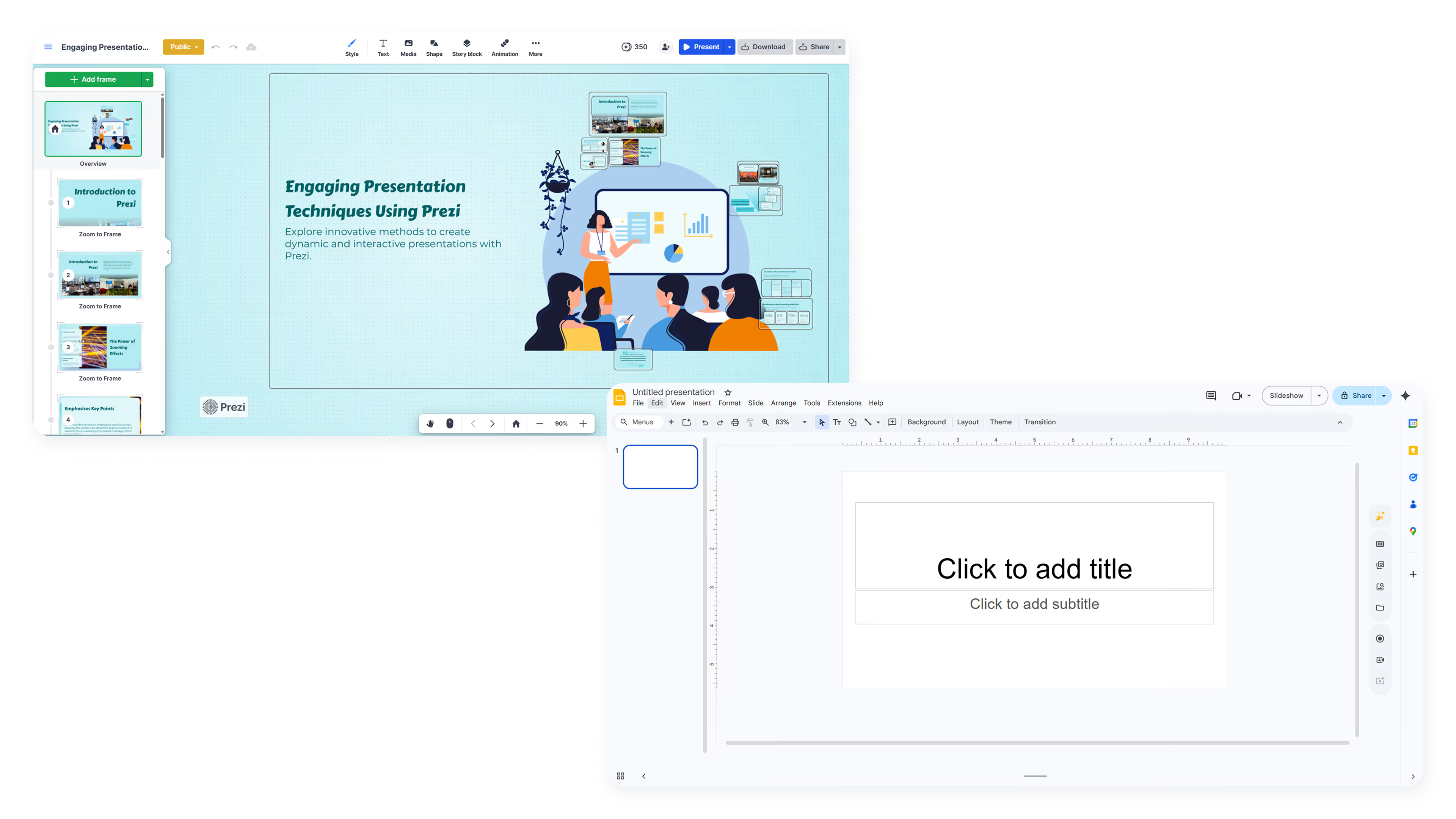

Prezi vs Google Slides: which is better?
Choosing between Prezi and Google Slides often comes down to whether you want dynamic, non-linear presentations or a streamlined, familiar workflow that integrates with tools you already use. Both are web-based presentation platforms, but they approach design, collaboration, and delivery from fundamentally different directions.
Google Slides is built for accessibility and ease of use, making it the default choice for teams already embedded in Google Workspace. Prezi, by contrast, is built around visual storytelling and movement, using zoom-based transitions and spatial navigation to create memorable, non-linear presentations. The right choice depends on whether your priority is simplicity and collaboration or engagement and presentation style.
This guide breaks down how Prezi and Google Slides compare across key features, templates, pricing, and workflow. It also introduces Beautiful.ai as a third option for teams that want AI-powered design automation without sacrificing structure or ease of use.
Tool overviews
What is Prezi?
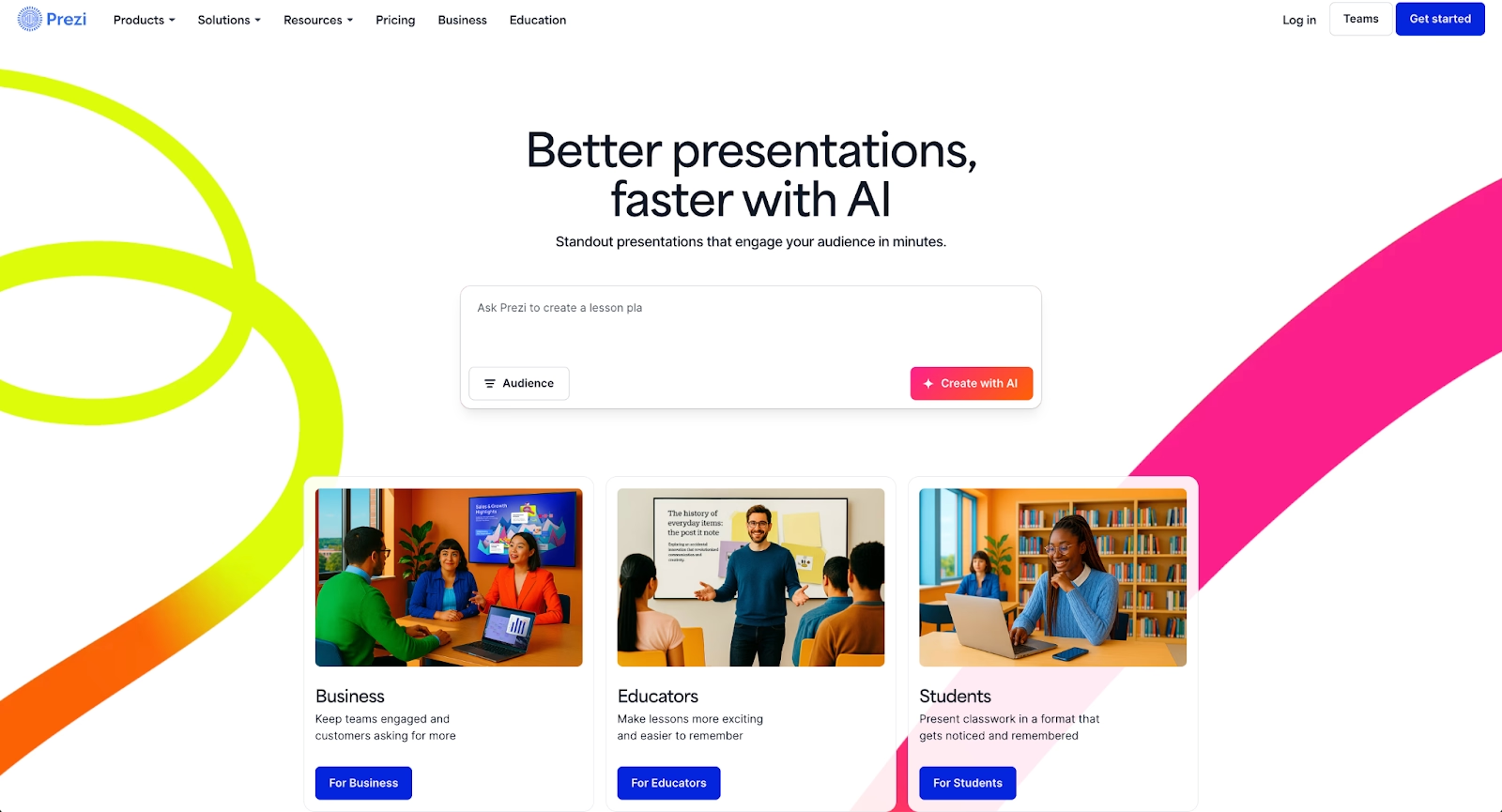
Prezi is a cloud-based presentation platform built around non-linear presentations. Instead of progressing slide-by-slide, presenters navigate a single visual canvas using zoom in transitions and spatial movement to reveal ideas in a dynamic, story-driven sequence.
Prezi presentations are designed to keep audiences engaged through motion and interactivity. Recent updates include Prezi AI for generating outlines and content, along with video features that let presenters overlay themselves onto slides during live or recorded delivery. Prezi is often chosen by speakers, educators, and teams who use Prezi because they want their presentation style to feel more conversational and memorable than a traditional slide deck.
What is Google Slides?
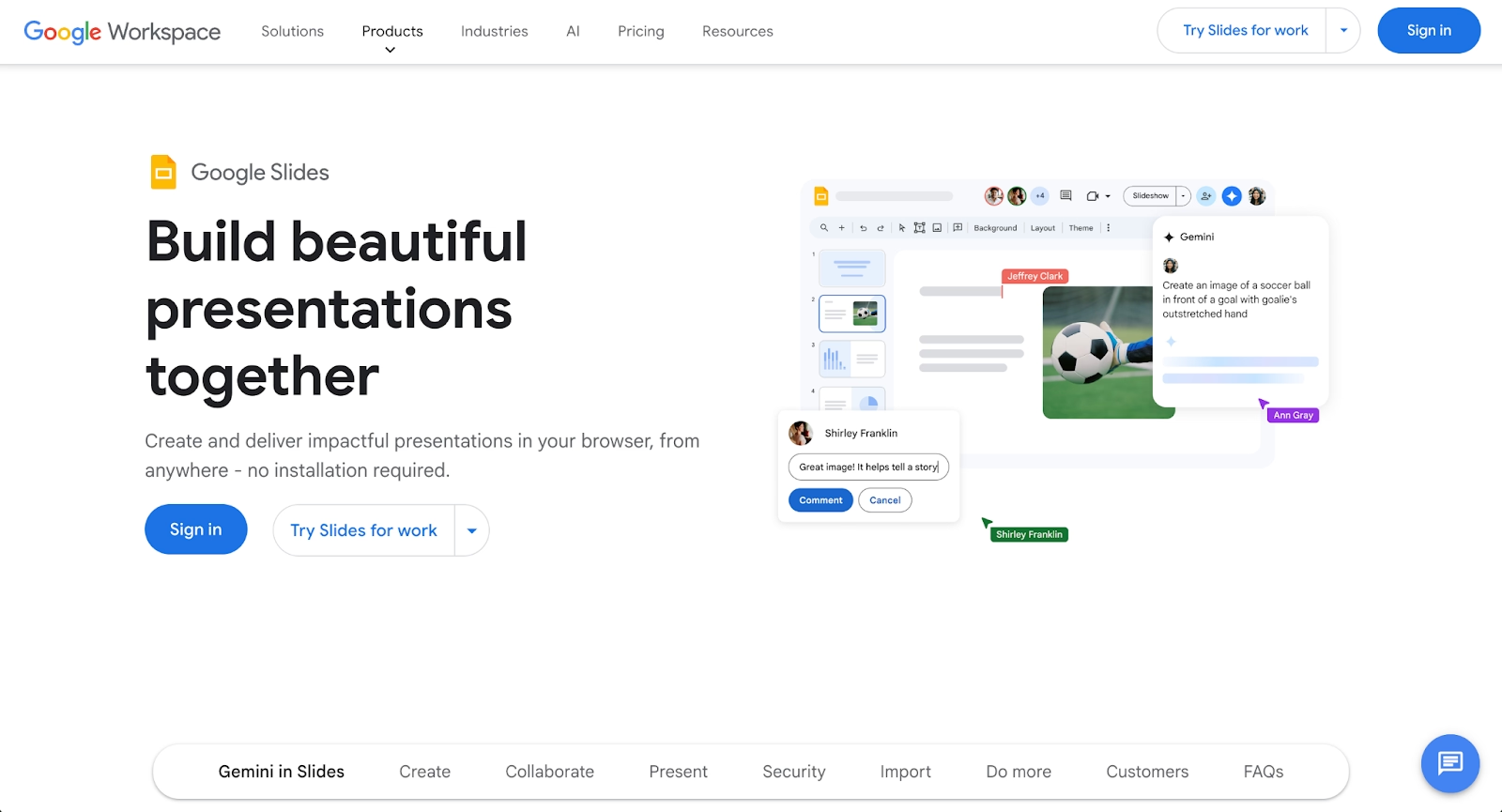
Google Slides is a free, web-based presentation maker that's part of Google Workspace. It provides a straightforward way to create, edit, and share slideshows directly from a browser, with deep integration into Google Drive, Google Docs, and other Google tools.
Google Slides prioritizes accessibility and real-time collaboration over advanced design features. Multiple users can edit the same deck simultaneously, making it popular for teams, educators, and anyone who values simplicity. While its templates and formatting options are more limited than dedicated presentation software, its user-friendly interface, core functionality, and zero-cost entry point make it a default choice for users who need quick, functional presentations without a learning curve.
Key comparison criteria
The core difference between Prezi and Google Slides reflects two distinct philosophies: dynamic presentations versus simple, accessible slideshows. Prezi prioritizes visual storytelling, movement, and spatial thinking, while Google Slides prioritizes speed, collaboration, and frictionless access for anyone with an internet connection and a Google account. These priorities shape everything from the user interface to how each platform handles key features like templates, design tools, and team workflows.
Ease of use & learning curve
Google Slides is one of the most beginner-friendly presentation tools available. Its user interface mirrors familiar slide-based editors like Microsoft PowerPoint and Keynote, so most users can start creating immediately without tutorials or training. Adding text, images, and basic formatting is intuitive, and the toolbar is simple enough that even first-time users can build functional slideshows in minutes.
Prezi has a steeper learning curve. Prezi's non-linear approach requires users to think spatially, planning how ideas connect across a visual canvas rather than arranging content on sequential slides. New users often spend time learning how to structure zoom paths and transitions effectively. While this investment pays off in more engaging presentations, it's not the right fit for teams that need to move fast with minimal onboarding.
Summary: Google Slides favors speed and simplicity; Prezi favors expressive, motion-driven storytelling.
Templates & format control
Google Slides offers a modest selection of templates out of the box. These cover common use cases like business presentations, reports, and educational slideshows, but the designs tend to feel generic. Users who want more variety often rely on third-party marketplaces or manually customize layouts, which adds time and requires design effort.
Prezi does not use traditional templates in the same way. Instead, it provides thematic canvases built around visual storytelling, where content is arranged spatially and connected through motion. This gives presenters creative freedom, but it also means less rigid control over fonts, alignment, and consistent formatting across sections. Users who need precise, repeatable layouts may find Prezi's approach less predictable.
Summary: Google Slides offers basic, familiar templates; Prezi prioritizes motion and spatial design over fixed layouts.
AI features & automation
Both platforms have introduced AI capabilities, though they apply them differently.
Prezi AI helps users generate outlines, structure narratives, and create starting points for presentations. The focus is on storytelling, helping presenters organize ideas into a compelling flow rather than handling design details. This makes Prezi AI useful for brainstorming and kickstarting content, but it doesn't automate layout or formatting.
Google Slides has more limited native AI, though users with Google Workspace can access Gemini for content suggestions and text generation. These features assist with writing and ideation but don't extend to automated design or layout control. For teams wanting AI-powered slide creation, Google Slides currently relies on third-party add-ons.
Summary: Prezi uses AI for narrative structure and content generation; Google Slides offers limited AI through Workspace integrations.
Design tools, visuals & data visualization
Google Slides provides standard design tools for text, shapes, images, and basic charts. Users can create simple data visualizations, but the options are limited compared to dedicated tools. Advanced formatting often requires workarounds or external design work, and there's no built-in system for maintaining brand consistency across decks.
Prezi emphasizes visual impact over data precision. Its zoom in effects, animation, and spatial layouts create visually memorable presentations, but charting and data visualization capabilities are secondary. Teams that rely heavily on dashboards, graphs, and quantitative reporting may find Prezi less suited to their needs.
Summary: Google Slides handles basic visuals and simple charts; Prezi is strongest at motion and visual storytelling but not data-heavy content.
Interactive elements & audience engagement
Prezi is built around live audience engagement. Its transitions, movement, and non-linear navigation allow presenters to adapt on the fly, zooming into specific topics based on audience questions or interest. Prezi Video also lets presenters appear alongside their content during live or recorded sessions, adding a personal layer to delivery.
Google Slides supports basic interactive elements like embedded videos and hyperlinks, but it's not designed for dynamic, real-time engagement. Presentations follow a linear, slide-by-slide flow that works well for straightforward communication but offers less flexibility during live delivery.
Summary: Prezi delivers live, interactive engagement; Google Slides is optimized for linear, structured slideshows.
Collaboration features & real-time workflow
Google Slides is one of the strongest platforms for real-time collaboration. Multiple users can edit the same deck simultaneously, leave comments, and track version history through Google Drive. Permissions are easy to manage, and sharing is as simple as sending a link. For teams already using Google Workspace, the integration is smooth.
Prezi also supports real-time collaboration and commenting, with features for managing presenter roles and team access. Its collaborative features work well for teams preparing and delivering presentations together, though the experience is more focused on presentation delivery than day-to-day content workflows.
Summary: Google Slides leads in easy, everyday collaboration; Prezi supports team workflows with a focus on presentation delivery.
Compatibility & integrations
Google Slides integrates deeply with the Google ecosystem, including Google Drive, Google Docs, and Gmail, with files syncing automatically across devices. Exports to PowerPoint and PDF are supported, though formatting may shift. Prezi integrates with PowerPoint and supports embedding in various platforms, though presentations are best experienced within its native player and offline access is limited.
Summary: Google Slides fits naturally into Google Workspace workflows; Prezi fits best when presentations stay within its platform.
Pricing & free plan
Google Slides is completely free for anyone with a Google account, making it one of the most accessible presentation tools available. Paid Google Workspace plans add business features like increased storage, admin controls, and enhanced security, but the core presentation functionality remains free.
Prezi offers a free tier with branding limitations and public-only presentations. Paid plans unlock privacy controls, advanced features, team collaboration tools, and Prezi AI capabilities. Pricing scales based on individual, team, and business needs.
Summary: Google Slides offers unmatched free access; Prezi requires paid plans for privacy and advanced features.
Ideal use cases
Prezi and Google Slides serve different needs. Google Slides works best for teams that value simplicity, speed, and collaboration, while Prezi is built for presenters who want to deliver engaging, memorable experiences. That said, some teams need more than either platform provides: professional design quality, consistent branding, and AI-powered automation that goes beyond content generation.
In those scenarios, Beautiful.ai offers a balanced alternative that combines intelligent design automation with structured, scalable workflows.

When Beautiful.ai is the better fit
- Teams that need professional-looking presentations without spending time on manual formatting.
- Organizations producing recurring pitch decks, sales presentations, and executive updates at scale.
- Users who want an AI-powered presentation tool that automates layouts, spacing, and brand consistency.
- Teams that prefer a streamlined, all-in-one workflow rather than relying on add-ons or third-party tools.
- Businesses that rely on clean, reliable PowerPoint exports for stakeholders.
When Prezi is the better fit
- Presenters who want to use Prezi for dynamic presentations that go beyond linear slides.
- Speakers and educators focused on visual storytelling and live audience engagement.
- Teams comfortable with a steeper learning curve in exchange for memorable presentation delivery.
- Users who benefit from zoom transitions, motion, and spatial narrative flow.
- Workflows where the presentation experience matters more than design consistency or exports.
When Google Slides is the better fit
- Teams already embedded in Google Workspace who want tight integration with Google Drive and Google Docs.
- Users who need a free, accessible presentation maker with no subscription required.
- Beginners or occasional presenters who value ease of use over advanced features.
- Collaborative workflows where multiple people edit the same deck in real time.
- Situations where simplicity and speed matter more than design polish or dynamic delivery.
Limitations and trade-offs
Each platform reflects deliberate design trade-offs. Knowing where each tool prioritizes flexibility, simplicity, or engagement helps set realistic expectations about what they do well and where compromises are inevitable.
Beautiful.ai trade-offs
- Less creative freedom than full graphic design platforms or freeform canvas tools.
- Smart Slides follow built-in design logic, which may feel limiting for highly custom layouts.
- Does not offer native audience interaction features like polls or quizzes.
- No permanent free plan, though a 14-day free trial is available.
Prezi trade-offs
- Steeper learning curve for users accustomed to traditional slide-based editors.
- Limited precision for data-heavy layouts, detailed charts, and dashboards.
- Requires an internet connection for full functionality; offline access is limited.
- Best experienced within Prezi's platform; exports may lose some visual impact.
Google Slides trade-offs
- Basic templates and limited design tools compared to dedicated presentation software.
- No built-in AI for automated design or layout assistance.
- Formatting options are minimal; achieving a polished look requires manual effort.
- Less suited for high-stakes presentations where design quality reflects credibility.
Future roadmap & product direction
Product direction matters when choosing a tool for the long term. Knowing where each platform is headed helps teams invest in software that will continue to support their workflow as needs evolve.
Beautiful.ai focus
Beautiful.ai continues to expand its AI-powered automation and Smart Slide capabilities. Every AI-generated presentation is built with Smart Slides, though Smart Slides themselves are not AI-powered; they use built-in design logic to auto-align, resize, and animate content automatically. The roadmap emphasizes data visualization, improved collaboration and permissions, and stronger brand governance for teams. The long-term vision is to function as an always-on design assistant, handling formatting, layouts, and consistency automatically so teams can focus on their message.
Prezi focus
Prezi's development centers on advancing visual storytelling and live communication. Current improvements center on stronger AI-assisted creation, enhanced video and hybrid meeting features, and refinements to motion and zoom controls. Prezi is positioning itself as a presentation-plus-video platform optimized for live, conversational delivery.
Google Slides focus
Google Slides is developing alongside the broader Google Workspace ecosystem. Recent updates include Gemini AI integration for content assistance, with a focus on making collaboration and cloud-based workflows even smoother. Google's direction prioritizes accessibility and integration over advanced design features.
Final recommendation
Google Slides and Prezi each serve distinct presentation needs. Google Slides is the practical choice for teams that value simplicity and tight Google Workspace integration; Prezi is built for presenters who want to captivate audiences through motion and non-linear storytelling.
For teams that sit between those two approaches, Beautiful.ai often emerges as the stronger long-term fit. It removes the manual design overhead found in Google Slides while avoiding the learning curve and limited export flexibility of Prezi. Smart Slides auto-align, resize, and animate content as you edit, so you focus on your message instead of formatting.
AI helps you kickstart presentations from a prompt, skipping the blank page entirely. If your goal is to create polished, on-brand presentations without spending hours on design, Beautiful.ai offers a balanced approach that fits naturally into modern workflows.
Why customers are switching to Beautiful.ai
Beautiful.ai is an AI-powered presentation platform that helps teams create polished, on-brand slides in a fraction of the time, without design skills or manual formatting.
- Design automation built in. Whether you're building pitch decks, reports, or internal presentations, Beautiful.ai’s Smart Slides automatically format content so you never worry about spacing, alignment, or layout again. Add your content, and the design adjusts instantly.
- ️No design experience required. Create professional decks without touching text boxes or manually arranging elements. Choose from Smart Templates and let the AI handle layout decisions, visual hierarchy, and consistency across the entire deck.
- Branding? Already handled. Keep every slide on-brand with your fonts, colors, and logos applied automatically. Beautiful.ai ensures every team member creates presentations that look like they came from a dedicated design team—without extra work.
- Real-time collaboration & team controls. Collaborate directly on the same deck, leave comments, manage permissions, and maintain consistency across team presentations. Perfect for growing teams and cross-functional workflows.
- Faster workflows, fewer revisions. Jump from rough outline to polished presentation in minutes, not hours. Beautiful.ai reduces back-and-forth edits by enforcing on-brand design rules and helping you iterate faster with AI-assisted slide creation.
