

Beautiful.ai vs. PowerPoint: which is better? [Updated 2026]

Beautiful.ai vs. PowerPoint: which is better? [Updated 2026]
Choosing between Beautiful.ai and PowerPoint comes down to how you want to build presentations, and how much time you want to spend designing them.
Both platforms support professional slide creation, but they are built for very different workflows. Beautiful.ai focuses on automating presentation design, using AI to turn structured content into polished, on-brand slides without manual formatting. PowerPoint is a long-standing presentation platform that offers full creative control, deep data handling, and tight integration with the Microsoft ecosystem.
In this guide, we compare Beautiful.ai and PowerPoint across usability, templates, AI capabilities, collaboration, exports, pricing, and workflow compatibility to help you decide which presentation software best fits your team and use cases.
Tool overviews
What is Beautiful.ai?
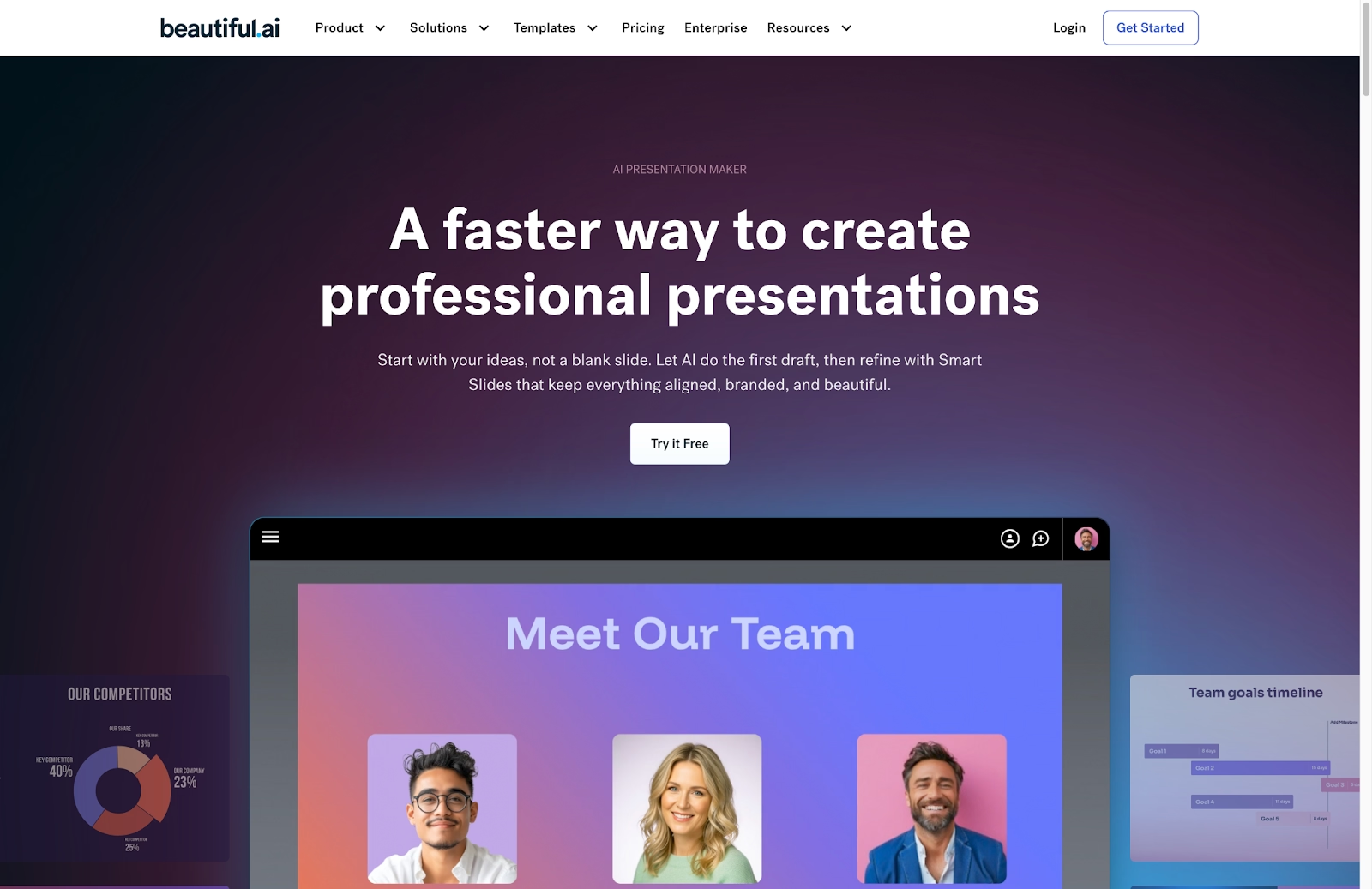
Beautiful.ai is an AI-powered presentation design platform built to simplify and standardize slide creation for business teams. Users start with smart, customizable templates designed for real-world use cases such as pitch decks, sales presentations, quarterly reports, and training materials. As content is added, Beautiful.ai's design engine automatically applies consistent spacing, alignment, typography, color usage, and layout rules in real time.
This automation removes the need to manually resize text boxes, realign elements, or troubleshoot slide formatting as content changes. The result is a faster, more predictable workflow that helps teams produce clean, professional presentations without requiring design expertise. The platform's design automation ensures brand consistency across all presentations, making it ideal for teams that need to maintain strict brand guidelines.
What is PowerPoint?
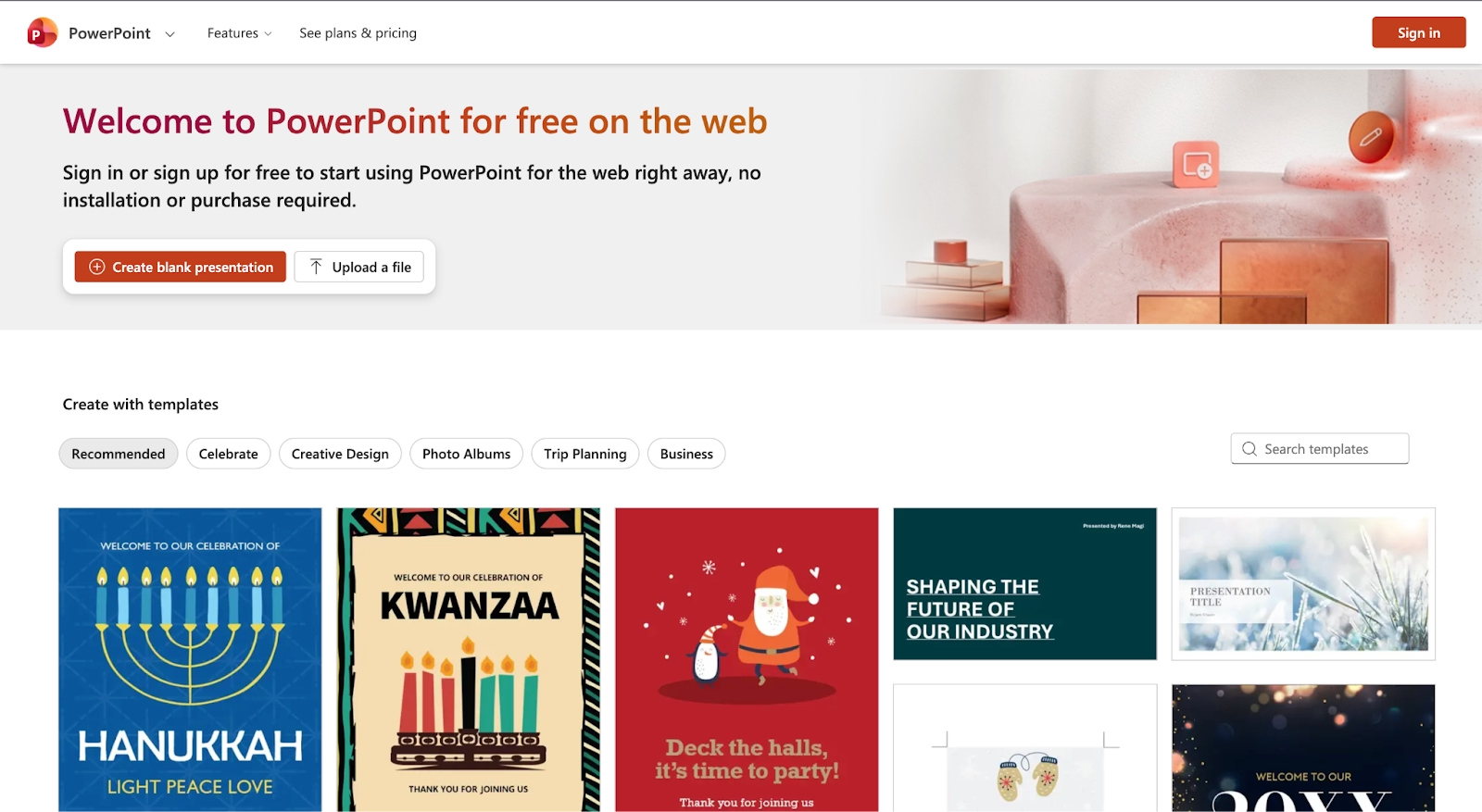
Microsoft PowerPoint is a general-purpose presentation software and a core component of the Microsoft 365 ecosystem. It uses a traditional slide-based canvas that gives users full control over layout, positioning, animations, and data visualization. PowerPoint supports a wide range of use cases, from simple internal presentations to complex, data-heavy decks with advanced charts, multimedia, and custom animations.
PowerPoint's flexibility makes it a powerful tool for experienced users who want precise control over every slide element. However, that flexibility also means users are responsible for managing formatting, alignment, and consistency manually. PowerPoint is especially common in enterprise environments where offline access, deep Excel integration, advanced security controls, and compatibility with existing Microsoft workflows are critical.
Usability & learning curve
Beautiful.ai
Beautiful.ai takes the busywork out of creating slide decks. Instead of spending time nudging text boxes or fixing alignment, you pick a smart layout and focus on your content while the platform handles the design automatically. When content changes, the layout adjusts on its own to keep everything balanced and consistent.
This makes it especially approachable for non-designers and business users who need clean, professional presentations without the learning curve. The interface stays simple and guided, helping users move quickly from idea to first draft, with far less time spent tweaking layouts or polishing slides. For teams that need to produce multiple presentations quickly, the AI assistance and smart templates dramatically reduce the time-consuming manual work typically associated with presentation design.
PowerPoint
PowerPoint gives users a blank canvas and full control over every slide element. You can place text, images, charts, and shapes anywhere, resize them freely, and layer content however you like. That flexibility can be powerful, but it also means more manual work, especially for users without a design background.
For new users, the learning curve can feel steep. The ribbon interface is packed with features, and keeping slides aligned, spaced evenly, and visually consistent takes effort. Skilled users can move quickly, but overall presentation quality depends heavily on who's building the deck. The extensive formatting options and advanced functions make PowerPoint a versatile presentation tool, though they can be overwhelming for beginners.
Template & asset library
Beautiful.ai
The template library covers common business use cases such as pitch decks, sales presentations, quarterly reviews, product overviews, dashboards, and training materials. In addition to layouts, Beautiful.ai includes curated icons, images, and data visualization components that are optimized for clarity and professional storytelling. The smart templates ensure that every presentation maintains high-quality design standards, even when multiple team members contribute to the same deck.
The template library covers common business use cases such as pitch decks, sales presentations, quarterly reviews, product overviews, dashboards, and training materials. In addition to layouts, Beautiful.ai includes curated icons, images, and data visualization components that are optimized for clarity and professional storytelling.
PowerPoint
PowerPoint offers a large library of slide templates and themes, ranging from basic layouts to more polished presentation designs. Users can also create and distribute custom slide masters to enforce branding across teams. These templates provide a starting point, but they are static, when content changes, users must manually adjust text boxes, images, and spacing to maintain visual balance. For organizations that already use PowerPoint extensively, the compatibility with existing templates and workflows makes it easy to maintain consistency across presentations.
AI & automation features
Beautiful.ai
Automation is central to how Beautiful.ai works. The platform’s design engine automatically handles layout, spacing, alignment, visual hierarchy, and data visualization as users add or edit content. Instead of relying on manual adjustments, the system continuously recalculates the optimal slide structure to keep presentations clean and readable.
Beautiful.ai also includes built-in AI features that help users generate and refine content. Users can create complete presentations from prompts, rewrite text for clarity or tone, and generate visuals directly within the editor. Because these AI capabilities are tightly integrated with the smart slide system, generated content fits naturally into structured layouts rather than breaking the design. The AI-powered content generation and design automation work together to create presentations that are both visually compelling and strategically sound.
PowerPoint
PowerPoint’s AI tools are delivered through Microsoft 365 Copilot and Designer. Designer recommends layouts based on slide content, while Copilot can generate slides from documents, summarize text, and make command-based edits.
These features improve productivity but don't eliminate manual layout work. Users still manage spacing, alignment, and structure, particularly in custom or complex decks. PowerPoint's AI is best used as a drafting assistant rather than a fully automated design system, and advanced features require a Microsoft 365 subscription and, in some cases, an additional Copilot license. While PowerPoint's AI assistance is improving, it doesn't yet match the level of automation found in dedicated AI presentation tools like Beautiful.ai.
Customization & design control
Beautiful.ai
Beautiful.ai takes a guided approach to customization. Users can choose from different smart layouts, apply brand colors and fonts, adjust charts, replace images, and refine slide content, while the system maintains alignment, spacing, and overall visual balance. This ensures presentations stay polished and consistent without requiring users to manage design rules manually. The platform's guardrails help maintain brand consistency while still allowing enough flexibility for teams to tweak designs according to their specific needs.
PowerPoint
PowerPoint provides full manual control over slide design. Users can move, resize, rotate, layer, and animate elements anywhere on the slide, allowing for highly customized layouts and creative freedom. This level of control is ideal for advanced users who want precise visual control or need to adhere to complex internal design standards. The ability to customize every aspect of a presentation, from fonts and colors to animations and transitions, makes PowerPoint the go-to choice for designers and creative professionals.
Collaboration, integrations & team workflows
Beautiful.ai
Beautiful.ai is built for collaborative, presentation-specific workflows. Teams can edit decks in real time, leave comments, and manage access using role-based permissions. Because smart slide layouts automatically enforce spacing and alignment, multiple contributors can work on the same presentation without risking broken layouts or inconsistent formatting.
The platform also supports shared slide libraries and brand controls, allowing teams to reuse approved slides, visuals, and templates across presentations. The real-time collaboration features and cloud-based infrastructure make it easy for distributed teams to work together seamlessly on presentations.
PowerPoint
PowerPoint supports collaboration through Microsoft 365, enabling real-time co-authoring, comments, and version history when files are stored in OneDrive or SharePoint. These features are mature and widely adopted in enterprise environments, making PowerPoint a familiar choice for large teams. The integration with other Microsoft 365 apps creates a cohesive workflow for teams that already rely on the Microsoft ecosystem for their daily work.
Export, formats & platform support
Beautiful.ai
Beautiful.ai offers export options designed for professional presentation workflows. Users can export decks as PPTX files, PDFs, or individual PNG slides, or share live presentation links that always reflect the latest version. The platform is optimized to preserve layout structure during export, especially when sharing presentations for review or live presentation.
Because Beautiful.ai is fully web-based, no software installation is required. Presentations are accessible from any modern browser, making it easy for teams to collaborate and present across devices. The PowerPoint exports ensure compatibility with clients and stakeholders who may not have access to Beautiful.ai, while still maintaining the high-quality design work done in the platform.
PowerPoint
PowerPoint supports an extensive range of export and output formats, including PPTX, PDF, MP4 video, animated GIFs, and image files. This makes it especially useful for teams that need to repurpose presentations into training videos, marketing assets, or offline deliverables. The ability to embed multimedia elements and export to multiple formats makes PowerPoint a versatile tool for creating presentations that can be used across different channels and platforms.
Pricing & value for money
Beautiful.ai
Beautiful.ai uses a subscription-based pricing model that reflects its focus on automated presentation design and team consistency. As of 2025, the Pro plan for individuals costs $12 per month when billed annually (approximately $144 per year) and includes unlimited slides, smart templates, AI-assisted content creation, version history, and PowerPoint export.
For teams, the Team plan is priced at $40 per user per month when billed annually, adding shared workspaces, centralized slide and asset libraries, brand controls, and collaborative editing. Larger organizations can opt for an Enterprise plan with custom pricing, which includes advanced security features such as SSO and dedicated support. Beautiful.ai also offers a 14-day free trial, allowing users to test the platform before committing. The pricing structure reflects the value proposition of Beautiful.ai as an AI-powered presentation maker that reduces the time and effort required to create professional presentations.
PowerPoint
PowerPoint, by contrast, is typically accessed as part of a broader Microsoft 365 subscription rather than as a standalone product. In 2025, Microsoft 365 Personal plans generally range from $6.99 to $9.99 per month (or around $69.99 to $99.99 per year) and include PowerPoint alongside Word, Excel, Outlook, and OneDrive storage. Microsoft 365 Family plans cost roughly $9.99 to $12.99 per month and cover up to six users.
For businesses, Microsoft 365 Business Standard is priced at approximately $12.50 per user per month, while Business Premium costs around $22 per user per month and adds advanced security and device management. PowerPoint is also available through a free web-based version with limited features, and one-time Office licenses still exist, though they do not include cloud collaboration or the latest AI capabilities. The pricing for PowerPoint reflects its position as a core component of the Microsoft 365 suite, with different tiers available depending on the organization's size and needs.
Ideal use cases for best-fit scenarios
When Beautiful.ai is the best fit
Beautiful.ai is well suited for teams and professionals who build presentations regularly and want a streamlined, repeatable workflow. Its automation and smart templates make it easy to produce polished decks without spending time on manual formatting or layout decisions.
Choose Beautiful.ai if you:
- Build pitch decks, sales presentations, reports, quarterly reviews, or training materials
- Need consistent, on-brand slides across teams or departments
- Prefer an AI-powered system that manages layout and formatting automatically
- Want faster turnaround times with fewer design revisions
- Work in a business environment where clarity, structure, and visual consistency are priorities
When PowerPoint is the best fit
PowerPoint is ideal for users who need maximum flexibility, deep data capabilities, and tight integration with the Microsoft ecosystem. Its freeform design model supports complex layouts, advanced animations, and detailed data visualization.
Choose PowerPoint if you:
- Need full manual control over slide layouts and visual elements
- Work with complex charts, Excel-linked data, or custom animations
- Require offline access or desktop-based editing
- Operate in an enterprise environment with strict security or compliance requirements
- Already rely heavily on Microsoft 365 for collaboration and file management
Limitations & trade-offs
Beautiful.ai
Beautiful.ai is intentionally focused on presentation creation, which gives it depth in automation and consistency but limits breadth in general design tasks. The smart slide system controls alignment, spacing, and layout logic, which means users cannot freely position elements or fine-tune designs at a pixel level.
This constraint protects visual quality but can feel restrictive for users who want to experiment with unconventional layouts or highly bespoke designs. Beautiful.ai also offers fewer advanced image editing and data visualization options compared to traditional desktop tools. These trade-offs are deliberate, prioritizing speed, clarity, and reliability over total creative freedom. While Beautiful.ai excels at creating polished presentations quickly, it may not be the right fit for users who need the advanced design functions and complete creative control offered by traditional presentation software.
PowerPoint
PowerPoint’s greatest strength, its flexibility, is also its main trade-off. Because layouts are fully manual, users must invest more time managing spacing, alignment, and visual hierarchy. Without strong templates or design discipline, presentations can quickly become inconsistent or cluttered.
PowerPoint’s breadth can also introduce complexity. The feature-rich interface has a steeper learning curve, and maintaining presentation quality across teams often requires additional governance, training, or review processes. While powerful for advanced users, PowerPoint can be inefficient for teams that need fast, standardized output. For teams that need to produce presentations quickly and consistently, the manual formatting work required in PowerPoint can become a significant bottleneck in their workflows.
Future roadmap & evolving features
Beautiful.ai
Beautiful.ai’s roadmap continues to focus on deepening automation and improving presentation-specific workflows. Future development centers on expanding smart slide intelligence, enhancing AI-assisted content generation, and strengthening collaboration features for growing teams. The goal is to further reduce manual design work while giving users more control within structured guardrails.
As AI capabilities evolve, Beautiful.ai is positioning itself as a true presentation partner—helping users move from raw ideas to polished decks faster, with consistent design and branding built in. Continued investment in integrations and brand governance suggests a long-term focus on business and enterprise presentation use cases. The platform's focus on AI-powered automation and smart slides is likely to continue, with ongoing improvements to the AI assistance and design automation features.
PowerPoint
PowerPoint’s evolution is closely tied to Microsoft’s broader AI and productivity roadmap. Ongoing development emphasizes deeper Copilot integration, more advanced AI agents, and tighter connections between PowerPoint, Word, Excel, Teams, and SharePoint. These updates aim to improve drafting speed, data-driven storytelling, and cross-app workflows.
Future PowerPoint enhancements are expected to focus on AI-assisted creation, automation across Microsoft 365, and enterprise-grade security and compliance. While the core slide-based model remains, Microsoft continues to layer AI tools on top of it to reduce manual effort without sacrificing flexibility. As Microsoft continues to invest in AI-powered features, PowerPoint is likely to become more competitive with dedicated AI presentation tools, though it may never match the level of automation found in platforms like Beautiful.ai.
Summary & recommendation
Beautiful.ai and PowerPoint both support professional presentation creation, but they are designed for different priorities and working styles.
Beautiful.ai is built for speed, structure, and consistency. Its automated layouts, smart templates, and AI-driven formatting help teams produce polished, on-brand presentations with minimal effort. If presentations are a frequent deliverable and design time is a bottleneck, Beautiful.ai offers a streamlined path from draft to final deck.
PowerPoint remains the most flexible and widely adopted presentation platform. Its freeform design, advanced data handling, offline access, and deep Microsoft 365 integration make it the right choice for users who need maximum control, complex visuals, or enterprise-grade compatibility.

Choose Beautiful.ai if you want:
- Automated slide layouts that handle spacing, alignment, and design for you
- Fast, consistent, on-brand presentations without manual formatting
- Smart templates built for business use cases like pitch decks, reports, and reviews
- AI-assisted content and visuals that fit cleanly into structured slides
- A streamlined workflow for teams that create presentations frequently
Choose PowerPoint if you want:
- Full manual control over every slide element and layout
- Advanced charts, animations, and Excel-linked data
- Deep integration with the Microsoft 365 ecosystem
- Offline access and desktop-based editing
- Maximum flexibility for complex or highly customized presentations
Final recommendation:
If presentations drive your communication and you want them to look professional without constant formatting work, Beautiful.ai is the stronger choice. If your workflow depends on full design control, advanced data visualization, and tight integration with Microsoft tools, PowerPoint remains the better fit.
Why customers are switching to Beautiful.ai
Beautiful.ai is an AI-powered presentation platform that helps teams create polished, on-brand slides in a fraction of the time, without design skills or manual formatting.
- Design automation built in. Whether you're building pitch decks, reports, or internal presentations, Beautiful.ai’s Smart Slides automatically format content so you never worry about spacing, alignment, or layout again. Add your content, and the design adjusts instantly.
- ️No design experience required. Create professional decks without touching text boxes or manually arranging elements. Choose from Smart Templates and let the AI handle layout decisions, visual hierarchy, and consistency across the entire deck.
- Branding? Already handled. Keep every slide on-brand with your fonts, colors, and logos applied automatically. Beautiful.ai ensures every team member creates presentations that look like they came from a dedicated design team—without extra work.
- Real-time collaboration & team controls. Collaborate directly on the same deck, leave comments, manage permissions, and maintain consistency across team presentations. Perfect for growing teams and cross-functional workflows.
- Faster workflows, fewer revisions. Jump from rough outline to polished presentation in minutes, not hours. Beautiful.ai reduces back-and-forth edits by enforcing on-brand design rules and helping you iterate faster with AI-assisted slide creation.
