


Tome vs Gamma: which is better?

Tome vs Gamma: which is better?
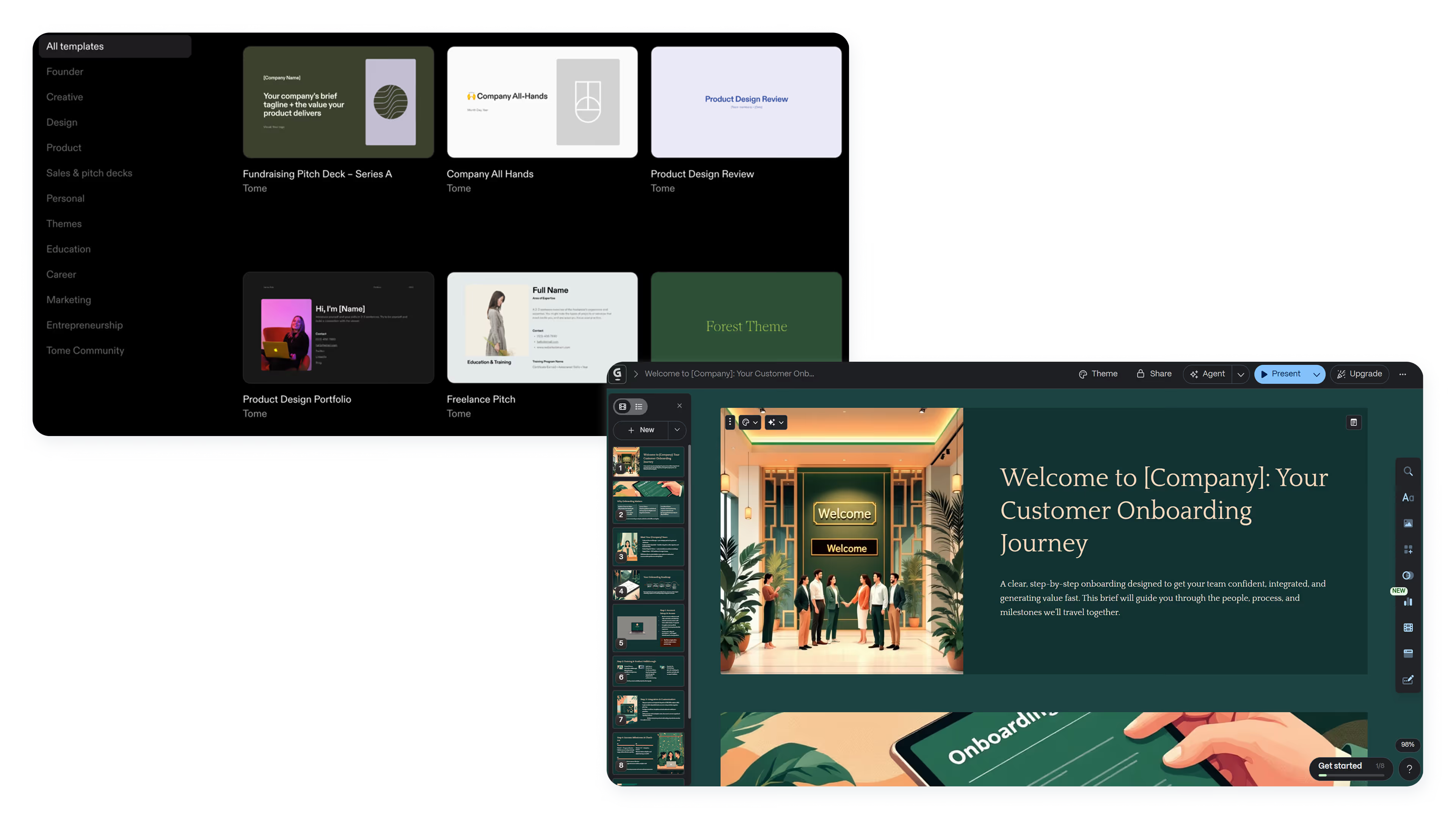
Choosing between Tome and Gamma often comes down to whether you prioritize storytelling or speed. Both are artificial intelligence presentation tools designed to help users skip the blank page, but they approach content creation, design, and workflow from distinct angles.
Tome positions itself as a narrative-first platform built for storytelling and pitches. Gamma emphasizes rapid slide generation and flexible formatting for quick AI-generated presentations. Both appeal to startups, marketers, and professionals, streamlining design without traditional software like Microsoft PowerPoint or Google Slides, or broad design platforms like Canva.
This guide compares Tome and Gamma across AI features, templates, collaboration, and pricing, and explores where Beautiful.ai fits for teams that need a more balanced approach.
Tool overviews
What is Tome?
Tome is an AI-powered presentation tool designed for storytelling and narrative-driven communication. It targets founders, marketers, and creative professionals who want to build pitch decks and engaging presentations without traditional slide-by-slide construction.
Tome AI generates text, images, and layouts from a single prompt. The platform prioritizes visual flow and cohesive storytelling over rigid formatting. It's well-suited for users who want high-quality output with minimal manual effort, focusing on communication over precision design control.
What is Gamma?

Gamma is a presentation and document platform built around speed and flexibility. It uses AI to generate slide decks, docs, and web pages from prompts, offering a card-based interface that adapts to different content types.
Gamma's AI performs well at rapid content generation, from quick team updates to polished marketing materials. Users customize layouts, fonts, and visuals with Gamma's drag-and-drop editor. Gamma is often chosen by teams wanting fast AI presentations without sacrificing format control.
Key comparison criteria
Tome and Gamma represent two philosophies within the AI presentation space. Tome prioritizes storytelling and narrative coherence; Gamma prioritizes speed and versatility across multiple formats. These differences become clear when examining ease of use, templates, and automation.
Ease of use & learning curve
Tome offers a streamlined interface where users input a prompt, and the AI generates a complete presentation. The minimal design helps beginners but can feel limiting for users wanting granular control.
Gamma provides smooth onboarding with a familiar card-based layout and drag-and-drop functionality. Users transitioning from PowerPoint may find Gamma's interface more intuitive.
Summary: Tome favors simplicity and narrative flow; Gamma favors flexibility and familiar editing patterns.
Templates & format control
Tome relies on AI-generated layouts rather than traditional templates, enabling creativity but offering less precision for consistent formats. Unlike Canva's template approach, Tome generates unique layouts from prompts rather than relying on pre-built design assets, offering different design functionality for users who value AI-driven customization over template libraries.
Gamma provides structured templates and card-based layouts with direct control over fonts, colors, and spacing, offering more flexibility than Tome's AI-only approach. This makes Gamma better for teams producing recurring branded content and maintaining brand consistency.
Summary: Tome relies on AI-generated layouts for creative flexibility; Gamma offers structured templates for design consistency.
AI features & automation
Both platforms position AI as a core differentiator, but they apply it differently.
Tome AI focuses on storytelling support through AI image generation, text, and narrative structure. Teams that use AI for presentations refine content through prompt-based iteration.
Gamma AI emphasizes speed and versatility, generating slide decks, docs, and web pages from prompts with support for continued edits and multi-format slide generation. Gamma performs well at rapid generation across formats.
Summary: Tome uses AI for narrative-driven content creation; Gamma uses AI for rapid, multi-format generation.
Design tools, visuals & data visualization
Tome prioritizes clean aesthetics with minimal customization, supporting basic visuals and charts. Gamma offers stronger design functionality with customizable layouts, fonts, icon libraries, and better data visualization for business presentations and marketing updates.
Summary: Tome is strong at visual storytelling; Gamma provides broader design and formatting options.
Interactive elements & audience engagement
Both support embedded media and interactive content. Tome is optimized for async scrolling; Gamma supports both live delivery and async viewing. Both enable engaging presentations through visual flow and embedded elements.
Summary: Both support interactive content; Tome leans toward async delivery, Gamma toward flexible viewing formats.
Collaboration features & real-time workflow
Both offer real-time collaboration with simultaneous editing and commenting. Gamma adds workspace organization features, including folder management, asset sharing, and branding consistency, making it better suited for teams producing professional presentations at scale.
Summary: Both support real-time collaboration; Gamma offers more workspace management for teams.
Compatibility & integrations
Tome supports embedding and web-based sharing, but export options are limited; PDF and web links work well, but PPT exports may lose formatting. Gamma supports broader export formats (PDF, PPT, web pages) and multi-platform integration, making it better for teams needing PowerPoint presentation compatibility across systems.
Summary: Tome fits web-first workflows; Gamma fits teams that need multi-format export and broader compatibility.
Pricing & free plan
Both offer free plans with limited AI credits; paid plans unlock unlimited generation and team features. Users often compare AI tools based on pricing tiers and credit limits. Costs scale with team growth and usage.
Summary: Both offer a free plan for testing; paid plans unlock full AI functionality and team features. (Compare pricing options)
Ideal use cases
Tome and Gamma serve overlapping audiences, but their strengths fit different workflows. For teams that need structured design, consistent branding, and automation without heavy customization, Beautiful.ai often provides a more balanced fit with Smart Slides that handle layout automatically.

When Beautiful.ai is the better fit
- Teams that need on-brand, professional slide decks without manual formatting work.
- Organizations producing recurring sales presentations, reports, and executive updates.
- Users who want an AI-powered presentation design combined with automated layouts.
- Workflows that require reliable Microsoft PowerPoint exports and stakeholder compatibility.
- Businesses that value design consistency across departments and team members.
When Tome is the better fit
- Founders and startups building narrative-driven pitch decks.
- Users who prioritize storytelling over structured slide formatting.
- Teams creating async content designed for scrolling rather than live presentation.
- Professionals who want AI to generate complete narratives from minimal input.
- Users are comfortable with web-first delivery and limited export needs.
When Gamma is the better fit
- Teams that need fast AI-generated presentations across multiple formats through gamma.app.
- Users who want flexible layouts, fonts, and drag-and-drop customization.
- Workflows that include docs, web pages, and slide decks in one workspace.
- Organizations that require reliable PPT exports and multi-platform sharing.
- Marketing teams are producing high-quality content at speed.
Limitations and trade-offs
Every platform is built around a specific product philosophy, which naturally comes with a few compromises. Here are the main limitations and trade-offs to keep in mind as you compare them.
Beautiful.ai trade-offs
- Less freeform creative flexibility than Gamma's card-based system.
- No native support for docs or web pages beyond presentations.
- No permanent free plan for casual use.
- Presentation style is more linear than Gamma's card-based storytelling approach.
Tome trade-offs
- Limited export functionality, particularly for PPT formats.
- Less granular design control for users who want precision formatting.
- Better suited for narrative content than data-heavy reports.
- Less integration with teams that use AI alongside Microsoft PowerPoint.
Gamma trade-offs
- The card-based format may feel unfamiliar to traditional slide users.
- Less emphasis on deep storytelling structure compared to Tome.
- Free plan limits AI generation; heavy users need paid tiers.
- Design automation is less sophisticated than dedicated Smart Slide platforms.
Future roadmap & changing features
A tool’s current features are only part of the picture. Here’s how each product’s direction and evolving feature set can influence its long-term fit for different teams.
Beautiful.ai focus
Beautiful.ai is building out AI-powered automation and Smart Slides. The roadmap emphasizes team workflows, collaboration, and design consistency at scale. Recent research shows the platform's productivity impact exceeds $1B annually across its user base.
Tome focus
Tome is investing in AI models, video integration, and interactive content. The direction points toward richer multimedia storytelling and deeper AI assistance for narrative construction, helping teams use AI to build more engaging, story-driven presentations.
Gamma focus
Gamma is developing workspace tools, integrations, and multi-format support. The roadmap emphasizes versatility and speed as a central hub for docs, presentations, and web content.
Final recommendation
Tome and Gamma serve different needs. Tome is strongest for narrative-driven pitch decks, while Gamma suits teams needing fast, flexible content generation with solid export options.
For teams between these approaches, Beautiful.ai offers a practical middle ground. It combines AI-powered content generation with Smart Slides that handle layout and formatting automatically, removing manual design overhead while maintaining professional consistency. Teams who use AI for presentations regularly benefit from Beautiful.ai's balance of automation and control, with options for custom fonts and branded styling.
If streamlined workflows, brand consistency, and polished output matter more than narrative flexibility or multi-format versatility, Beautiful.ai is worth exploring. Start a free trial to see how it fits your presentation workflow.
Why customers are switching to Beautiful.ai
Beautiful.ai is an AI-powered presentation platform that helps teams create polished, on-brand slides in a fraction of the time, without design skills or manual formatting.
- Design automation built in. Whether you're building pitch decks, reports, or internal presentations, Beautiful.ai’s Smart Slides automatically format content so you never worry about spacing, alignment, or layout again. Add your content, and the design adjusts instantly.
- ️No design experience required. Create professional decks without touching text boxes or manually arranging elements. Choose from Smart Templates and let the AI handle layout decisions, visual hierarchy, and consistency across the entire deck.
- Branding? Already handled. Keep every slide on-brand with your fonts, colors, and logos applied automatically. Beautiful.ai ensures every team member creates presentations that look like they came from a dedicated design team—without extra work.
- Real-time collaboration & team controls. Collaborate directly on the same deck, leave comments, manage permissions, and maintain consistency across team presentations. Perfect for growing teams and cross-functional workflows.
- Faster workflows, fewer revisions. Jump from rough outline to polished presentation in minutes, not hours. Beautiful.ai reduces back-and-forth edits by enforcing on-brand design rules and helping you iterate faster with AI-assisted slide creation.
