


Beautiful.ai vs. Genspark AI: which is better? [Updated 2026]
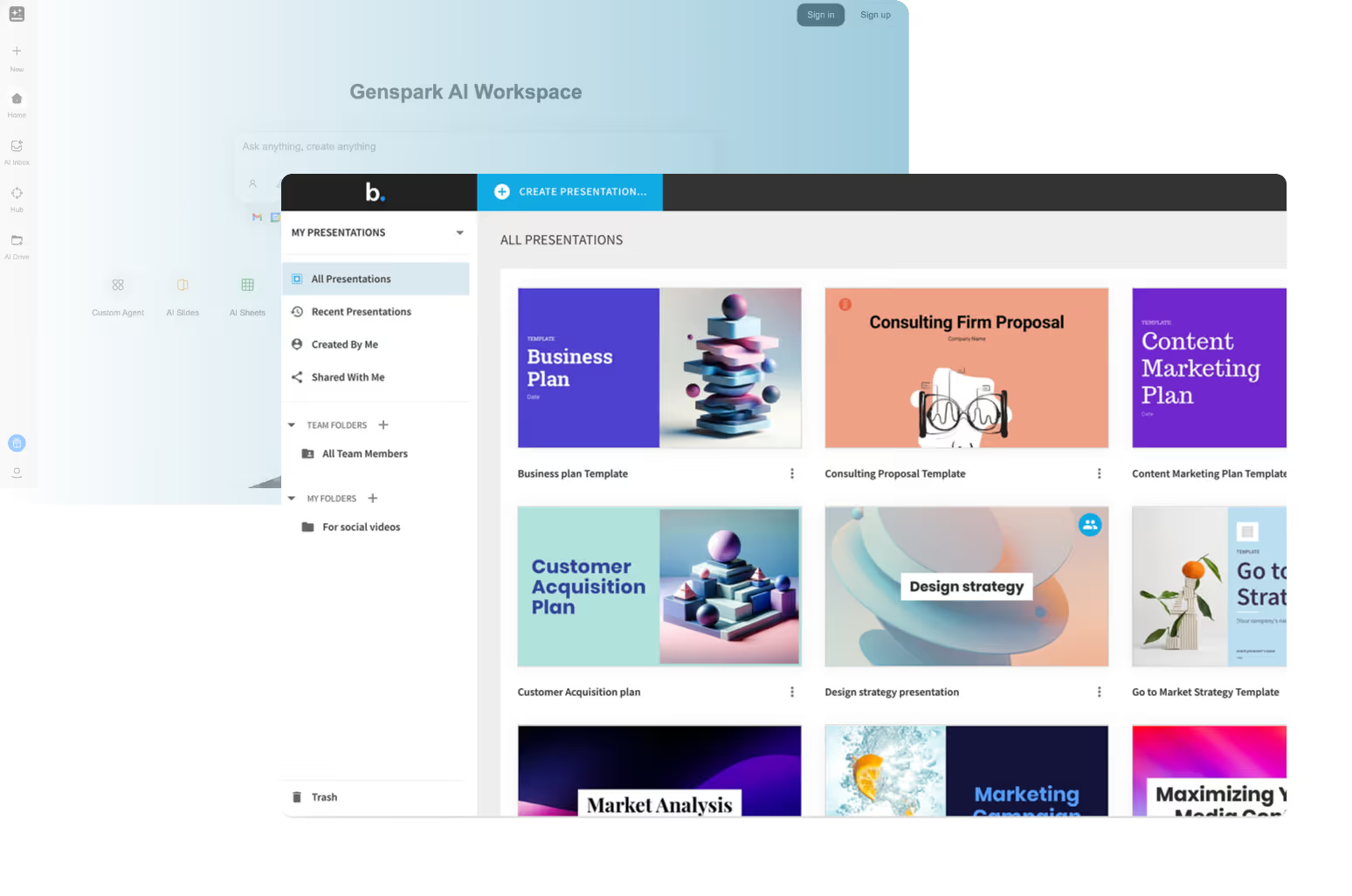

Beautiful.ai vs. Genspark AI: which is better? [Updated 2026]
Choosing between Beautiful.ai and Genspark AI depends on what role you want AI to play in your presentation workflow. Both sit within the expanding landscape of AI presentation tools, but they are built to solve very different problems in slide creation and content development.
Beautiful.ai is an AI-powered presentation platform focused on structure, layouts, and on-brand slide decks. It automates formatting so teams can produce high-quality PowerPoint presentations and pitch decks without manual design work.
Genspark (often referred to as Genspark AI) is an AI-assisted content and research platform that uses AI agents to generate first drafts, summaries, and structured outputs, including AI slide drafts, from prompts and docs.
Tool overviews
What is Beautiful.ai?

Beautiful.ai is a presentation-first design tool built around automation. Instead of manually arranging elements like in Microsoft PowerPoint, Canva, or Google Slides, users work with smart layouts that automatically adapt as content is added or edited.
The platform is optimized for business workflows where clarity and brand consistency matter. Teams use Beautiful.ai to create slide decks, investor updates, and pitch deck presentations quickly, relying on AI to handle spacing, alignment, and visual hierarchy. This makes it a strong option among AI presentation tools for producing client-ready slides at scale.
What is Genspark AI?

Genspark AI is an AI-assisted productivity platform designed to handle the heavy lifting of research, synthesis, and content creation. It uses AI agents to gather information, summarize sources, extract key takeaways, and generate structured outputs such as reports, outlines, and AI-generated slides.
When it comes to presentations, Genspark acts as a slide generator for early-stage drafts. Users prompt the system with a topic or upload docs, and Genspark produces structured slide content that can be exported to PPT or PPTX for further refinement in PowerPoint, Canva, or Google Slides. Its strength lies in speed and ideation rather than final slide design.
Key comparison criteria
At a high level, the difference is architectural. Beautiful.ai is presentation-first and design-driven, while Genspark AI is content-first and research-driven. One focuses on how slides look and flow; the other focuses on generating what goes on the slides.
This distinction becomes clearer when comparing ease of use and how each platform approaches templates and slide format control.
Ease of use & learning curve
Beautiful.ai is designed to minimize the learning curve for presentation creation. Its interface is intuitive and structured, guiding users through slide creation while AI manages layouts in the background. This makes it approachable for non-designers and efficient for teams that need to iterate quickly on slide decks.
Genspark AI is easy to use for ideation and drafting, especially for users already familiar with ChatGPT-style prompting. However, its workflow is less focused on presentation delivery. Users often generate first drafts in Genspark, then move into another tool to tweak layouts, animations, or branding. As a result, the end-to-end presentation workflow involves more steps.
Summary: Beautiful.ai simplifies presentation creation; Genspark simplifies content ideation and first drafts.
Templates & format control
Beautiful.ai offers a structured template system built around smart layouts. These templates automatically adjust as content changes, ensuring consistent formatting, spacing, and alignment across entire slide decks. This makes it easier to maintain on-brand visuals without manual tweaks.
Genspark AI does not provide a traditional template library. Instead, it generates slide outlines and content blocks based on prompts. The final format and visual quality depend on where the slides are edited after export, whether that is PowerPoint, Canva, or Google Slides.
Summary: Beautiful.ai controls slide format natively, while Genspark AI focuses on generating slide content that is formatted later.
AI features & automation
Although both platforms rely on modern AI tools, they apply AI to very different parts of the presentation lifecycle.
Beautiful.ai uses AI-powered automation to manage slide structure, layouts, spacing, and visual hierarchy in real time. Its AI features focus on design intelligence, ensuring slides remain balanced, readable, and on-brand as content changes. This makes Beautiful.ai one of the more mature AI presentation tools for producing high-quality presentations without manual formatting.
Genspark AI, by contrast, applies AI to research, synthesis, and ideation. Its AI agents perform the heavy lifting of gathering information, summarizing sources, and generating structured content. When used as an AI slide generator, Genspark creates slide outlines and talking points rather than final designs. AI decides what to say, not how the slide should look.
Summary: Beautiful.ai automates presentation design; Genspark AI automates content generation.
AI-assisted content, summaries & takeaways
Beautiful.ai assumes that users already have content or key messages defined. While it supports structured slide layouts and visual hierarchy, it offers limited native support for summaries or content synthesis.
Genspark AI excels at summarize tasks. Users can upload docs, research links, or raw notes, and the system extracts key takeaways, organizes ideas, and generates first drafts of slides. This makes it especially useful for teams that need to move quickly from research to presentation-ready outlines.
Summary: Genspark handles content synthesis; Beautiful.ai handles content presentation.
Slide creation & iteration workflow
Beautiful.ai is designed as an all-in-one presentation software workspace. Slide creation, layout management, collaboration, and export all happen in one place, allowing teams to iterate quickly without switching tools.
Genspark AI sits earlier in the workflow. Users generate first drafts in Genspark, then export content to PPT or PPTX and continue slide creation in PowerPoint, Canva, or Google Slides. While flexible, this workflow introduces extra steps for refining layouts, animations, and branding.
Summary: Beautiful.ai streamlines end-to-end slide creation; Genspark supports ideation and drafting.
AI image generation & visuals
Beautiful.ai focuses on layout intelligence rather than generative visuals. It supports images and charts within smart layouts but does not position itself as a dedicated AI image generation tool.
Genspark AI supports AI-generated visuals as part of its broader content creation capabilities. These images help illustrate concepts in early slide drafts but often require refinement once moved into a presentation tool to meet branding and design standards.
Summary: Genspark offers stronger AI-generated visuals; Beautiful.ai offers stronger visual structure.
Compatibility with presentation tools
Beautiful.ai exports cleanly to PowerPoint presentations, preserving layouts and formatting. This reduces cleanup work when sharing slides with stakeholders who rely on Microsoft tools.
Genspark AI emphasizes compatibility. It exports to PPT and integrates easily with downstream tools, allowing users to continue work in PowerPoint, Canva, or Google Slides. This makes it flexible within mixed-tool environments.
Summary: Genspark offers flexibility; Beautiful.ai offers cleaner exports.
Pricing & free plan
Beautiful.ai is positioned as a premium product and does not offer a permanent free plan. Its pricing reflects its focus on automation, design quality, and team workflows.
Genspark AI typically offers a free or trial tier that allows users to test AI agents and content generation features, with paid plans unlocking higher usage limits, faster processing, and advanced functionality. This makes Genspark accessible for teams exploring AI-assisted workflows without immediate commitment.
Summary: Genspark AI is more accessible for experimentation, while Beautiful.ai delivers value through production-ready automation.
Ideal use cases
While both tools sit within the broader category of AI presentation tools, Beautiful.ai and Genspark AI support very different use cases. The right choice depends on whether your priority is polished presentation delivery or fast AI-assisted content generation.
When Beautiful.ai is the better fit
- Teams producing recurring high-quality PowerPoint presentations, sales decks, and investor-facing pitch deck materials.
- Startups and business teams that need on-brand slide decks without manual formatting or design overhead.
- Users who want an AI-powered presentation tool that automates layouts, spacing, and visual hierarchy in real time.
- Teams that value a streamlined workflow with minimal tool switching from draft to final delivery.
- Organizations that require consistent formatting and clean PPTX exports for stakeholder sharing.
When Genspark AI is the better fit
- Teams that need help with research, ideation, and content creation before presentation design begins.
- Users who want to generate first drafts quickly from docs, notes, or raw ideas.
- Scenarios where summarize functions and extracting key takeaways matter more than final slide polish.
- Teams that already design slides in PowerPoint, Canva, or Google Slides and want AI assistance upstream.
- Use cases that benefit from AI agents handling the heavy lifting before human iteration and design refinement.
Limitations and trade-offs
Both platforms make deliberate trade-offs based on where they sit in the presentation workflow. Understanding these limitations helps ensure the tool aligns with your actual needs.
Beautiful.ai trade-offs
- Less flexibility for freeform design compared to traditional editors.
- Limited native support for AI-driven content synthesis or research.
- No permanent free plan for casual or one-off users.
- Optimized for linear storytelling rather than exploratory ideation.
Genspark AI trade-offs
- Slide formatting and visual polish depend on downstream tools.
- Not designed for on-brand presentation delivery out of the box.
- Requires additional steps to refine layouts, animations, and branding.
- Less suitable as a standalone presentation solution.
Summary & recommendation
Choosing between Beautiful.ai and Genspark AI depends on whether your priority is polished presentation delivery or AI-assisted content generation earlier in the workflow. While both fall under the broader category of AI presentation tools, they apply AI in fundamentally different ways.
Beautiful.ai is a presentation-first platform built around design automation. Its smart layouts manage spacing, alignment, and visual hierarchy in real time, allowing teams to produce professional, on-brand slide decks without manual formatting. For organizations that rely on presentations for sales, reporting, and executive communication, Beautiful.ai offers a streamlined, end-to-end solution focused on quality, consistency, and efficiency.
Genspark AI is a content- and research-driven AI platform designed to handle ideation, synthesis, and first-draft generation. It excels at summarizing documents, extracting key takeaways, and generating structured slide content quickly. However, final slide design and formatting typically happen downstream in tools like PowerPoint, Canva, or Google Slides. Genspark works best as an upstream assistant rather than a complete presentation system.

Choose Beautiful.ai if you want:
- A presentation-first tool designed for polished, on-brand slide decks.
- AI-powered automation that controls layout, spacing, and visual hierarchy.
- A streamlined workflow from draft to final presentation in one platform.
- Consistent formatting and clean PPTX exports for stakeholder sharing.
- Long-term efficiency for teams producing presentations regularly.
Choose Genspark AI if you want:
- AI assistance for research, ideation, and content generation.
- Fast first drafts created from docs, notes, or prompts.
- Strong summarize and key takeaway extraction capabilities.
- Flexibility to finish slide design in PowerPoint, Canva, or Google Slides.
- An accessible entry point for experimenting with AI-assisted workflows.
Final recommendation
If your goal is to produce polished, on-brand, and high-quality presentations efficiently, Beautiful.ai is the stronger choice. Its AI-powered automation, smart layouts, and presentation-first design make it ideal for teams that rely on slide decks for communication, sales, and executive reporting.
If your primary objective is to use AI to handle the heavy lifting of research, summarization, and drafting before presentation design begins, Genspark AI is a powerful complement. It excels at generating first drafts and organizing ideas, but works best alongside PowerPoint, Canva, or Google Slides rather than as a complete presentation platform.
Why customers are switching to Beautiful.ai
Beautiful.ai is an AI-powered presentation platform that helps teams create polished, on-brand slides in a fraction of the time, without design skills or manual formatting.
- Design automation built in. Whether you're building pitch decks, reports, or internal presentations, Beautiful.ai’s Smart Slides automatically format content so you never worry about spacing, alignment, or layout again. Add your content, and the design adjusts instantly.
- ️No design experience required. Create professional decks without touching text boxes or manually arranging elements. Choose from Smart Templates and let the AI handle layout decisions, visual hierarchy, and consistency across the entire deck.
- Branding? Already handled. Keep every slide on-brand with your fonts, colors, and logos applied automatically. Beautiful.ai ensures every team member creates presentations that look like they came from a dedicated design team—without extra work.
- Real-time collaboration & team controls. Collaborate directly on the same deck, leave comments, manage permissions, and maintain consistency across team presentations. Perfect for growing teams and cross-functional workflows.
- Faster workflows, fewer revisions. Jump from rough outline to polished presentation in minutes, not hours. Beautiful.ai reduces back-and-forth edits by enforcing on-brand design rules and helping you iterate faster with AI-assisted slide creation.
