


Slidebean vs Google Slides: which is better?
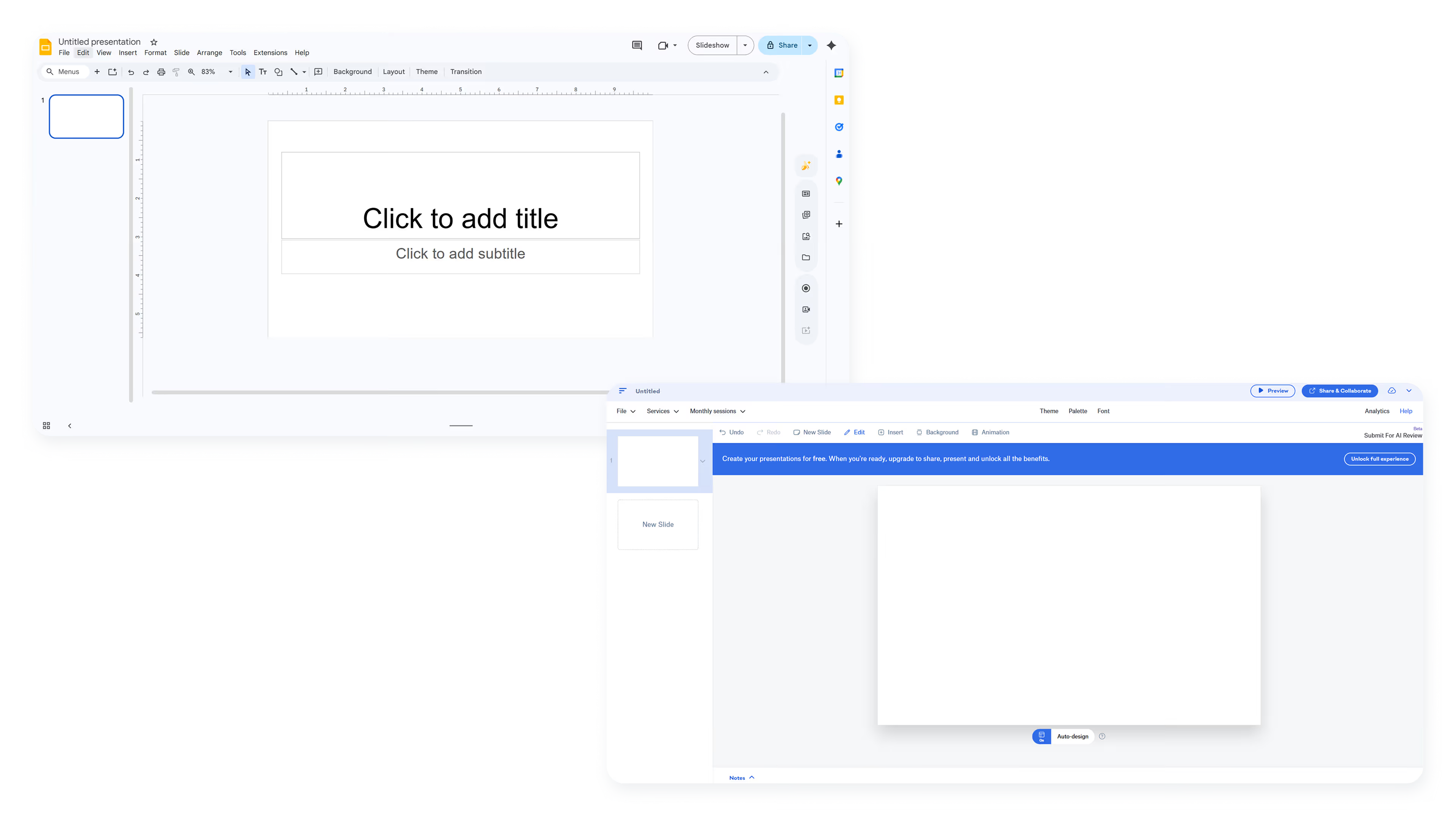

Slidebean vs Google Slides: which is better?
Choosing between Slidebean and Google Slides often comes down to what kind of presentation you need to create and how much design help you want along the way. Both are web-based presentation software options that let you build slides in the cloud, but they serve very different audiences with distinct approaches to automation, collaboration, and pricing.
Slidebean positions itself as an AI-powered pitch deck tool built for startups raising capital. It emphasizes automated design and fundraising resources over creative flexibility, competing with tools like Canva, Prezi, and Visme for startup presentation needs. Google Slides, by contrast, is a free, general-purpose presentation platform optimized for real-time collaboration within the Google Workspace ecosystem. It prioritizes accessibility and teamwork over specialized features.
This guide compares both platforms across usability, design tools, AI capabilities, collaboration features, and pricing to help you decide which fits your workflow. We'll also explore when Beautiful.ai offers a stronger long-term solution for teams that need professional design without the constraints of either tool.
Tool overviews
What is Slidebean?
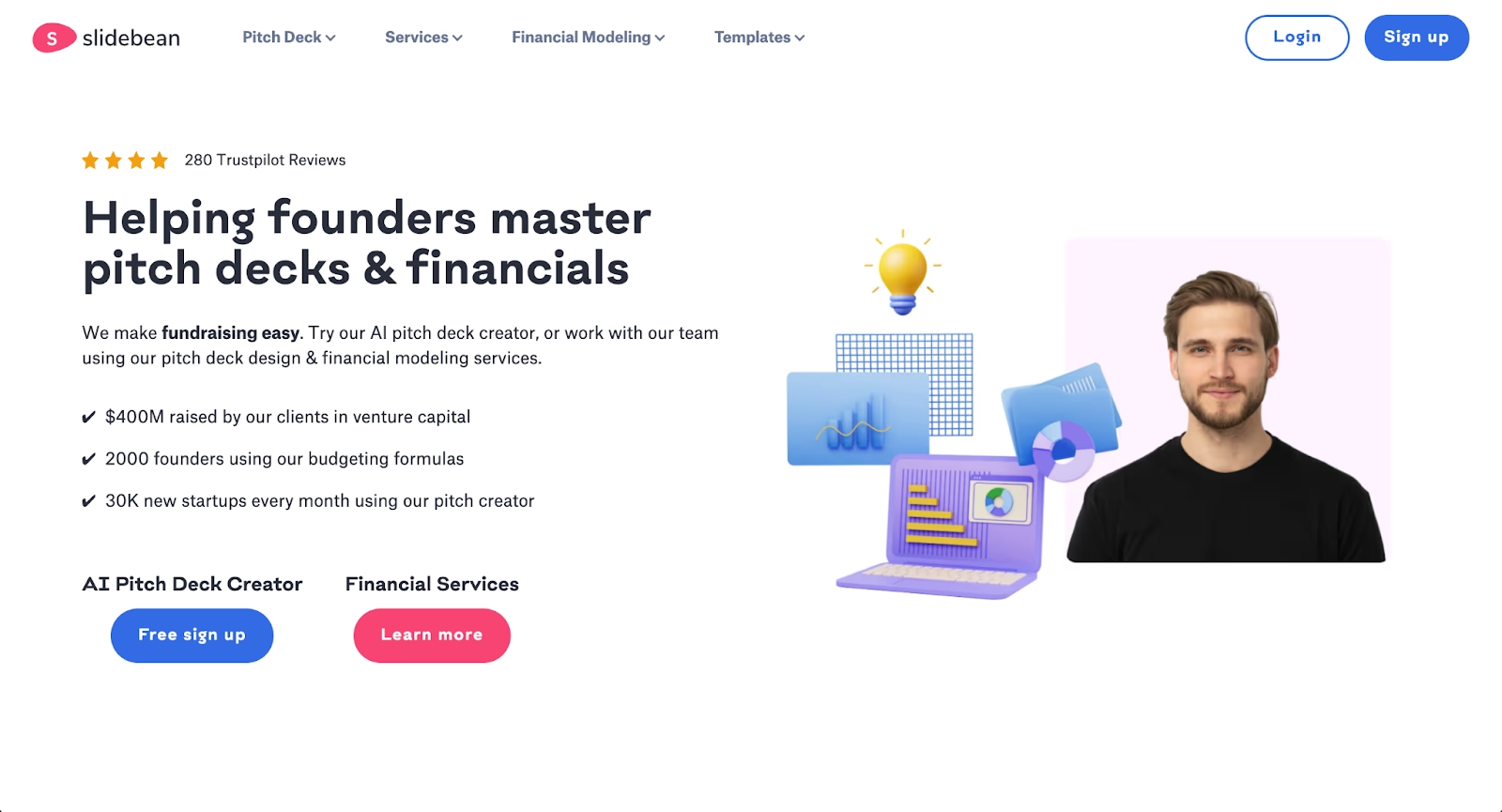
Slidebean is a pitch deck platform designed for startup founders preparing to raise funding. It combines AI-powered deck creation with automated design, allowing users to focus on content while the software handles layout and formatting decisions.
Beyond presentations, Slidebean offers fundraising tools including financial model templates, investor tracking, cap table management, and one-on-one consulting with their team. This makes it more of a startup fundraising toolkit than a general-purpose presentation app, with functionality that extends beyond basic presentation creation. The trade-off is limited flexibility for presentations outside the pitch deck format.
What is Google Slides?
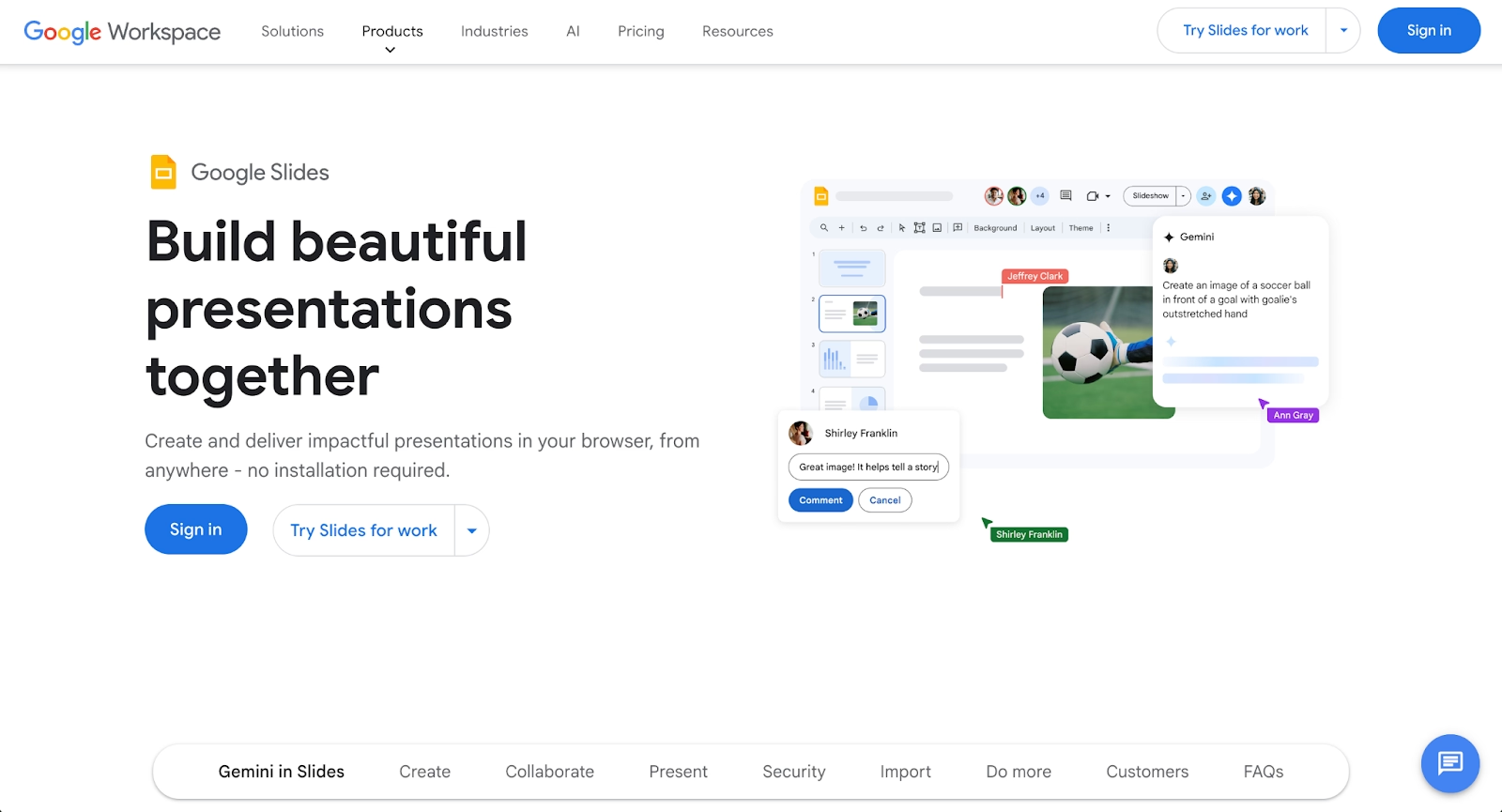
Google Slides is a free, cloud-based presentation tool that's part of Google Workspace. It's designed for broad accessibility and real-time collaboration, offering a user-friendly alternative to Microsoft PowerPoint and Apple Keynote for teams, educators, and individuals who need a simple way to create and share presentations.
Google Slides integrates tightly with Google Drive, Docs, and Sheets, allowing users to embed content and collaborate in real time. Recent updates have added Gemini AI features for paid Workspace users, including image generation and content suggestions. The platform remains lightweight and familiar, though it lacks the automated design capabilities found in dedicated presentation tools. The platform also integrates with Google Meet for instant screen sharing during video calls.
Key comparison criteria
The core difference between Slidebean and Google Slides is specialization versus generalization. Slidebean is a purpose-built tool for startup pitch decks with heavy automation; Google Slides is a flexible, free platform that handles any presentation type but leaves design decisions entirely to the user.
Ease of use & learning curve
Slidebean is designed to minimize decision-making. Users enter their content, and the platform's automated design system arranges slides according to proven pitch deck structures. For startup founders who need a polished deck quickly, this approach reduces friction. User reviews frequently highlight how the platform simplifies presentation creation for non-designers. The interface is clean but opinionated, guiding users toward specific layouts rather than offering open-ended customization.
Google Slides takes a different approach: complete simplicity with no automation. The editor feels familiar to anyone who has used Google Docs or Sheets. There's virtually no learning curve, but users are responsible for every design choice. This works well for quick, informal presentations but can become time-consuming when visual polish matters.
Summary: Slidebean favors guided automation for pitch decks; Google Slides favors open simplicity for general use.
Templates & format control
Slidebean offers over 100 templates, nearly all focused on startup pitch decks and investor presentations. These templates follow established fundraising conventions, making it easy to structure a deck that meets investor expectations. Customization options exist but are limited compared to traditional presentation tools. The platform assumes users want consistency over creative control.
Google Slides provides a moderate template library covering business, education, and personal use cases. Templates are fully editable, giving users complete control over fonts, colors, animations, and transitions. The trade-off is that maintaining visual consistency requires manual effort, and results depend heavily on the user's design skills.
Summary: Slidebean delivers structured pitch deck templates; Google Slides prioritizes flexible, general-purpose layouts.
AI features & automation
Slidebean's artificial intelligence tools and AI capabilities center on pitch deck creation. Users can generate a first draft from a brief description of their business, and the AI structures slides around common pitch deck sections like problem, solution, market size, and traction. The platform also offers AI-powered deck reviews that provide feedback on content and structure. This automation is valuable for founders who want guidance but can feel restrictive for experienced presenters.
Google Slides has added Gemini AI features for users with paid Workspace subscriptions. Gemini can generate images, suggest text improvements, and help create slides from prompts. These features are useful supplements but don't fundamentally change how Google Slides works. The platform remains a manual tool at its core, with AI serving as an optional assistant rather than an automated design engine.
Summary: Slidebean uses AI to automate pitch deck creation; Google Slides uses AI as an optional enhancement for paid users.
Design tools, visuals & data visualization
Slidebean's design automation handles most visual decisions automatically. Users add content, and the platform arranges it according to built-in design rules. This produces consistent results but limits creative expression. Data visualization options exist but are basic compared to dedicated charting tools. The focus is on clean, investor-friendly slides rather than complex visual storytelling.
Google Slides offers standard design tools: shapes, text boxes, images, multimedia embeds, and basic charts. Users have full control over placement and styling, but there's no intelligent formatting assistance. Creating visually polished slides requires time and design knowledge. For data-heavy presentations, Google Slides can link to Google Sheets for live chart updates, which is useful for recurring reports.
Summary: Slidebean automates design for consistency; Google Slides offers manual control with no formatting assistance.
Interactive elements & audience engagement
Slidebean focuses on asynchronous sharing rather than live presentation features. Users can share decks via links and track views, including time spent on each slide. This analytics feature is particularly useful for founders who want to see which investors engaged with their deck. Live presentation tools are basic, as the platform assumes most pitch decks are shared rather than presented in person.
Google Slides supports live presenting with speaker notes, Q&A integration, and laser pointer tools. Presentations can be embedded or shared via link, though analytics are limited to basic view counts. For teams that present frequently, Google Slides offers more flexibility for live delivery.
Summary: Slidebean provides sharing analytics for investor outreach; Google Slides supports live presentation delivery.
Collaboration features & real-time workflow
Collaboration is not Slidebean's primary strength. Basic sharing and commenting features exist, but real-time co-editing is limited to premium plans. The platform is designed primarily for individual founders or small teams where one person owns the deck-building process.
Google Slides shines at collaboration. Multiple users can edit simultaneously with changes appearing in real time. Comments, suggestions, and version history make it easy for teams to review and refine presentations together. Integration with Google Workspace means stakeholders can collaborate without leaving their existing workflow. For distributed teams, this is often the deciding factor.
Summary: Google Slides emphasizes real-time team collaboration; Slidebean focuses on individual creator workflows.
Compatibility & integrations
Slidebean integrates with fundraising and startup tools, including cap table software and investor CRM features. Export options include PDF and shareable links, but PPT and PowerPoint export compatibility is limited. The platform works best as a standalone solution within its startup ecosystem rather than as part of a broader presentation workflow.
Google Slides connects tightly with the Google Workspace office suite: Drive for storage, Docs for content, Sheets for data. Export options include PDF, PPTX, and ODP, making it easy to share with stakeholders who use different tools. The platform also supports embedding in websites and works across devices with minimal friction. For teams already using Google Workspace, Google Slides fits naturally into existing workflows.
Summary: Slidebean fits startup fundraising ecosystems; Google Slides fits Google Workspace teams.
Pricing & free plan
Slidebean offers a Starter plan at $7 per month (billed yearly) that includes AI pitch deck access, templates, and basic analytics. The Accelerate plan at $42 per month adds strategy calls, investor tools, and financial modeling support. There's no permanent free tier, only a limited trial, which may be a barrier for early-stage founders exploring options.
Google Slides is completely free with a Google account. All core features, including collaboration, exports, and templates, are available at no cost. Gemini AI features require a Google Workspace subscription or Google One AI Premium at $19.99 per month. For most users, the free tier covers everything needed for everyday presentations. For FAQs about specific plan details, both platforms maintain help centers with up-to-date information.
Summary: Slidebean is a paid tool with startup-specific features; Google Slides is free for general use with optional AI upgrades.
Ideal use cases
Slidebean and Google Slides serve distinct audiences. Slidebean is optimized for startup fundraising, while Google Slides handles broad, collaborative presentation needs. Yet many teams find themselves needing collaboration tools and features that neither platform fully delivers: professional design automation without the narrow focus of Slidebean, and better visual results than Google Slides can deliver without considerable manual effort.
For these teams, Beautiful.ai often emerges as the stronger fit. It combines AI-powered content generation with Smart Slides, built-in design logic that automatically handles formatting, spacing, and alignment as you edit, helping teams create polished presentations across any use case without the constraints of pitch-deck-only tools or the manual overhead of traditional editors.

When Beautiful.ai is the better fit
- Teams that need professional-looking presentations across sales, marketing, and executive use cases
- Organizations producing recurring decks that require brand consistency and design quality
- Users who want AI-generated first drafts refined by automatic layout intelligence
- Teams that value collaboration features without sacrificing design automation
- Businesses that need reliable PowerPoint exports for stakeholders outside their platform
When Slidebean is the better fit
- Startup founders actively preparing to raise funding from investors
- Teams that want pitch-deck-specific AI automation and structure guidance
- Users who value integrated fundraising tools like investor tracking and financial modeling
- Founders who benefit from consulting and strategy calls with pitch deck experts
- Early-stage companies willing to pay for specialized startup resources
When Google Slides is the better fit
- Teams that prioritize real-time collaboration and version history over design polish
- Users embedded in Google Workspace who want direct integration with Drive, Docs, and Sheets
- Budget-conscious individuals or organizations that need a free presentation tool
- Educators, students, and internal teams creating informal or quick-turnaround presentations
- Anyone who values simplicity and familiarity over advanced design features
Limitations & trade-offs
Each tool reflects deliberate product decisions that create trade-offs. Knowing where each platform compromises helps set realistic expectations.
Beautiful.ai trade-offs
- Smart Slides provide consistent layouts but limit fully custom designs
- No permanent free plan for continuous access
- Focused on presentations rather than broader content types like infographics
- Advanced collaboration features require Team or Enterprise plans
Slidebean trade-offs
- Narrow focus on pitch decks limits usefulness for general business presentations
- Design automation reduces creative control for users who want custom layouts
- No permanent free tier for founders exploring options
- Collaboration features are basic compared to Google Slides
Google Slides trade-offs
- No automated design assistance, requiring manual formatting on every slide
- Visual results depend heavily on user design skills
- Gemini AI features require paid subscriptions
- Limited analytics for tracking viewer engagement
- No native brand controls or locked templates for team consistency
Future roadmap & developing features
Product direction matters when choosing tools for the long term. Seeing where each platform is headed helps teams select software that will continue to support their needs.
Beautiful.ai focus
Beautiful.ai continues to expand AI capabilities while strengthening its core Smart Slide technology. The roadmap emphasizes smarter automation, improved data visualization, and enhanced team collaboration features including brand governance and permissions. The long-term vision is to make professional presentation design accessible without requiring design expertise or manual formatting effort.
Slidebean focus
Slidebean's development centers on deepening its startup fundraising ecosystem. This includes deeper AI pitch deck reviews, strengthening investor network features, and improving financial modeling tools. The platform is positioning itself as a comprehensive fundraising companion rather than a general presentation tool.
Google Slides focus
Google's investment in Gemini AI is reshaping Google Slides. Recent updates have added image generation, content suggestions, and full presentation creation from prompts for paid Workspace users. Google is integrating AI across its productivity suite, which means Google Slides will continue to benefit from broader Workspace innovations.
Final recommendation
Slidebean and Google Slides excel in different scenarios. Slidebean is the right choice for startup founders who need pitch-deck-specific automation and fundraising resources in one platform. Google Slides is ideal for teams that prioritize collaboration and accessibility within Google Workspace, especially when budget is a constraint.
For teams that need more than either tool provides, Beautiful.ai offers a balanced approach. It delivers AI-powered content generation combined with Smart Slides, which use built-in design rules to auto-align, resize, and animate content as you work, producing professional results without the narrow focus of pitch-deck tools or the manual effort required by traditional editors. This makes it particularly valuable for organizations that create diverse presentation types and want consistent quality across teams.
If your goal is to spend less time on formatting and more time on your message, Beautiful.ai's 14-day free trial offers a practical way to see how automated design fits your workflow.
Why customers are switching to Beautiful.ai
Beautiful.ai is an AI-powered presentation platform that helps teams create polished, on-brand slides in a fraction of the time, without design skills or manual formatting.
- Design automation built in. Whether you're building pitch decks, reports, or internal presentations, Beautiful.ai’s Smart Slides automatically format content so you never worry about spacing, alignment, or layout again. Add your content, and the design adjusts instantly.
- ️No design experience required. Create professional decks without touching text boxes or manually arranging elements. Choose from Smart Templates and let the AI handle layout decisions, visual hierarchy, and consistency across the entire deck.
- Branding? Already handled. Keep every slide on-brand with your fonts, colors, and logos applied automatically. Beautiful.ai ensures every team member creates presentations that look like they came from a dedicated design team—without extra work.
- Real-time collaboration & team controls. Collaborate directly on the same deck, leave comments, manage permissions, and maintain consistency across team presentations. Perfect for growing teams and cross-functional workflows.
- Faster workflows, fewer revisions. Jump from rough outline to polished presentation in minutes, not hours. Beautiful.ai reduces back-and-forth edits by enforcing on-brand design rules and helping you iterate faster with AI-assisted slide creation.
