


Beautiful.ai vs. Canva: which is better? [Updated 2026]


Beautiful.ai vs. Canva: which is better? [Updated 2026]
Choosing between Beautiful.ai and Canva comes down to deciding what you need your visual communication to accomplish. Both platforms support design work, but they are built for very different jobs. While many presentation tools exist, from Microsoft PowerPoint to Google Slides, the rise of AI generation has pushed these two to the forefront.
At Beautiful.ai, we focus on helping you create professional presentations fast. Our AI presentation maker utilizes artificial intelligence to transform your ideas into clean, polished slide decks without requiring manual formatting. Canva is a versatile graphic design tool used for creating social media posts, marketing materials, and simple slide decks.
In this guide, we compare Beautiful.ai and Canva across usability, templates, AI features, collaboration, pricing, and workflow compatibility. This will help you determine which presentation software best suits your team, design needs, and most common use cases.
Tool overviews
What is Beautiful.ai?
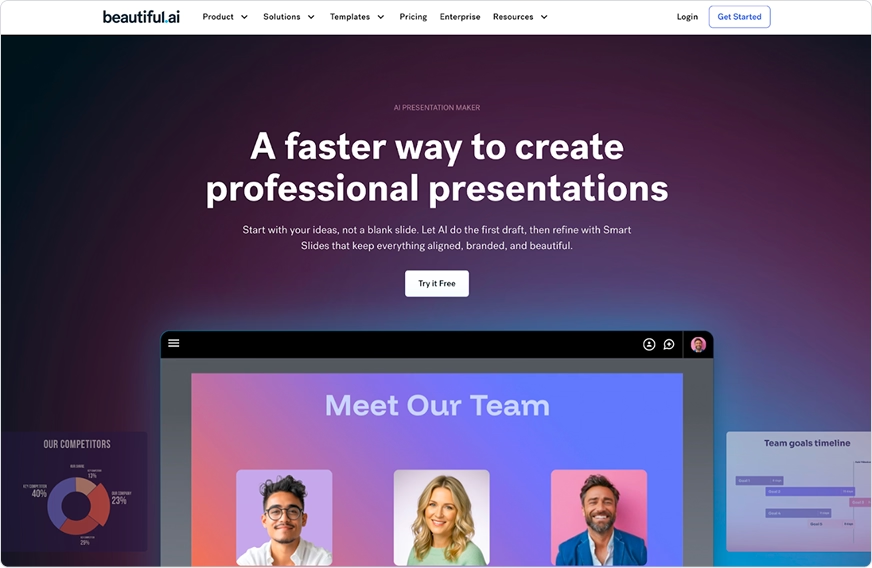
Beautiful.ai is an AI-powered presentation design platform built to simplify presentation creation. You begin with smart, customizable templates designed for real business needs like pitch decks, sales reports, and quarterly reviews. As you add content, our AI presentation tool applies consistent spacing, alignment, fonts, animations, and data visualization rules in real time, with smart slides that adapt automatically.
This automation removes the need to resize text boxes, troubleshoot formatting, or manually refine layouts. Teams rely on Beautiful.ai for visually appealing presentations, reliable brand consistency, and a user-friendly workflow that helps streamline production across departments and improve workflows.
What is Canva?
Canva is a general-purpose graphic design platform with a drag-and-drop editor. It is widely used for social media graphics, posters, flyers, basic websites, and simple presentation templates. The platform offers a large template library of design elements, customizable templates, photos, and fonts suitable for many visual projects.
Canva works well for creators and small businesses that need a single, all-in-one design tool for many asset types. For presentation work, Canva provides flexibility but requires users to manually adjust layouts, refine design elements, and maintain formatting across slide decks.
Key comparison criteria
When people compare Beautiful.ai and Canva, they are usually deciding between two very different approaches to visual communication. Beautiful.ai prioritizes presentation creation, automation, and consistency. Canva focuses on versatility and general graphic design. Below is how each platform performs across the criteria that matter most for building slide decks and supporting day-to-day workflow needs.
Usability & learning curve
Beautiful.ai
Beautiful.ai is designed to remove the friction of traditional presentation software, prioritizing ease of use. Instead of adjusting text boxes, managing spacing, or rebuilding layouts, the AI-powered design engine handles all formatting in real time. You choose a slide type, add your content, and the system maintains structure, alignment, and data visualization rules without needing to manually tweak the design.
This approach supports beginners, business teams, and anyone who wants consistent, professional presentations without graphic design expertise. The result is smoother user experiences, faster first drafts, and far less time spent correcting formatting issues.
Canva
Canva uses a drag-and-drop interface that is easy to learn and ideal for many types of visual content. Users can customize templates quickly, but presentation work requires more manual effort, which can impact the overall user experiences. Repositioning elements, sizing text, and refining layouts often takes additional time, and consistency across slide decks depends on the user’s ability to tweak each slide.
This flexibility benefits creators who enjoy hands-on design control. For users focused on speed or long-term brand consistency, Canva’s manual approach can add extra steps to the workflow, especially when creating complex PowerPoint presentations.
Summary
- Beautiful.ai provides an automated, user-friendly path to professional presentations.
- Canva offers full manual control for many design types but requires more hands-on formatting for slide decks.
Template & asset library
Beautiful.ai
Beautiful.ai is built around intelligent, customizable templates made specifically for modern presentations. Each of the smart slides adapts in real time as you add or adjust content. Spacing, alignment, animations, colors, fonts, and data visualization update automatically, giving you a cohesive design without manual formatting.
Templates cover a wide range of business needs, including pitch decks, quarterly reviews, fundraising presentations, product overviews, sales reports, and training materials. Because the design engine maintains all layout rules, teams can create consistent, on-brand slide decks regardless of experience level. The asset library includes curated icons, images, and design elements optimized for clarity and professional storytelling.
Canva
Canva offers a large variety of templates across social media, print materials, websites, videos, and presentations. Users can customize layouts, images, fonts, and design elements freely from its extensive template library.
For presentations, Canva’s presentation templates can be customized using manual adjustments to text boxes, images, and layout elements. Users must manually adjust text boxes, images, and layout elements as content changes. This can create inconsistencies across decks unless everything is refined manually. Canva’s library is ideal for broad design needs, especially within the free version and Canva Pro tiers, but requires more detailed editing for polished slide decks.
Summary
- Beautiful.ai offers smart presentation templates that adapt automatically for a consistent, professional look.
- Canva provides a wide range of customizable templates for many content types but requires more manual work for presentations.
AI & automation features
Beautiful.ai
AI is the foundation of Beautiful.ai. The platform automates the formatting and layout decisions that normally slow down presentation creation. As you add or edit content, the design engine updates spacing, alignment, hierarchy, animations, and data visualization instantly. The AI generation can even suggest layouts based on simple AI prompts.
This level of automation supports pitch decks, reports, training materials, and any workflow where teams need reliable, professional presentations. Beautiful.ai functions like a built-in design copilot, reducing time spent fixing formatting and helping users move from first draft to polished deck quickly. The platform also includes an image generation feature to create custom visuals.
Canva
Canva includes several AI tools, such as text generation, image generation with its Magic Design feature, and automated editing tools that support general graphic design. These features help users experiment creatively, modify photos, and generate new visual ideas from AI prompts, and you can even create simple avatars.
However, based on Canva’s publicly available feature descriptions, the platform does not advertise automated layout logic for presentations, unlike a dedicated AI presentation maker. Users still manage spacing, alignment, and text boxes manually. This gives designers more control but increases the amount of hands-on work required for consistent slide decks. Canva’s AI is strongest for social media assets, posters, and other creative formats rather than structured presentations.
Summary
- Beautiful.ai is designed to automate many layout and formatting decisions in real time, helping reduce the amount of manual work users typically do.
- Canva’s presentation workflow centers around manual control of layout, spacing, and element placement.
Customization & design control
Beautiful.ai
Beautiful.ai offers users flexibility without compromising structure. You can select from multiple smart layouts, apply brand colors and fonts from your brand kit, adjust charts, swap images, and customize design elements. While the smart technology maintains alignment, spacing, and visual balance, you still control the look and feel of each slide.
This approach supports teams that need consistent presentation templates without spending time troubleshooting formatting. Beautiful.ai’s automated layout system is designed to support brand consistency by reducing the amount of manual formatting users typically manage. Its guided customization makes it ideal for business communication where clarity and consistency matter more than pixel-level manipulation.
Canva
Canva provides full manual design control. Users can move, resize, rotate, or layer elements anywhere on the canvas. This flexibility benefits creators who want complete creative freedom or need to build highly customized visuals, and the brand kit feature helps maintain some consistency.
For presentations, this level of control means more manual work. Text boxes, images, and layout elements must be adjusted individually, which can slow down the process and create inconsistent slide decks. Canva’s customization options are excellent for general graphic design but require more oversight to maintain structure in presentations.
Summary
- Beautiful.ai offers guided customization that keeps slides consistent and easy to build.
- Canva allows full creative freedom but requires manual layout refinement for presentation work.
Collaboration, integrations & team workflows
Beautiful.ai
Beautiful.ai supports collaborative presentation creation with real-time collaboration, commenting, and role-based permissions. Teams can work together on slides without worrying about formatting issues because the Smart Slide layouts protect design integrity. This ensures every contributor produces slides that remain consistent with brand guidelines and helps streamline team workflows.
Version history, shareable links, and reliable compatibility with PPTX and PDF make it easy to review drafts and share final decks. Since the platform is fully web-based, teams can collaborate across devices without installing software. For organizations focused on presentation quality and efficient workflows, Beautiful.ai offers a streamlined, dependable collaboration experience, with integrations like Slack.
Canva
Canva provides broad collaboration tools for many design formats, including real-time collaboration. Users can co-edit, leave comments, and share templates across teams. Canva’s Brand Kit and asset libraries help maintain consistency across social media, print materials, and basic presentations.
Because Canva relies on manual layout adjustments, presentation some teams may choose to include additional review steps when working in Canva to ensure slides align with internal formatting preferences. The platform integrates with cloud storage tools like Google Drive and supports a wide range of export formats, making it useful for teams that produce many types of visual assets in addition to slide decks.
Summary
- Beautiful.ai offers structured collaboration for presentation-specific workflows and consistent output.
- Canva supports collaboration across many design formats but requires more manual checks for presentation accuracy.
Export, formats & platform support
Beautiful.ai
Beautiful.ai offers export options built for professional presentation workflows. You can export to PPTX, PDF, or individual PNG slides, or share a live link that updates automatically. Beautiful.ai exports high-fidelity slides to PPTX. Note that complex "Smart Slide" elements often export as grouped shapes or images to prevent breaking, which maintains the look but limits deep editing in PowerPoint.
Because Beautiful.ai is fully web-based, there is no installation required. Presentations remain compatible across devices, and teams can access decks from any modern browser. This ensures a consistent user experience whether you are presenting, collaborating, or handing off a deck for review.
Canva
Canva supports a wide variety of exports, including PDF, JPG, PNG, SVG, MP4, GIF, and PPTX (PPT). This flexibility is valuable for teams producing many types of digital and print assets. For presentations, Canva can export to PowerPoint, though layouts may shift slightly because slides are manually constructed, which can make creating polished PowerPoint presentations more time-consuming.
Canva is available on web, desktop, and mobile apps, which makes it convenient for creators who work across different devices. Its broad format support is helpful for marketing teams and small businesses that need graphics, videos, and presentations in multiple formats.
Summary
- Beautiful.ai offers streamlined PPTX and PDF exports that preserve formatting and support seamless presentation workflows.
- Canva provides more export formats overall, but presentation files may require additional cleanup after export.
Pricing & value for money
Beautiful.ai
Beautiful.ai’s pricing reflects its focus on fast, professional presentation creation. Plans include smart templates, automation, collaboration tools, and branding controls that help teams save hours of manual formatting. For users who rely on presentations for sales, reporting, or pitch decks, the value comes from consistent output and reduced design time, as Beautiful.ai offers a very specific functionality.
Although Beautiful.ai does not offer a long-term free plan, the platform delivers a strong return for organizations that need reliable presentation templates, automated formatting, and on-brand slide decks across teams. The pricing is built around efficiency, accuracy, and predictable results.
Canva
Canva offers a generous free version with thousands of templates, design elements, and editing tools. For broader functionality, Canva Pro adds brand kits, additional assets, and more storage at an accessible price. Canva’s broad library and free version make it appealing to a wide range of users, including small businesses and creators who need many types of visual assets.
Because Canva requires more manual work for presentations, teams producing complex slide decks may spend additional time refining layouts. However, its overall versatility and low-cost upgrades make it a strong option for general graphic design.
Summary
- Beautiful.ai provides value through automation, consistency, and time savings for presentation-heavy workflows.
- Canva offers affordability and broad design capabilities, with a strong free version for multi-format creative work.
Ideal use cases for best-fit scenarios
When Beautiful.ai is the best fit
Beautiful.ai is designed for teams and professionals who build presentations regularly and need a streamlined workflow. The platform’s automation, smart templates, and real-time layout adjustments make it ideal for users who want polished, on-brand slide decks without manual formatting.
Choose Beautiful.ai if you:
- Build pitch decks, reports, quarterly reviews, or training materials
- Need consistent presentation templates across departments
- Prefer an AI-powered system that manages layout and formatting automatically
- Want a user-friendly workflow that supports fast, professional presentation creation
- Work in a startup or business environment where clarity, structure, and branding matter
Beautiful.ai is especially effective for organizations that depend on presentations as a core communication tool.
When Canva is the best fit
Canva works well for users who need a single design platform for many visual assets. Its versatility, drag-and-drop controls, and broad selection of templates make it suitable for marketing teams, small businesses, and creators producing graphics across multiple channels.
Choose Canva if you:
- Create social media content, marketing graphics, flyers, or videos
- Want a general design tool with broad customization options
- Prefer manual control over layouts and design elements
- Rely on a free plan or affordable upgrade options
- Need flexibility across many use cases beyond presentations
Canva is best when you need to design many asset types and value variety over presentation-specific automation.
Summary
- Beautiful.ai is ideal for users who need fast, consistent, professional presentations.
- Canva is better for teams that create a variety of visual content and want flexible design control.
Limitations & trade-offs
Beautiful.ai
Beautiful.ai focuses entirely on presentation creation, which means it offers depth in structure and automation but less breadth in general design tasks. The AI-powered software manages alignment, spacing, and formatting, so users cannot freely move elements around the slide. The transitions between slides are smooth and professional, but not as flashy as what you might find in Prezi.
The platform does not include advanced image editing, illustration tools, or multi-format creative features you would find in a broader design tool. Smart templates are optimized for clarity and simplicity rather than highly decorative layouts. These trade-offs support ease of use, speed, and reliable presentation quality.
Canva
Canva’s broad versatility creates advantages and challenges. Manual design control gives users freedom, but also requires more time to refine spacing, text boxes, and design elements. Because templates are static, presentation layouts can drift off-brand unless reviewed carefully, and the available transitions require manual application.
Canva’s focus is general graphic design rather than presentation software, so its animation choices, data visualization tools, and structured layouts are lighter than Beautiful.ai’s. Because Canva offers extensive manual control, creating highly polished slide decks may involve more hands-on editing depending on a team’s design standards.
Summary
- Beautiful.ai prioritizes automation and consistency, which limits full manual control but speeds up presentation creation.
- Canva prioritizes creative flexibility, which increases manual formatting but supports a wider range of design styles.
Future roadmap & evolving features
Beautiful.ai
Beautiful.ai will continue expanding its AI-powered approach to presentation creation. Our roadmap focuses on deeper automation, more intelligent slide types, and improved collaboration tools that support growing teams. We are investing in better data visualization options, expanded customization controls that maintain structural integrity, and greater compatibility with tools like Google Drive and Slack.
As artificial intelligence evolves, our goal is to function as a true collaborative partner for your presentations. This means helping you move from a first draft to a polished deck with less manual work, more consistency, and faster turnarounds, perhaps even with personalized avatars.
Canva
Canva’s roadmap centers on expanding into more areas of visual communication. The platform continues to introduce AI-generated features, improved video tools, and broader design capabilities across documents, websites, and marketing content.
Future updates will likely focus on more versatility, stronger image generation, and new creative features that support graphic design and social media teams. These improvements reinforce Canva’s role as an all-in-one design tool rather than a presentation-focused platform.
Summary
- Beautiful.ai will continue strengthening automation, smart templates, and presentation-specific workflows.
- Canva will expand creative versatility across many content formats, focusing less on structured presentation automation.
Summary & recommendation
Choosing between Beautiful.ai and Canva depends on how central presentations are to your work. Both platforms offer strong functionality, but they serve different purposes.
Beautiful.ai is presentation software built for speed, structure, and brand consistency. Our AI presentation maker automates layout, spacing, data visualization, and formatting, helping teams produce professional presentations with less effort. If you build slide decks often and want a user-friendly workflow that removes manual design work, Beautiful.ai provides the clearest path to polished results.
Canva is a versatile design tool designed for many types of visual content. Its drag-and-drop editor supports social media, flyers, videos, and simple presentations. Canva is ideal for creators and small businesses that need broad customization options, a large template library, and a general-purpose design platform.

Choose Beautiful.ai if you want:
- Fast, consistent, professional presentations
- Smart templates that adjust in real time
- Automated formatting that reduces manual work
- An AI-powered workflow optimized for pitch decks, reports, and business communication
- A streamlined design experience for teams and beginners

Choose Canva if you want:
- A single design tool for social media, marketing materials, and presentations
- Full manual control over layout and design elements
- A long-term free plan or low-cost upgrade options
- Versatility across many asset types
- Broad creative tools for general graphic design
Final recommendation
If presentations drive your communication and you want them to look polished every time, Beautiful.ai is the stronger choice. Our automation, structure, and real-time design intelligence help anyone create high-quality slide decks quickly.
If you need an all-purpose design platform for a wide range of visual content, Canva offers the flexibility and variety that broader creative workflows require.
Why customers are switching to Beautiful.ai
Beautiful.ai is an AI-powered presentation platform that helps teams create polished, on-brand slides in a fraction of the time, without design skills or manual formatting.
- Design automation built in. Whether you're building pitch decks, reports, or internal presentations, Beautiful.ai’s Smart Slides automatically format content so you never worry about spacing, alignment, or layout again. Add your content, and the design adjusts instantly.
- ️No design experience required. Create professional decks without touching text boxes or manually arranging elements. Choose from Smart Templates and let the AI handle layout decisions, visual hierarchy, and consistency across the entire deck.
- Branding? Already handled. Keep every slide on-brand with your fonts, colors, and logos applied automatically. Beautiful.ai ensures every team member creates presentations that look like they came from a dedicated design team—without extra work.
- Real-time collaboration & team controls. Collaborate directly on the same deck, leave comments, manage permissions, and maintain consistency across team presentations. Perfect for growing teams and cross-functional workflows.
- Faster workflows, fewer revisions. Jump from rough outline to polished presentation in minutes, not hours. Beautiful.ai reduces back-and-forth edits by enforcing on-brand design rules and helping you iterate faster with AI-assisted slide creation.
