.gif)
.gif)

Introduction: Why brand consistency breaks down in presentations
Your brand guidelines might be airtight, but how well do they hold up when someone on your sales team needs a pitch deck by tomorrow?
A mismatched font here, an outdated logo there, and suddenly the presentation looks like it came from a different company. It's a familiar problem for growing organizations, especially when multiple teams are responsible for creating customer-facing materials.
The issue usually isn't a lack of brand guidelines. It's how those guidelines are applied. Employees are expected to interpret a design system, recreate it in presentation software, and repeat that process every time they build a deck.
That leaves plenty of room for inconsistency.
Brand consistency should be built into how presentations are created, so following brand standards is the easiest option. Beautiful.ai's Brand Kits give professionals and teams a way to do exactly that.
Key takeaways
- Brand consistency builds credibility. Off-brand presentations can make even strong ideas feel less professional.
- Brand guidelines need to be actionable. Embedding design standards into presentation tools reduces manual work and inconsistent execution.
- The right systems scale quality. Beautiful.ai's Brand Kits and Smart Slides help teams create consistent presentations without requiring design expertise.
1. The hidden cost of off-brand presentations
An off-brand presentation might seem like a small design issue. But consider what happens when a prospect receives a polished proposal from marketing, then joins a sales call where the deck uses completely different branding.
Which version represents the company?
Visual inconsistencies create unnecessary questions about professionalism and attention to detail. In a competitive pitch, you want prospects evaluating the strength of your solution, not noticing that the presentation feels thrown together.
There's also an internal cost.
When employees build decks independently, marketing and design teams often become the final checkpoint for correcting fonts, replacing logos, and fixing layouts. Each request pulls them away from work that requires their expertise.
Multiply those corrections across sales pitches, investor updates, and executive presentations, and you have a recurring operational problem.
A brand-consistent presentation protects the company's credibility while reducing that repetitive work. Both outcomes matter when teams need to move quickly.
2. Why traditional brand guidelines aren’t enough
Most organizations already have a brand guide explaining which fonts to use, how logos should appear, and what colors represent the business.
So why do inconsistent presentations keep happening?
Because a PDF of brand guidelines can't enforce itself.
Someone still needs to find the document, identify the correct assets, and translate those instructions into individual slides. Add new hires, remote teams, or last-minute requests, and the process becomes increasingly difficult to manage.
Presentation templates help establish a starting point, but they have limitations too. Employees frequently need new charts, layouts, or content that wasn't included in the original template.
A more scalable approach makes approved design choices available inside the tools employees use every day.
Brand teams can continue defining standards. The software can handle much of the application.
3. What Beautiful.ai's Brand Kits change
Beautiful.ai's Brand Kits let users define a presentation's visual identity once and reuse it across decks.
Brand Kits combine visual styling with AI preferences, giving professionals more control over (and enforcement of) how their presentations look and how AI supports the creation process.
A Brand Kit can control presentation elements including:
- Brand colors for backgrounds, accents, and charts
- Typography for titles, headers, and body text
- Logos, footers, and decorative styling
- Icon and shape styles
These settings work with Beautiful.ai's Smart Slides, intelligent layouts that automatically adjust spacing, alignment, and formatting as content changes.
For example, when a sales rep adds a comparison chart, the slide can inherit the approved colors and typography from their Brand Kit. There's no need to rebuild the visual styling from scratch.
That's the advantage of a shared design system. Brand decisions made once can guide countless individual presentations.
4. Step-by-Step: Building your Brand Kit
Creating a Brand Kit in Beautiful.ai starts with establishing your visual identity and translating it into reusable presentation settings.
Step 1: Define your core brand elements
Gather your approved brand assets before opening the editor.
You'll need your primary and secondary colors with HEX codes, approved fonts for headlines and body text, and high-resolution logos. Ideally, prepare logo variations for both light and dark backgrounds.
Consider how your brand translates to a presentation screen. For example, a color combination that works on your website may not have sufficient contrast when projected in a conference room.
Step 2: Set up your Brand Kit in Beautiful.ai
You can access Brand Kit settings from the Beautiful.ai presentation editor. Team Owners and Librarians can also create Shared Brand Kits through Team Resources.
The Brand Kit Editor lets you customize:
- Colors: Set approved palettes for backgrounds, text, charts, and accents.
- Typography: Choose your brand fonts and define styles for different text elements.
- Decoration: Establish icon, shape, and visual styling preferences.
- Logos and footers: Add branded elements that appear throughout presentations.
- Default slides: Customize recurring presentation elements to match your brand.
Use the live preview to evaluate your settings before saving.
Tip: You can require everyone on your team to use your Brand Kits, and they are linked so updates affect all of the decks that use it automatically.
Step 3: Apply your Brand Kit across decks
Once saved, select your Brand Kit when creating a presentation or apply it to an existing deck.
Beautiful.ai's Smart Slides inherit the defined styling as you build, so new slides follow your visual standards automatically.
For organizations, Shared Brand Kits make approved branding available across the team workspace. Employees can select an established Brand Kit without needing to recreate the settings themselves.
5. From one deck to organization-wide consistency
Building a consistent deck is one thing. Keeping hundreds of presentations aligned across departments requires more control.
Beautiful.ai's Shared Brand Kits let Team Owners and Librarians manage approved visual standards centrally. With brand guardrails, organizations can restrict access to other Brand Kits, requiring team members to use approved branding. If only one Shared Brand Kit is available, every new presentation must follow it.
And because Beautiful.ai presentations live in the cloud, those standards can evolve without creating more work. Update a Shared Brand Kit's logo, fonts, or colors, and the changes automatically appear in existing presentations using that Brand Kit. Anyone accessing those decks through a Beautiful.ai share link sees the updated version.
That's a meaningful advantage over distributing PowerPoint files, where changes to a brand's visual identity typically mean tracking down and updating individual copies.
Organizations can also maintain multiple approved Brand Kits for different departments or sub-brands, while Shared Slides and presentation templates help standardize reusable content.
Instead of relying on employees to follow brand guidelines every time they create a deck, teams can build those requirements directly into the workflow.
6. Speed without sacrificing quality
Presentation speed is often measured by how quickly someone creates a first draft. That ignores the time spent correcting it.
If generating a deck takes five minutes, followed by an hour of formatting and design revisions, the workflow still needs improvement.
Beautiful.ai combines Brand Kits with Smart Slides to reduce that cleanup work. As content changes, Smart Slides adjust the layout while the Brand Kit maintains visual styling.
That gives professionals more time to refine the actual pitch: strengthening their argument, validating evidence, and anticipating questions.
The real productivity gain comes from spending less time fixing slides and more time improving what they communicate.
7. Where AI enhances the workflow
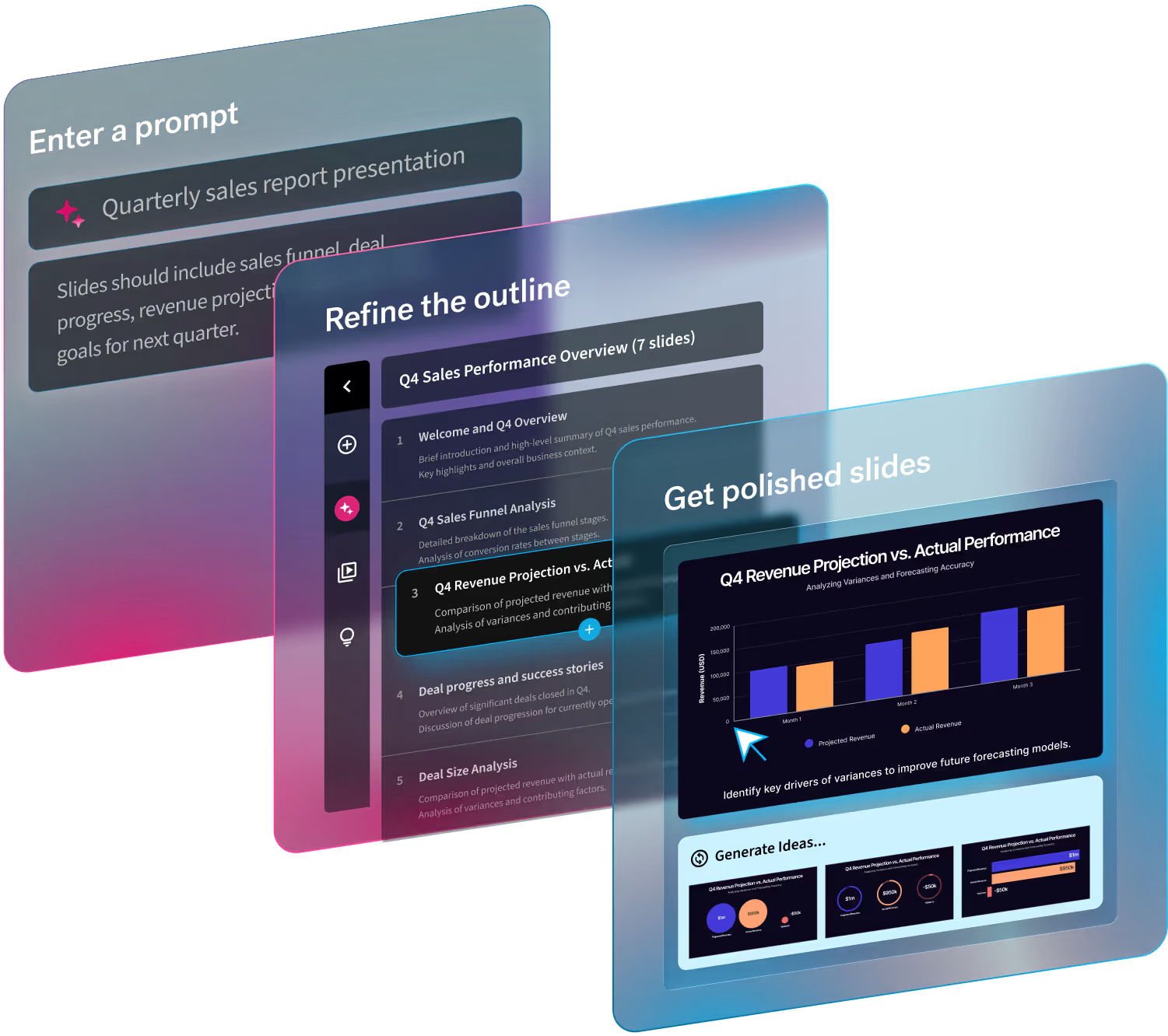
AI has made presentation drafting significantly faster. With Beautiful.ai's Create with AI Workflow, professionals can start with a prompt, an existing outline, or supporting documents, then refine the structure before generating slides.
But faster generation creates a new challenge for businesses: how do you make sure AI-assisted presentations reflect your brand?
Brand Kits help address that.
Users can choose a Brand Kit during the AI creation process, allowing generated slides to follow the appropriate visual styling from the beginning.
Brand Kits also support AI preferences, including image sources and styles. On Team plans, AI writing preferences can help guide brand voice and presentation instructions.
This extends consistency beyond visual design into how AI supports content creation.
Human review still matters. AI-generated claims, positioning, and recommendations should be checked before a presentation reaches a customer or investor.
A Brand Kit can establish the rules for presentation design. The person creating the pitch remains responsible for the accuracy and strength of the argument.
8. 5 Common mistakes to avoid
Even with automated brand controls, organizations need to make a few intentional decisions.
- Overcomplicating your Brand Kit. Adding every possible color, font variation, or decorative treatment can make a design system harder to use. Start with the approved essentials and expand when necessary.
- Creating multiple Brand Kits without clear ownership. If several employees maintain separate variations of the company's branding, inconsistencies can return. Assign someone responsibility for managing shared standards.
- Skipping onboarding. Employees need to know where approved Brand Kits and reusable slides live. A short walkthrough can prevent repeated questions and unnecessary work.
- Ignoring accessibility. Brand colors and typography should also support readability. Test contrast, font sizes, and charts before rolling out a Brand Kit company-wide.
- Assuming visual consistency guarantees message consistency. A perfectly branded deck can still contain outdated pricing, unsupported claims, or conflicting positioning. Use approved content resources and review processes alongside your visual standards.
Conclusion: Consistency made simple
The biggest obstacle to consistent branding is often the amount of manual work required to maintain it.
Organizations spend time creating detailed guidelines, then leave individual employees responsible for applying those rules across every presentation. That approach becomes harder to manage as the business grows.
Beautiful.ai's Brand Kits offer a more practical way to standardize presentation design. Paired with Smart Slides and shared team resources, they make it easier to create professional decks without constant oversight.
Marketing can maintain the visual standards. Sales can focus on tailoring the pitch. Founders and executives can build presentations without starting from scratch.
There's still room for creativity, as there should be. The best presentation systems make the right decisions easier while leaving people free to tell a story that fits their audience.
Build your brand standards into the workflow, and give your team more time to make the pitch count.
Create your next on-brand presentation with Beautiful.ai.



.avif)