


Visme vs Prezi: which is better? [Updated 2026]
![Visme vs Prezi: which is better? [Updated 2026]](https://cdn.prod.website-files.com/59e16042ec229e00016d3a66/6999042ead46db2687d9814a_Visme%20vs.%20Prezi.avif)

Visme vs Prezi: which is better? [Updated 2026]
Choosing between Visme and Prezi comes down to how you want to tell a story and what kind of visual content you need to produce. Both are cloud-based presentation software platforms, but they approach presentation style, interactivity, and workflow from very different angles.
Visme positions itself as an all-in-one presentation tool for visual content creation, covering slide decks, infographics, data visualization, and social media graphics. Prezi, by contrast, is built around non-linear presentation and visual storytelling, using zoom-in transitions and interactive navigation to keep audiences engaged.
Tool overviews
What is Visme?
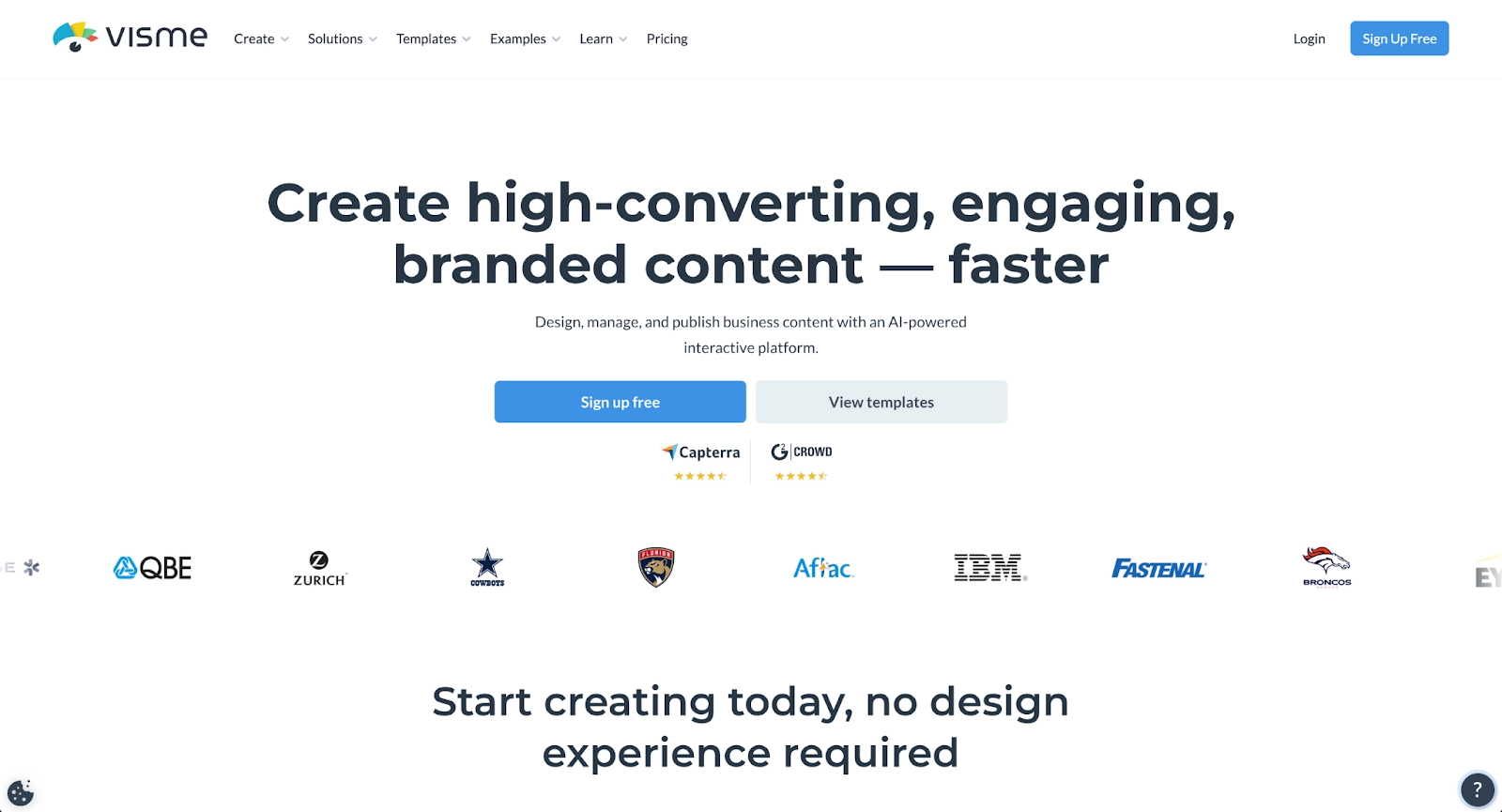
Visme is a cloud-based SaaS platform designed for teams and small businesses that need professional-looking visual content without deep design experience. It combines graphic design, presentations, charts, graphs, and reports in a single workspace, making it suitable for end-to-end content creation.
With a strong drag-and-drop editor, brand kits, fonts, icons, and stock visuals, Visme offers a broad set of design tools. Users can create traditional slide decks, infographics, and interactive content, then embed outputs on websites or share them across channels like LinkedIn.
What is Prezi?
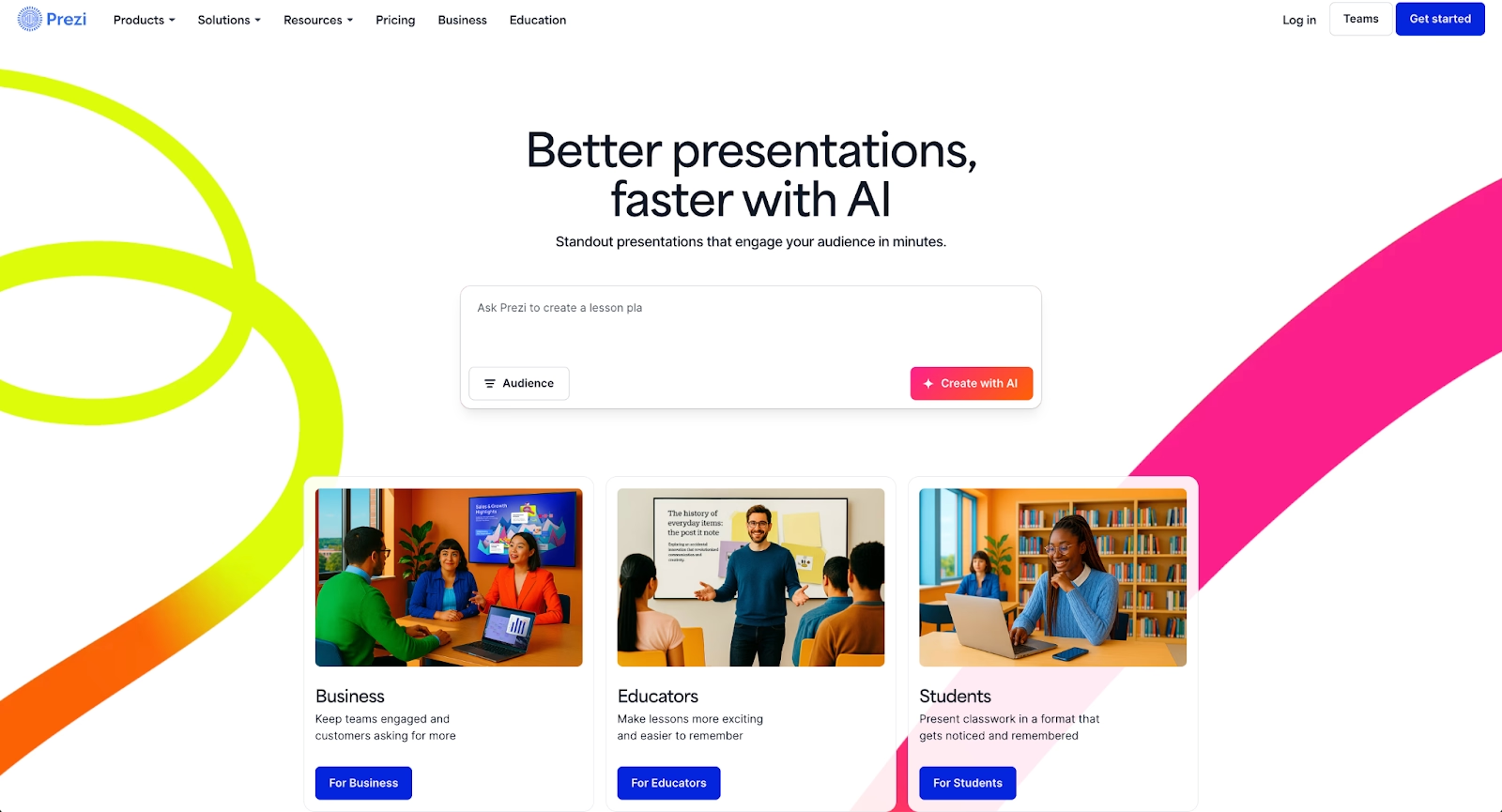
Prezi is a presentation platform built around non-linear presentations. Instead of moving slide-by-slide, presenters zoom in and out of a single canvas, creating a dynamic presentation style that emphasizes relationships between ideas.
Prezi is best known for its zoom-in animations, interactive elements, and immersive Prezi presentations. Recent updates include Prezi AI and AI assistance, which help generate outlines and AI-generated content. Prezi is often chosen by presenters who want audience engagement and memorable delivery rather than a classic slide format.
Key comparison criteria
At a strategic level, the difference is clear: Visme is a flexible visual content platform optimized for structured layouts and brand consistency, while Prezi is an interaction-first presentation platform optimized for movement, narrative flow, and audience engagement.
These priorities show up most clearly when comparing ease of use and how each handles templates and formatting.
Ease of use & learning curve
Visme is generally considered user-friendly, especially for beginners who want predictable layouts and a familiar editing experience. Its drag-and-drop interface, guided panels, and dashboard make it easy to assemble content without starting from scratch. For teams producing repeatable assets, the learning curve is moderate and manageable.
Prezi has a steeper learning curve, particularly for users accustomed to PowerPoint or canvas-style editors. Building effective non-linear presentation paths requires planning and spatial thinking. While the result can be highly engaging presentations, new users may need time to adapt to the workflow.
Summary: Visme favors ease and structure; Prezi favors expressive, dynamic delivery.
Templates & format control
Visme provides a large library of customizable templates for presentations, infographics, reports, and social posts. These templates support consistent layouts, brand colors, fonts, and reusable design elements, making it easier to maintain a professional look across multiple assets.
Prezi does not rely on traditional templates in the same way. Instead, it offers thematic canvases designed for visual storytelling, where content is placed spatially and connected through transitions. Formatting control is more conceptual than rigid, giving presenters freedom, but less precision, than a classic slide editor.
Summary: Visme excels at structured templates and format control, while Prezi prioritizes fluid, non-linear design over fixed layouts.
AI features & automation
Both platforms have introduced AI features, but they apply AI tools in very different ways.
Visme uses AI-powered and AI-assisted features to support content creation and design efficiency. AI helps generate layouts, suggest design elements, summarize text, and speed up visual assembly, especially for infographics, reports, and data-heavy slides. The focus is on helping users create professional-looking assets faster, not redefining how presentations are delivered.
Prezi applies AI assistance more directly to storytelling and presentation flow. With Prezi AI, users can generate outlines, structure ideas, and create AI-generated starting points for presentations. The AI is designed to support visual storytelling and audience engagement rather than detailed design control.
Summary: Visme uses AI to enhance design productivity; Prezi uses AI to support narrative structure and delivery.
Design tools, visuals & data visualization
Visme is particularly strong in data visualization. Users can import data from Excel, create interactive graphs, charts, and dashboards, and apply consistent branding using brand kits. This makes Visme effective for reports, analytics-heavy presentations, and business updates where clarity matters.
Prezi supports visuals and multimedia, but data visualization is not its core strength. Charts and graphics exist, but the emphasis is on movement, zoom in effects, and spatial storytelling rather than precise data presentation.
Summary: Visme excels at structured data visualization; Prezi excels at dynamic visual motion.
Interactive elements & audience engagement
Visme supports interactive content such as clickable elements, hover effects, embeds, and multimedia. These features are useful for web-based presentations, embedded content, and social media graphics, but interaction is typically asynchronous.
Prezi is built around live audience engagement. Its interactive elements, animated transitions, and non-linear navigation keep presenters in control of pacing and emphasis during delivery. While not quiz-focused like some tools, Prezi’s interaction comes from movement and flow rather than widgets.
Summary: Visme supports embedded interactivity; Prezi delivers live, presentation-first engagement.
Collaboration features & real-time workflow
Visme includes solid collaboration features for teams. Users can invite team members into a shared workspace, assign permissions, comment on designs, and manage assets centrally. While collaboration is not fully real-time in all plans, it supports structured team workflows well.
Prezi supports real-time collaboration, allowing multiple presenters to edit and comment simultaneously. This is particularly useful for teams preparing live presentations together. Permissions and presenter roles help manage access and presentation flow.
Summary: Prezi leans into real-time collaboration; Visme emphasizes controlled, team-based workflows.
Compatibility & integrations
Visme integrates with common cloud tools such as Google Drive and Dropbox, and allows users to embed content across websites and platforms. Outputs can be shared via links or downloaded, making Visme flexible for multi-channel use.
Prezi integrates with PowerPoint, supports embedding, and works well across devices including Android and desktop environments. It is optimized for live delivery rather than static exports, though sharing options are flexible.
Summary: Visme fits well into content ecosystems; Prezi fits well into live presentation environments.
Pricing & free plan
Visme offers a free plan with limited templates, storage, and download options, making it accessible for beginners. Paid tiers unlock advanced features such as brand kits, premium templates, collaboration controls, and enhanced exports. Pricing scales based on team size and functionality.
Prezi also offers a free version, primarily suited for public presentations with branding limitations. Paid plans unlock privacy controls, advanced features, collaboration tools, and Prezi AI capabilities. Pricing is structured around individual, team, and business use.
Summary: Both offer a free plan, but Visme’s is better for experimenting with design, while Prezi’s is better for trying interactive presentation delivery.
Ideal use cases
While Visme and Prezi cater to distinct presentation styles, Visme leans toward richly designed, interactive visuals, and Prezi emphasizes live, non-linear storytelling; some teams sit squarely between those extremes. These teams need more structure than freeform visual tools typically offer, but less theatrical movement than a presentation-first storytelling platform prioritizes.
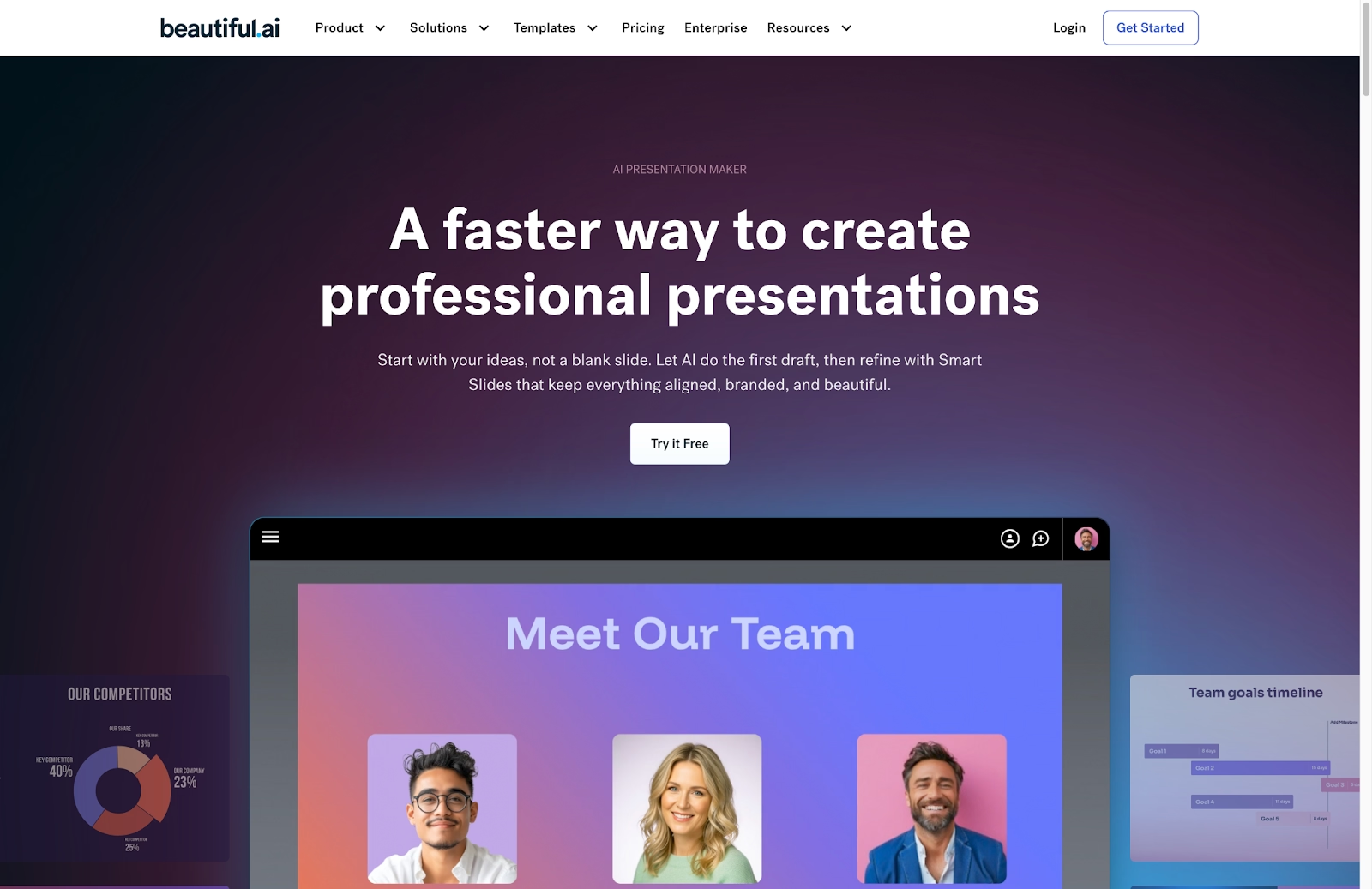
In those scenarios, Beautiful.ai often becomes a stronger overall fit, particularly for organizations that value scalable workflows, consistent branding, and automated design rules over manual customization or live presentation effects.
When Beautiful.ai is the better fit
- Teams that need on-brand, professional-looking slide decks without spending time on manual formatting.
- Organizations producing recurring pitch decks, sales presentations, and executive updates at scale.
- Users who want Smart Slides that auto-align and resize content, plus AI tools that generate full decks or slides fast.
- Teams that prefer a streamlined, all-in-one workflow rather than switching between multiple design tools.
- Businesses that rely on clean, reliable PowerPoint presentations and consistent exports for stakeholders.
When Visme is the better fit
- Small businesses, marketing teams, and presenters who need professional-looking visual content with minimal design experience.
- Users creating traditional slide decks, infographics, reports, and data visualization assets from Excel or other sources.
- Teams that value structured layouts, customizable templates, and brand consistency through shared brand kits.
- Workflows that involve repurposing content for social media graphics, websites, and embedded presentations.
- Users who prefer a user-friendly, drag-and-drop design tool with a predictable learning curve.
When Prezi is the better fit
- Presenters who want engaging presentations that go beyond linear slides.
- Teams focused on visual storytelling, non-linear presentation paths, and dynamic zoom in transitions.
- Educators, speakers, and facilitators who rely on live delivery and audience engagement.
- Users comfortable experimenting with presentation flow rather than fixed layouts.
- Teams that benefit from real-time collaboration while preparing or delivering presentations.
Limitations and trade-offs
These tools reflect deliberate design trade-offs shaped by their underlying product philosophy. Understanding where each tool prioritizes flexibility, automation, or control helps set realistic expectations about what they do well and where compromises are inevitable.
Beautiful.ai trade-offs
- Less creative freedom than full graphic design platforms like Visme.
- Does not offer native audience interaction features like polls or quizzes.
- Presentation style is more linear compared to Prezi’s non-linear storytelling.
- No permanent free plan for casual or one-off presentation needs.
Visme trade-offs
- Less emphasis on live, dynamic presentation delivery compared to Prezi.
- Animations and transitions are more restrained than motion-focused tools.
- Advanced collaboration and permissions require higher-tier plans.
- Best suited for structured content rather than exploratory storytelling.
Prezi trade-offs
- Steeper learning curve for users accustomed to PowerPoint or slide-based editors.
- Limited precision for data-heavy layouts and detailed graphs.
- Less control over rigid formatting and alignment.
- Not ideal for users who need strict brand control across many assets.
Future roadmap & evolving features
Looking beyond current features, the direction each platform is heading provides important context for long-term fit. Product roadmaps reveal whether a tool is doubling down on automation, expanding into new use cases, or repositioning itself within a broader presentation and content ecosystem. Understanding these trajectories helps teams choose a platform that will continue to support their workflow as needs evolve.
Beautiful.ai focus:
Beautiful.ai uses AI to help professional teams skip the blank page by generating full presentation drafts, individual slides, images, and text from prompts. Every AI-generated deck is built on Smart Slides, which automatically align, resize, and animate content using built-in design logic rather than AI-driven layout decisions. This always-on automation maintains spacing, formatting, and visual consistency as you edit, helping professional teams collaborate faster, maintain brand consistency, and reduce manual formatting across presentations.
Prezi focus:
Prezi’s development is focused on advancing visual storytelling and live communication beyond traditional slide decks. Ongoing improvements emphasize stronger AI-assisted creation, enhanced video and hybrid meeting features, and refinements to motion and zoom controls to improve clarity and reduce visual fatigue. Prezi is positioning itself as a presentation-plus-video platform optimized for live, conversational, and non-linear communication.
Visme focus:
Visme’s roadmap prioritizes expanding its role as an all-in-one visual content platform. Future development focuses on deeper AI design assistance, richer data visualization, and tighter brand management across presentations, infographics, and social media assets. Visme is evolving toward a centralized workspace where teams can create, manage, and reuse visual content consistently across multiple channels, not just presentations.
Final recommendation
Visme and Prezi each excel in specific presentation styles. Visme is well-suited for teams focused on structured visual content such as infographics, reports, and branded assets across multiple channels. Prezi stands out for presenters who prioritize motion, non-linear storytelling, and live audience engagement during talks or training sessions.
For teams that sit between those two extremes, Beautiful.ai often emerges as the more practical long-term choice. It removes the manual design overhead found in traditional presentation tools while avoiding the complexity and learning curve that comes with highly dynamic, non-linear formats. The result is a faster, more consistent way to produce professional slide decks without sacrificing clarity or control.
If your goal is to streamline presentation creation, maintain brand consistency, and help teams move from idea to polished slides with less friction, Beautiful.ai offers a balanced, AI-powered approach that fits naturally into modern workflows, especially for organizations that present often and value reliability over experimentation.
Why customers are switching to Beautiful.ai
Beautiful.ai is an AI-powered presentation platform that helps teams create polished, on-brand slides in a fraction of the time, without design skills or manual formatting.
- Design automation built in. Whether you're building pitch decks, reports, or internal presentations, Beautiful.ai’s Smart Slides automatically format content so you never worry about spacing, alignment, or layout again. Add your content, and the design adjusts instantly.
- ️No design experience required. Create professional decks without touching text boxes or manually arranging elements. Choose from Smart Templates and let the AI handle layout decisions, visual hierarchy, and consistency across the entire deck.
- Branding? Already handled. Keep every slide on-brand with your fonts, colors, and logos applied automatically. Beautiful.ai ensures every team member creates presentations that look like they came from a dedicated design team—without extra work.
- Real-time collaboration & team controls. Collaborate directly on the same deck, leave comments, manage permissions, and maintain consistency across team presentations. Perfect for growing teams and cross-functional workflows.
- Faster workflows, fewer revisions. Jump from rough outline to polished presentation in minutes, not hours. Beautiful.ai reduces back-and-forth edits by enforcing on-brand design rules and helping you iterate faster with AI-assisted slide creation.
